 Discover Windows
Discover Windows
Discover Windows
December 17, 2025
Share this page


Sometimes it’s the smallest changes that make the biggest difference. With the arrival of the Copilot key on Windows 11 PCs, Microsoft has turned a simple keystroke into a powerful productivity tool. Tap it once, and Copilot—your AI assistant in Windows—is ready to help you brainstorm, summarize, organize, or create. It’s a small key with big potential—and on Copilot+ PCs, it’s paired with hardware built to make the experience even faster and smarter.
What the Copilot key is—and where to find it
The Copilot key is a brand-new addition to the Windows keyboard, appearing on the latest Windows 11 PCs. You’ll usually find it near the spacebar, taking the spot where the right-hand Windows key used to be. Press it once, and Copilot launches instantly, with no searching or clicking required.
Did you know? This is the first major change to the Windows keyboard layout since the Windows key debuted back in the 1990s.
Copilot shortcuts: One tap to instant help
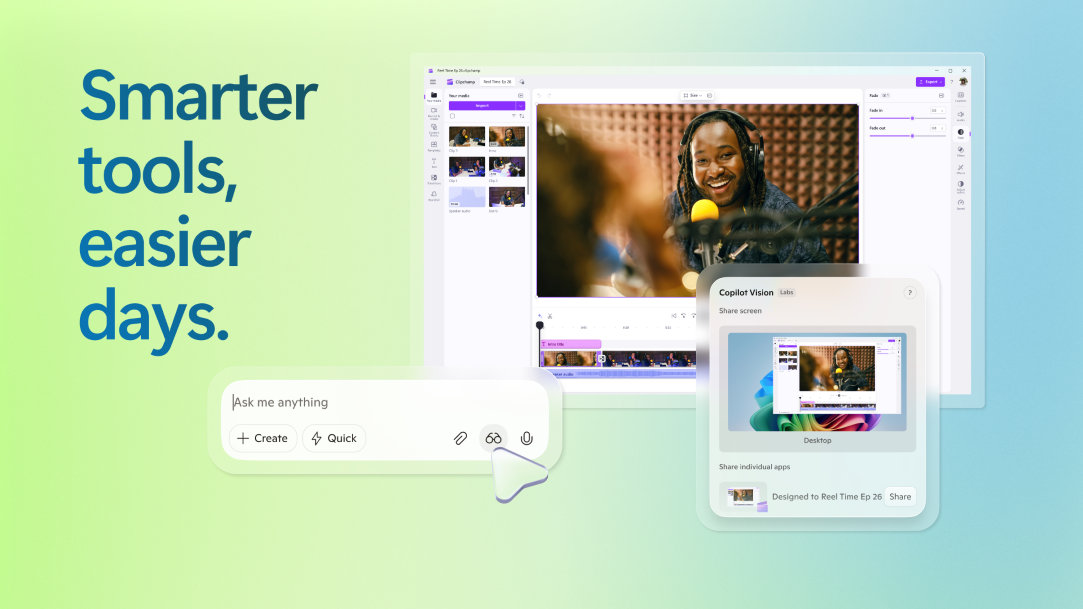
Once Copilot appears, you can ask it to handle everyday tasks: drafting an email, summarizing a report, creating a list, or brainstorming ideas. Instead of hopping between apps, you can bring AI right into your workflow with a single keystroke. It’s like the Windows key for the AI era.
Shortcuts that turn everyday tasks into quick wins
Want to move even faster? Pair the Copilot key with shortcuts to unlock extra powers:
On a Copilot+ PC, these shortcuts run smoother and faster, thanks to AI hardware that eliminates the lag and keeps your workflow flowing.
How the Copilot key makes work, school, and life smoother
The Copilot key isn’t just for tech pros—it’s for anyone who juggles tasks, deadlines, and ideas. Here’s how it plays out in real life:
Fun tip: Use the Copilot key to “brain dump” a messy idea into Copilot, then let it organize your thoughts into something clear. It’s like CTRL + ALT + DEL for your brain.
Why Copilot+ PCs put the “plus” in productivity
The Copilot key truly shines on Copilot+ PCs. These devices include a a neural processing unit (NPU) capable of trillions of AI operations per second, giving you smoother multitasking and faster results when you press the key.
Copilot+ PCs take everything Windows 11 does best—speed, creativity, and convenience—and supercharge it. In fact, the top-performing Copilot+ PCs are faster than the MacBook Air with M4 and up to five times quicker than a 5-year-old Windows device.1 That’s power you can feel in every keystroke.
Ready to try it yourself?
The Copilot key is the future of productivity on Windows, and Copilot+ PCs make the experience even better. With AI-powered shortcuts and performance that keeps up with your day, they’re built to help you work, study, and create at a whole new pace.
Shop Copilot+ PCs and learn more about Windows 11 to unlock everything the Copilot key can do.


