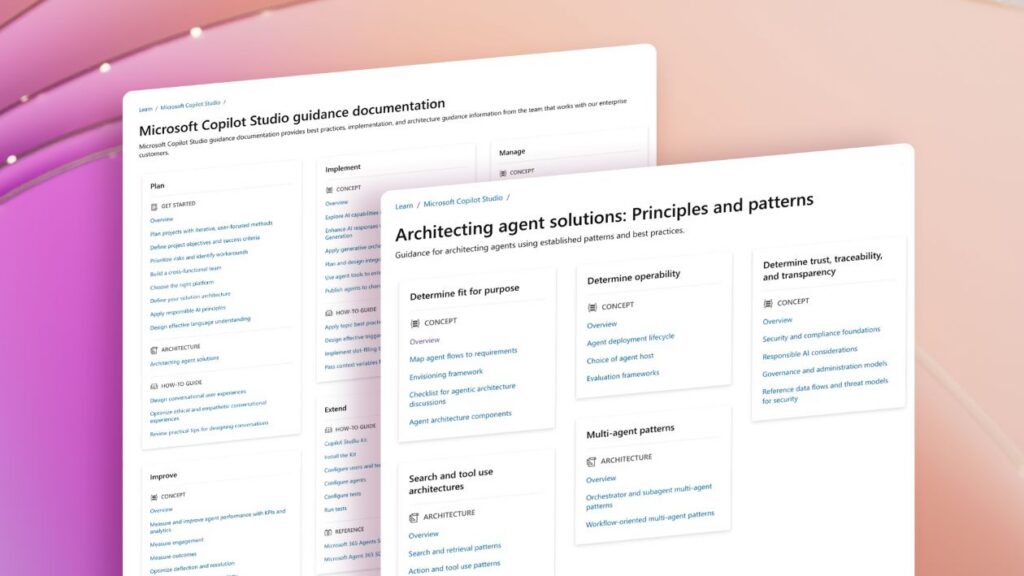
Governance built into the foundation of your agent program is what separates a successful production deployment from one that stalls—or fails publicly. This guide explains how to design, manage, and scale customer-facing, real-time voice agents using Microsoft Copilot Studio, with a focus on governance, reliability, and enterprise readiness.
Imagine a customer calling your contact center about a billing dispute. A real-time voice agent answers, identifies the customer, references their account history, resolves the issue, and—when needed—hands off to a live agent with full context preserved. Human agents focus on exceptions, not routine queries.
Now imagine that same scenario without agent governance. The agent was built, published directly to production, and never tested for escalation. Monitoring was not enabled. The first signal of a problem is a customer complaint—or a data exposure.
Customer-facing agents are becoming the front door for how organizations engage with customers, handling intent and outcomes across conversational AI experiences. What began as chat has evolved into always-on agents that resolve issues, take action, and now support real-time voice across digital and contact center environments using platforms like Copilot Studio. The opportunity is massive—but so is the cost of getting the foundation wrong. Just as self-service and Q&A agents redefined support at scale, this shift will fundamentally reshape how companies operate.
Why real-time voice agents require a different governance lens
Most organizations already govern internal AI tools designed for known users and controlled environments. Customer-facing agents operate under fundamentally different conditions. There are unknown users, public channels, brand exposure, and direct access to customer data and downstream systems. Failures in these customer experience events mean operational, regulatory, and reputational consequences.
This is why governance cannot be treated as a final approval step. As real-time voice agents scale, governance must be built into how they are designed, deployed, monitored, and evolved from the start. Organizations that treat governance as an accelerant—rather than a constraint—can move faster and more confidently than those who bolt it on later.
Principle: Governance as a design principle can streamline approval, which leads to accelerated scale and adoption.
Why real-time voice agents raise the stakes
Text‑based agents require governance, but real‑time voice introduces stricter operational constraints. Latency budgets are tighter, failures are immediately apparent to customers, and interruption handling, turn‑taking, session state, and escalation behavior directly affect service reliability.
Voice agents are typically deployed in high‑impact scenarios such as billing, orders, and service disruptions, where they integrate with Dynamics 365 Contact Center workflows. In these environments, agents must identify callers, reference active cases, execute actions, and escalate predictably.
For real‑time voice, escalation is a first‑class system requirement. Handoffs to human agents must preserve full conversational context and session state, and be validated under load before production traffic is routed.
Model selection also becomes operationally significant. Copilot Studio real‑time voice agents use purpose‑fit models to balance latency, quality, and reliability while remaining governed through a centralized control plane.
What good looks like: A production voice agent deployment has been tested for escalation behavior, latency under load, and handoff context preservation before any customer traffic is routed to it. Monitoring is active from day one, not added after the first incident.
A governance framework for the full agent lifecycle
Governing customer-facing agents effectively requires capabilities that span the full agent lifecycle. This is especially critical for business-to-consumer (B2C) agents, which operate in always-on, customer-facing contexts and must handle real-time interactions, actions, and sensitive data at scale—particularly in high‑stakes modalities like voice.
Copilot Studio provides this governance as a managed agent platform, enforcing controls through managed operations and managed security across the full lifecycle. That goes from build access and data connectivity to release, monitoring, and auditability. Rather than relying on documentation or custom wiring, governance is centralized in the Microsoft Power Platform control plane and consistently applied across chat, voice, and contact center scenarios.
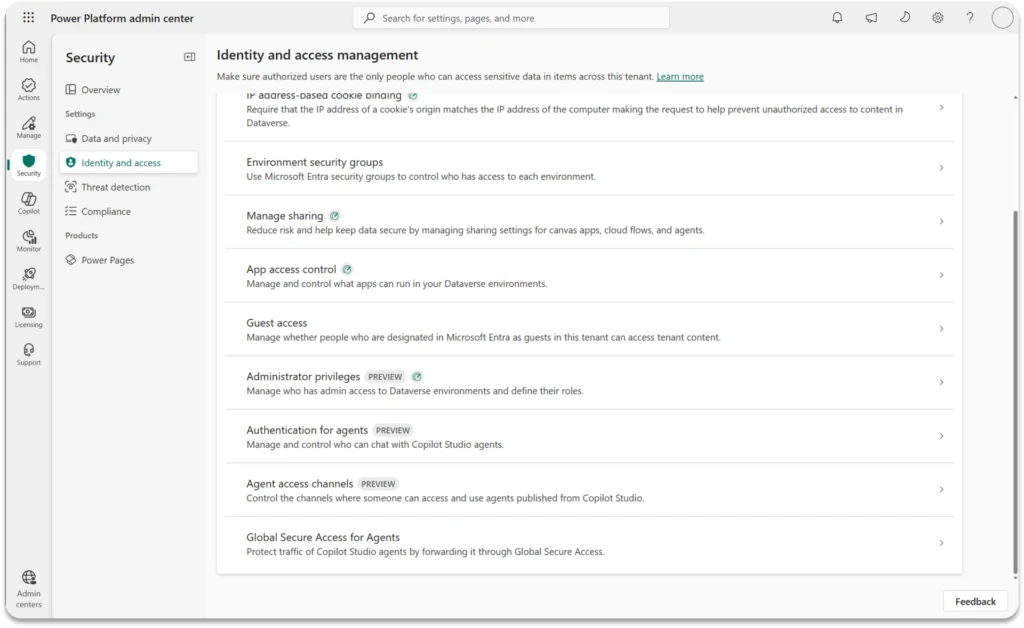
The following five‑stage governance framework reflects how managed capabilities come together across the full lifecycle of customer-facing agents:
Stage 1: Govern the builder
Before a single topic is created, agent governance starts with who is allowed to build and what they are allowed to connect.
- Define builder roles and environments. Specify who can create agents and which environments they can work in, using role‑based access in the Power Platform admin center.
- Set data access boundaries early. Apply data loss prevention (DLP) policies before development to determine which connectors and data sources agents can use.
- Maintain environment separation. Use distinct development, test, and production environments to validate changes before deploying them to customer‑facing scenarios.
- Standardize on managed solutions. Package agents in managed solutions to support versioning, controlled promotion, and rollback across environments.
What good looks like: A new agent builder requests access and is provisioned into a dedicated development environment. DLP policies are pre-applied. They cannot publish to any customer-facing channel without an administrator approval step.
Stage 2: Govern the build
How an agent is built determines how safe and predictable it is in production.
- Configure authentication by channel. Decide whether sessions are authenticated (Microsoft Entra ID or supported identity provider [IdP]) or anonymous, and design data access accordingly. (For public-facing scenarios like 800 numbers and public websites, anonymous real-time voice sessions are common.)
- Set generative AI behavior explicitly. Define and check grounding, topic scope, and allowed behaviors rather than relying on default settings.
- Validate escalation paths. Test and verify handoff to live agents with full conversation context preserved for all voice scenarios.
- Apply content moderation intentionally. Define clear engagement boundaries, enforce agent governance and policy controls, and rigorously red‑team and validate edge cases before deploying to production.
What good looks like: Testing escalation paths before publishing an agent to a customer-facing channel, so you can go live with more confidence. Catching errors before the first live escalation is critical to creating a good customer experience.
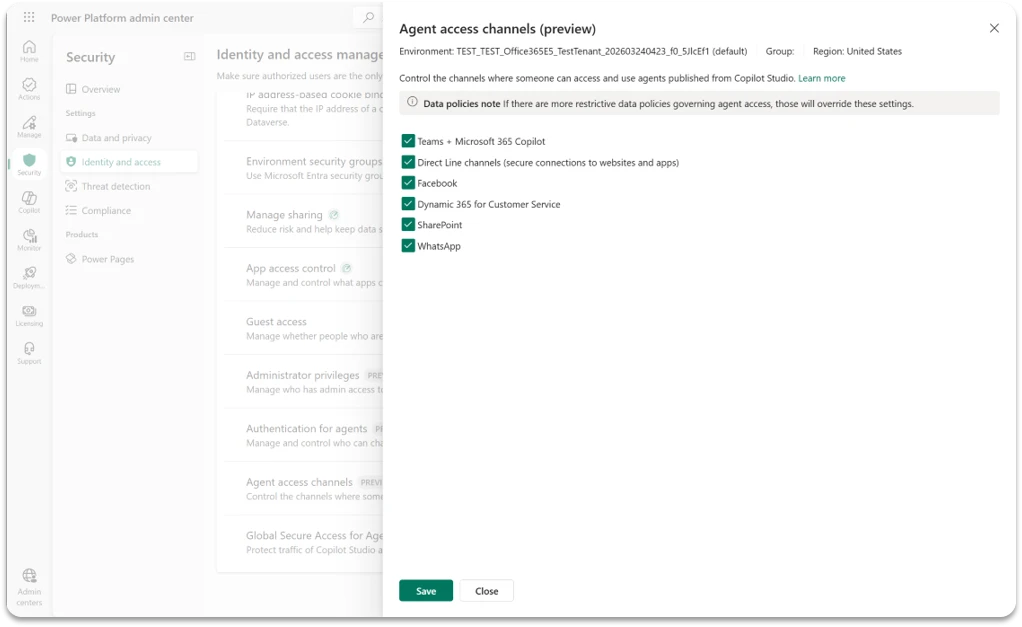
Stage 3: Govern the release
Moving an agent from development to production requires controlled, auditable steps.
- Standardize promotion paths. Promote agents through dev, test, and production using managed solutions and Power Platform pipelines with an auditable change history.
- Apply pre‑production validation gates. Require checks for conversation quality, escalation behavior, latency under load, and data access before publishing.
- Plan and test rollback. Define and validate rollback procedures for production issues prior to go‑live.
- Separate publish authorization. Require explicit approval to publish agents to customer‑facing channels, independent of build permissions.
What good looks like: An agent must pass a defined pre-production checklist and receive administrator approval to publish before any customer traffic reaches it. Every version promotion is tracked in the solution history.
Stage 4: Govern the runtime
Once an agent is live, governance shifts from control to visibility and response.
- Enable runtime observability. Turn on conversation transcripts and analytics in Copilot Studio before routing customer traffic.
- Define operational thresholds. Monitor metrics such as escalation rate, resolution rate, latency, and session completion, with alerts for deviations.
- Establish incident response. Define processes for detecting, triaging, and mitigating production issues in voice agents integrated with Dynamics 365 Contact Center.
- Monitor usage and capacity. Track session volume, message consumption, and capacity limits to support scaling and stability.
What good looks like: Early detection through active monitoring. Voice agents that interact with customers without active monitoring are operating without a safety net. Issues that could persist for hours without analytics can be caught in minutes with these guards in place.
Stage 5: Govern the lifecycle
Voice agents are not static. They evolve as scenarios expand, customer needs change, and the platform advances. Managing change safely is as important as the initial deployment.
- Version agent configuration. Track changes to topics, actions, authentication, and generative AI settings using application lifecycle management (ALM) and source control.
- Validate changes pre‑production. Test all updates in non‑production environments to avoid regressions in core scenarios, including voice flows and escalation behavior.
- Coordinate releases operationally. Communicate deployment windows to IT and contact center operations teams.
- Evolve governance as scale grows. Reassess role-based access control (RBAC), DLP policies, environment strategy, and publishing permissions as agent count and channel coverage expand.
Platform capabilities that support agent governance
Copilot Studio provides a centralized control plane for building, operating, and governing customer‑facing agents. The platform capabilities below directly enable the governance framework described above and should be configured before scaling B2C deployments:
- Power Platform admin center: Central governance surface for environments, DLP policies, user access, and capacity management; the primary enforcement layer for agent governance.
- Environment management: Separate development, test, and production environments to support validation and controlled promotion of customer‑facing agents.
- Data loss prevention (DLP) policies: Environment‑level connector controls that define which data sources and services agents can access before any connections are established.
- Managed solutions and Power Platform pipelines: Package agents as managed solutions and promote them through environments with version tracking, rollback support, and an auditable change history.
- Microsoft Entra ID and channel authentication: Configure customer‑facing authentication using Entra ID or supported identity providers to enable secure, scoped access to customer data.
- Generative AI controls and content moderation: Per‑agent configuration for grounding, topic scope, allowed behaviors, and content filtering, applied deliberately prior to public deployment.
- Conversation transcripts and analytics: Built‑in logging and analytics providing runtime visibility into agent behavior, escalation patterns, and coverage gaps.
- Dynamics 365 Contact Center integration: Native escalation to live agents with case context preservation and unified conversation history for voice deployments.
- Azure Speech: Underlying speech infrastructure for real‑time voice agents, with implications for latency, reliability, and capacity planning.
- Dataverse security model: Row‑level and business‑unit security controls governing agent access to customer records in Dynamics‑integrated scenarios.
Security, privacy, and compliance for customer-facing agents
For IT and security teams, governance of customer-facing agents must also address data handling, regulatory requirements, and audit readiness. These are not secondary concerns—they’re often the first gate any enterprise B2C deployment must pass through.
Customer data and PII in voice interactions
Real-time voice agents generate conversation transcripts that may contain personally identifiable information. Establish clear retention policies for these transcripts before deployment. Define who has access to conversation logs, how long they are retained, and whether they are subject to deletion requests under applicable privacy regulations.
Regulatory considerations
Depending on your industry and geography, customer-facing AI agents may be subject to requirements under General Data Protection Regulation (GDPR), California Consumer Privacy Act (CCPA), or sector-specific regulations in financial services or healthcare. Review applicable requirements with your legal and compliance teams before deploying agents to regulated customer scenarios. DLP policies in the Power Platform admin center are a key compliance control.
Audit logging and compliance evidence
Power Platform and Copilot Studio support audit logging through Microsoft Purview and the Power Platform admin center. Ensure audit logging is enabled before production deployment and that logs are retained according to your organization’s compliance requirements.
Credential and secret management
Agents that connect to external systems require credentials and connection strings. Do not store secrets in agent configuration directly. Use environment variables in Power Platform or Azure Key Vault references to manage credentials securely, with access controlled through role assignments.
Note for architects: Security and compliance review should be a gate in Stage 3 (govern the release), not an afterthought discovered during audit. Engage your security and compliance teams in the pre-production validation checklist.
Five anti-patterns that derail production AI deployments
Organizations that have scaled B2C agents successfully tend to have avoided the same set of avoidable mistakes. These are the patterns most likely to cause problems once customer traffic is live.
- Skipping environment separation: Building and publishing agents in the same environment, or directly in production, allows untested changes to reach customers and is one of the most common causes of early deployment issues.
- Publishing voice agents without tested escalation: Escalation to a live agent is a core part of voice agent design. Untested handoff paths that fail to preserve customer context degrade the experience more than having no agent at all.
- Granting broad DLP exceptions under schedule pressure: Temporarily relaxing DLP policies often becomes permanent, introducing data access risk and audit gaps that are difficult to remediate later.
- Treating monitoring as a post‑launch activity: When transcripts, analytics, and alerts are not enabled before go‑live, production issues surface through customer complaints rather than operational signals.
- Building open‑ended agents without defined scope: Broad, general‑purpose agents are harder to test, govern, and improve than agents scoped to specific customer scenarios with clear success criteria.
How to operationalize voice agents
As teams move from pilots to production, a small set of patterns consistently differentiates voice agent deployments that scale.
- Start with well‑defined customer scenarios rather than broad open‑ended agents. Clear scope simplifies risk assessment, testing, and measurement. A voice agent designed for order status or billing inquiries is easier to govern and iterate on than one intended to answer arbitrary customer questions.
- Treat real‑time voice as an extension of existing digital agent governance, not an exception. Teams that have already governed chat‑based agents in Copilot Studio are well positioned to apply the same controls to voice, while accounting for stricter latency, escalation, and runtime requirements.
- Design escalation as a primary flow, not a fallback. Agents integrated with Dynamics 365 Contact Center should preserve full conversational and case context on handoff. Predictable escalation maintains continuity; dropped context undermines trust.
- As programs scale, three governance questions remain central:
- Which customer scenarios are appropriate for automation versus human handling?
- Where does real‑time voice materially improve the experience versus add operational complexity?
- How quickly can production issues be detected and resolved once agents are live?
Using Copilot Studio as a governance foundation for agents
Copilot Studio and Power Platform provide a centralized environment for building, operating, and governing agents, which becomes increasingly important as deployments expand from internal use cases to customer‑facing channels.
Establish governance once in Copilot Studio, and scale it across chat, voice, and backend‑driven agents without fragmentation. As a centralized control plane, the platform helps you enforce consistent policies and maintain operational oversight as agents expand across channels, regions, and customer scenarios.
For organizations already using Copilot Studio, many of the governance capabilities described here are available today. Support for real-time voice agents in Copilot Studio is now generally available in North America, with deployments delivered first through Dynamics 365 Contact Center. Language support, additional regions, and broader publishing channels will expand over time as part of Copilot Studio’s ongoing roadmap.
Learn more in the announcement blog for real-time voice agents.
Governance readiness checklist for customer-facing voice agents
Before deploying a customer-facing or real-time voice agent to production, verify governance readiness across these core dimensions.
Access and environment
- Separate development, test, and production environments are provisioned
- Role-based access is configured—developers cannot publish directly to production
- Advanced connector policy is applied to all environments before development begins
- Publishing permissions for customer-facing channels require administrator approval
Build and configuration
- Authentication and identity are configured appropriately for the channel (authenticated or anonymous)
- Generative AI settings, grounding, and content moderation are configured deliberately
- Credential and secret management uses environment variables or Azure Key Vault references
- The agent is packaged in a managed solution with tracked versioning
Testing and release
- Escalation paths to live agents have been tested with context preservation verified
- Latency and behavior have been validated under simulated load
- A pre-production validation checklist has been completed and signed off
- A rollback procedure has been defined and tested
- Audit logging is enabled and log retention meets compliance requirements
Runtime and operations
- Conversation transcripts and analytics are active before first customer interaction
- Operational thresholds (escalation rate, session completion rate) are defined with alerts
- An incident response procedure is defined and communicated to operations teams
- Usage and consumption monitoring is in place for capacity planning
- A change management process is defined for updating live agents
Getting started with customer-facing agents
Organizations ready to operationalize B2C agents should begin with the following steps:
- Align on priority scenarios. Agree on customer scenarios, scope, success criteria, and escalation requirements before any development begins.
- Set up environments and governance. Configure separate dev, test, and production environments and apply DLP policies before granting developer access. Define role‑based access and require administrator approval for publishing to customer‑facing channels.
- Engage security and compliance early. Review applicable regulatory requirements and establish data retention policies for conversation transcripts.
- Build and validate deliberately. Start with a scoped agent, use managed solutions, and be sure to test and verify escalation paths.
- Confirm readiness before go‑live. Complete the governance readiness checklist and enable monitoring and escalation thresholds prior to routing customer traffic.
With the right foundation in place, teams can scale customer‑facing and real‑time voice agents—while maintaining the reliability, security, and operational integrity IT teams are responsible for protecting.