Skip to main content Microsoft 365 Copilot Download Microsoft 365 Copilot app Microsoft Copilot Studio Microsoft Security Copilot Microsoft Copilot in Azure GitHub Copilot Agents Customer stories Get started with AI for your business Copilot learning hub Copilot 101 Microsoft AI Copilot blog For personal use Try Copilot Chat Microsoft Security Azure Dynamics 365 Microsoft 365 Microsoft Teams Windows 365 Microsoft AI Azure Space Mixed reality Microsoft HoloLens Microsoft Viva Quantum computing Sustainability Education Automotive Financial services Government Healthcare Manufacturing Retail Find a partner Become a partner Partner Network Microsoft Marketplace Marketplace Rewards Software development companies Blog Microsoft Advertising Developer Center Documentation Events Licensing Microsoft Learn Microsoft Research View Sitemap

Access and edit your Power Automate flows from the Power Virtual Agents authoring canvas

Access and edit your bot's Power Automate flows directly from the Power Virtual Agents authoring canvas.

Power Virtual Agents now allows you to access and update your Power Automate flows directly from the authoring canvas in one step, without having to open the Power Automate portal and navigating to the corresponding flow Solution manually.

You can choose to open any Power Automate flow when it appears on the list of flows available to your bot in the dialog:

screenshot

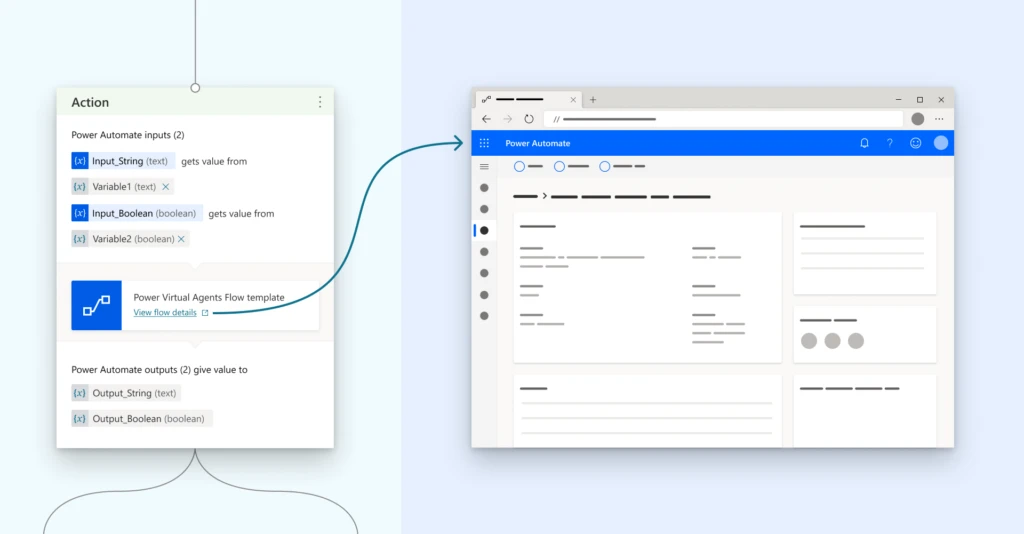
If you want to update a Power Automate flow that is already used in your dialog, the same View flow details link is available directly in the Action node:

screenshot

Clicking on the View flow details link will open this flow’s details page on the Power Automate portal in a new tab. From there, you can Edit your flow, see the Run history for your flow, access flow Analytics, and also turn your flow On/Off.
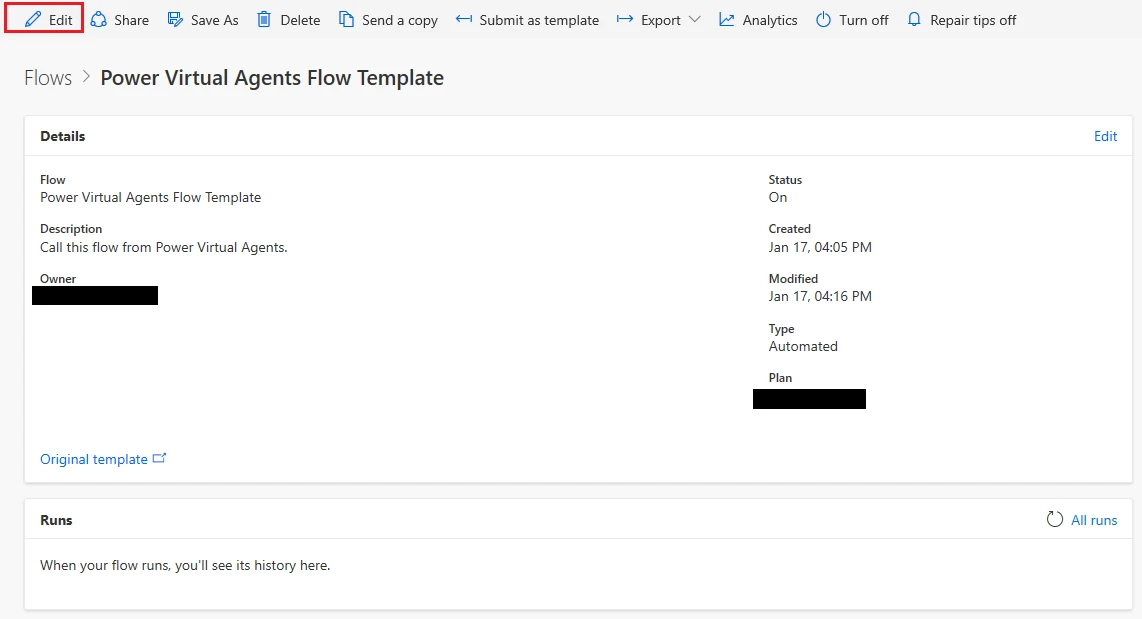
flows tab screenshot

For more information on this feature, please refer to Add actions to a bot using Power Automate documentation.


Marina Kolomiets
English (United States)
Your Privacy Choices Opt-Out Icon Your Privacy Choices
Consumer Health Privacy Sitemap Contact Microsoft Privacy Manage cookies Terms of use Trademarks Safety & eco Recycling About our ads