This is the Trace Id: 2aff5d7deb03dc4af597ad7c6a60dff5
Skip to main content Surface Pro Surface Pro Keyboards Surface Slim Pen Surface Laptop Surface Laptop accessories Surface Studio 2+ Surface Laptop Studio 2 Compare Surface devices Do more with Surface All Surface Pro 2-in-1s for Business Surface Pro for Business, Copilot+ PC, 12-inch | Snapdragon Surface Pro for Business, Copilot+ PC, 13-inch | Intel Surface Pro for Business, Copilot+ PC, 13-inch | Snapdragon Surface Pro 10 for Business Surface Go 4 for Business All Surface Laptops for Business Surface Laptop for Business, Copilot+ PC, 13-inch | Snapdragon Surface Laptop for Business, Copilot+ PC, 13.8 and 15-inch | Intel Surface Laptop for Business, Copilot+ PC, 13.8 and 15-inch | Snapdragon Surface Laptop 6 for Business Surface Laptop Studio 2 for Business Surface Studio 2+ for Business Surface Hub 3 All Accessories Compare Surface devices for Business Surface for Business Home Surface Pro accessories Surface Laptop accessories Surface Studio accessories Surface Pro Keyboards All Surface accessories All Surface devices Surface deals Surface bundles Certified refurbished Surface Surface repair parts Where to buy Surface Support Transfer your data to a new Surface Copilot+ PC SHOP DEALS Microsoft 365 Azure Copilot Windows Surface Xbox Deals Small Business Support Windows Apps Outlook OneDrive Microsoft Teams OneNote Microsoft Edge Moving from Skype to Teams Computers Shop Xbox Accessories VR & mixed reality Certified Refurbished Trade-in for cash Xbox Game Pass Ultimate PC Game Pass Xbox games PC games Microsoft AI Microsoft Security Dynamics 365 Microsoft 365 for business Microsoft Power Platform Windows 365 Small Business Digital Sovereignty Azure Microsoft Developer Microsoft Learn Support for AI marketplace apps Microsoft Tech Community Microsoft Marketplace Software companies Visual Studio Microsoft Rewards Free downloads & security Education Gift cards Licensing Unlocked stories View Sitemap
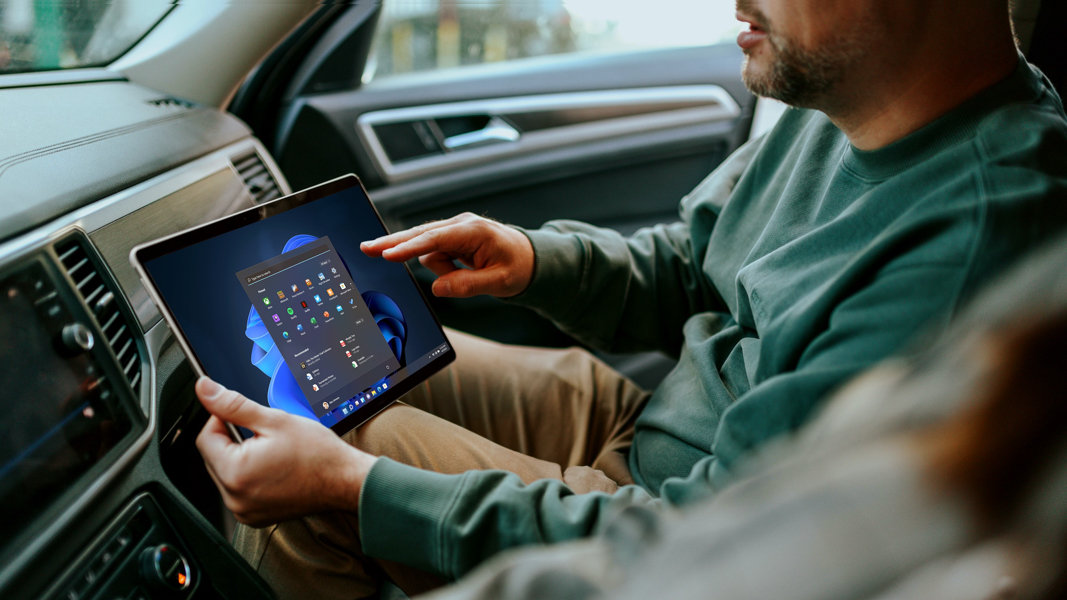
A man using a Surface tablet in the passenger seat of the car

May 16, 2023

5 things you didn’t know you could do with a Surface touchscreen

Embrace the best of both worlds: the power of a personal computer with the hands-on ease of a touchscreen. Surface devices, from 2-in-1 laptops to all-in-one desktops, bring world-class functionality to your fingertips, no matter where you go or how you work.

Whether you’re purchasing a new Surface Pro 9 2-in-1 laptop, exploring the features of Surface Laptop Studio 2, or looking to get the utmost functionality out of your Surface Go 3, you’ll want to know some of the top things you can do with a touchscreen device.

1. Enjoy tablet functionality

One great feature of Surface devices is the ability to easily shift into Tablet mode while maintaining all the functionality of a PC. Use the touchscreen for a touch-first experience while you play games, collaborate over video conference, and move between windows.

2. Take handwritten notes

Whether you’re taking notes for class or writing a to-do list for your week, handwritten notes let you get creative and jot ideas quickly. With a Surface touchscreen, you can easily create handwritten notes in OneNote, store them to Microsoft Cloud, and access your digital notebooks at any time—all on one device. And for the latest in tactile, pen-on-paper feel, try the Surface Slim Pen 2.

3. Give your wrists a break

If you’ve ever spent a long time at your computer, you may have experienced a sore wrist or hunched back. With a touchscreen device, you can easily switch your position and improve your posture by forgoing the keyboard.

4. Create stunning art and design

While some artists create digital illustrations using a traditional computer, a touchscreen takes your drawings to the next level. If you’re working on Surface Studio 2+, you can design vivid images or eye-catching animations all on a stunning, 28” PixelSense™ display. Glide your Surface Slim Pen 2 across the screen quickly and without putting too much pressure on your palms for the cleanest lines.

5. Work and play from anywhere on a Surface 2-in-1 laptop

If you have a Surface 2-in-1 laptop, Tablet mode gives you the option to leave the keyboard behind. Keep up with your to-do list wherever you may be or on the go. Touchscreen laptops also seamlessly transition from work to play. Use your device to stream movies or online shop, and read the latest e-books on a bright, responsive touchscreen.

Whether you use your device for work, school, or play, Surface touchscreens simplify your digital routine. If you’re not sure which Surface fits your needs, let us help you choose.

DISCLAIMER: Features and functionality subject to change. Articles are written specifically for the United States market; features, functionality, and availability may vary by region.

Products featured in this article

Surface logo

Surface Pro 9

Surface logo

Surface Laptop Studio 2

Surface logo

Surface Go 3

Surface logo

Surface Slim Pen 2

Surface logo

Surface Studio 2+

Related topics

A man using a 2-in-1 laptop

What’s a 2-in-1 laptop and why you should choose one

Learn how using a convertible laptop can make daily tasks easier.
Woman using a Surface laptop outside

The best Surface laptop features for architecture students

Find out what features you should look for in laptops for architecture students.
Surface dual monitors

The best ways to configure your dual monitor setup

Don’t settle for less—learn how to double your screen real estate.
English (United States)
Your Privacy Choices Opt-Out Icon Your Privacy Choices
Consumer Health Privacy Sitemap Contact Microsoft Privacy Manage cookies Terms of use Trademarks Safety & eco Recycling About our ads
