
December 18, 2025
Share this page


How Surface Copilot+ PCs unleash the power of AI
Step into a new era of personal computing with Microsoft Surface Copilot+ PCs, where incredible speed, all-day battery life1, and built-in AI experiences come together with the signature Surface design. Whether you're working, creating, or staying connected, Surface Copilot+ PCs deliver a fast, intelligent, and secure experience that adapts to your needs.
What Is a Copilot+ PC?
Copilot+ PCs are a class of Windows AI PCs, laptops, and 2-in-1 PCs that deliver unmatched speed, turbocharged performance, and advanced AI features to help accelerate your productivity and creativity. Uniquely designed for secure AI performance, Copilot+ PCs help safeguard your most sensitive information, so you can stay in control of protecting what’s yours.
Microsoft Surface Copilot+ PCs are the best Copilot+ PC experience. Powered by Snapdragon® X Elite Plus processors, Surface Copilot+ PCs offer incredible speed, all-day battery life, and seamless integration with the Microsoft ecosystem—all while maintaining the sleek, signature Surface design.
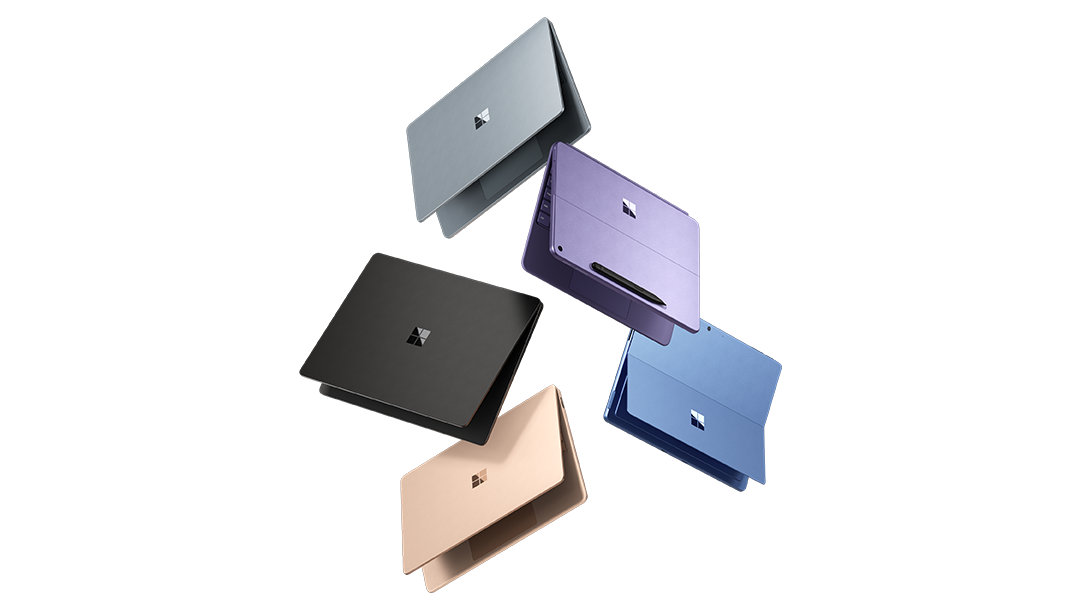
To find the perfect balance of power, portability, and AI-accelerated Copilot+ PC experiences for the way you work and create, choose between Surface Laptop and Surface Pro.
Surface Laptop Copilot+ PCs: Lighter than your average laptop. More powerful too
Surface Laptop delivers a sleek touchscreen experience with built-in AI to help you get more done from anywhere. With all-day battery life, a Copilot key2 that brings AI assistance to your fingertips, and a design that’s as portable as it is powerful, Surface Laptop is the intelligent laptop that keeps up with your day.
Available in:
Surface Pro Copilot+ PCs: Works like a laptop, plays like a tablet
Surface Pro 2-in-1 Copilot+ PCs combine the flexibility of a tablet with the performance of a laptop. Use touch, voice, or Surface Slim Pen3 to interact naturally, then click in a Surface Pro keyboard3 for a full typing experience—complete with a Copilot key. Surface Pro is the only tablet with built-in AI, designed to go wherever ideas take you.
Available in:
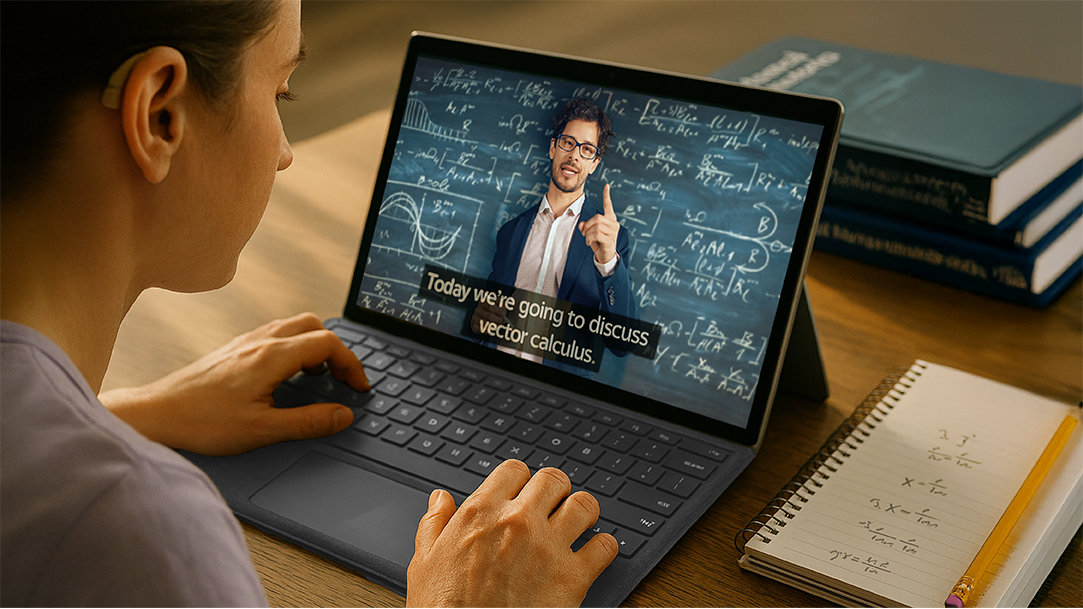
AI on Surface devices enhance productivity
With Surface Copilot+ PCs, you get industry-leading AI right out of the box, such as:
- Copilot on Windows, your AI companion: Get help finding, creating summarizing, and analyzing—using clear, conversational language.
- Recall: Describe what you remember, and Recall helps you instantly find documents, emails, or web pages—no more searching folder by folder.
- Live Captions with translations4: Translate over 40 spoken languages into English in real-time—whether on a video call or watching a recording.
- Windows Studio Effects: Look and sound your best with AI-powered lighting, eye tracking, voice focus, and more.
- Photos and Cocreator: Let AI help you create, edit, and enhance images. Or generate new visuals from simple text or image prompts.
Use cases for everyday users
Surface Copilot+ PCs are designed to adapt to how you work, study, and create.
- Jump back to lecture slides, research tabs, or assignments just by describing what you remember using Recall.
- Convert handwritten notes into clean, searchable text in OneNote with help from Surface Slim Pen.
- Reword confusing textbook passages into clearer explanations instantly with Click to Do.
- Summarize meetings or transform reports into presentations automatically using Copilot in Microsoft 365.
- Look polished on video calls with automatic lighting, background blur, and eye contact correction via Windows Studio Effects.
- Follow conversations during online meetings in multiple languages in real time using Live Captions and translations.
- Apply artistic styles like watercolor or vintage poster to your photos using Restyle Image in Photos, powered by AI prompts.
- Create videos with AI-powered Clipchamp, a free in-browser video editing platform5 designed to make video creation accessible for everyone.
- Turn sketches and written prompts into original artwork using Cocreator.
Tips to get the most out of your Surface Copilot+ PC
To help you unlock the power of your Surface Copilot+ PC, here are some tips to enhance your productivity and streamline your workflow:
- Enable and customize Copilot settings: Access Copilot via the dedicated Copilot key, then tailor its features and notifications to fit your workflow.
- Use keyboard shortcuts and voice commands: Learn shortcuts and use Voice Access in Windows 11 for hands-free control, boosting speed and ease of use.
- Leverage Microsoft 365 integration6: Work seamlessly with emails, calendars, documents, and AI-powered productivity features within Microsoft 365 apps.
- Explore compatible third-party apps: Add tools that complement Copilot to expand functionality and better support your specific tasks.
The future of AI on Surface devices
Microsoft is continuously evolving the Copilot+ PC experience. As features like Recall expand and Copilot on Windows becomes even more integrated, the future of AI on Surface devices is getting smarter, faster, and more personal.
Expect more ways to streamline your work, enhance creativity, and stay connected—all while keeping your data secure and your experience seamless.
Start your AI journey with Surface Copilot+ PCs
Whether you choose Surface Laptop for style and speed, or Surface Pro flexibility and power, you’re stepping into a world where AI meets everyday performance.
With incredible speed, all-day battery life, and industry-leading AI experiences, Surface Copilot+ PCs are designed to help you go further—at work, at school, and beyond. Join the era of AI today with a Surface Copilot+ PC.
- [1] Battery life varies significantly based on device configuration, usage, network and feature configuration, signal strength, settings and other factors. See Surface battery performance for details.
- [2] Use Copilot key with supported Windows 11 devices; feature availability varies by device and market, see aka.ms/KeySupport.
- [3] Sold separately.
- [4] Currently supports translation for video and audio subtitles into English from 40+ languages. See http://aka.ms/copilotpluspcs.
- [5] Clipchamp Premium – Subscription sold separately (Premium filters & effects, Premium stock video & audio content + Brand Kit).
- [6] Microsoft 365 Personal or Family subscription required; AI features only available to subscription owner and cannot be shared; usage limits apply. Learn more.
Mentioned in this article

Compare Surface Copilot+ PCs

Accomplish more with Microsoft 365
Bundle a Surface Pro keyboard with Surface Slim Pen
You may also like

The differences between Surface Laptop and Surface Pro from Microsoft

Why a Microsoft Surface is the best Copilot+ PC experience
