

April 21, 2026
Share this page


Get the most out of AI tablets: How AI tablets make daily tasks easier
ⓘ In this article:
- AI tablets combine tablet portability with built-in, on-device, and cloud-powered AI to help you complete everyday tasks faster and more efficiently.
- Built-in NPUs enable many AI features to run directly on the device, delivering faster performance, better privacy, and improved battery efficiency.
- AI tablets simplify common workflows like writing, summarizing, research, task management, and creative work using natural language and touch or pen input.
- Windows 11 AI features and Microsoft Copilot enhance productivity, creativity, and communication whether you’re working, learning, or creating on the go.
- Surface Pro Copilot+ PCs showcase how AI tablets bring together flexibility, performance, and intelligent tools in a single 2‑in‑1 device.
AI is reshaping how we work, learn, and create, and AI tablets are at the forefront of this change. AI tablets combine tablet portability with on-device and cloud-powered AI, helping you complete everyday tasks faster and more efficiently. As Copilot+ PCs, Surface Pro 2-in-1 PCs take this further by pairing that flexibility with laptop-class performance while delivering powerful AI features built into Windows 11.
This article explores what makes an AI tablet unique, how it simplifies daily workflows, and why Surface Pro 2-in-1 PCs are a leading example of this new generation of devices.
What is a tablet with built-in AI?
An AI tablet is a tablet device designed with built-in artificial intelligence capabilities that help you work smarter. Devices like Surface Pro 2-in-1 PCs include dedicated hardware—such as a neural processing unit (NPU)—that can run many AI tasks directly on the device, alongside cloud-based AI features.
The combination of on-device and cloud-based AI enables faster responses, improved privacy, and more seamless experiences across writing, organizing, researching, and creative work. You get the flexibility of a tablet, the power of a laptop, and the intelligence of AI all in one device.
What makes a tablet “AI powered”?
AI tablets combine several key technologies to deliver intelligent, responsive experiences:
- Built-in NPU for on-device AI: The NPU is designed to handle trillions of operations per second for AI workloads, enabling features like real-time image generation, language assistance, and video enhancements in supported experiences—without relying solely on the cloud.
- Integrated AI assistants like Copilot on Windows: Copilot, your AI assistant, can help draft text, summarize content, brainstorm ideas, and answer questions in natural language.
- AI-powered Windows features: Windows 11 includes experiences like Recall, Live Captions with translation, Windows Studio Effects, and Cocreator—many of which are accelerated by the NPU.
- Cloud and local AI working together: You get the best of both worlds: fast on-device processing and the expansive capabilities of cloud-based AI when you need them.
The result? Faster, more efficient performance, improved privacy, and seamless experiences that support you throughout your day.
Tablets with built-in AI make everyday tasks easier
AI tablets simplify everyday work with built-in AI across common tasks:
- Writing, summarizing, and brainstorming: With Microsoft Copilot on Windows, you can draft, refine, and organize content quickly. Features like handwriting recognition, text generation, and summarization help turn notes into polished text, condense long documents, and generate ideas—using a mix of on-device and cloud-based AI.
- Managing your schedule and daily tasks: Apps and services on Windows 11, including Microsoft Copilot and Microsoft 365, support natural language input for reminders, to-do lists, and planning. AI helps prioritize tasks and keep your day organized.
- Researching and learning faster: AI-powered tools on Windows help you find and understand information quickly. Features like webpage summarization (in supported apps), topic explanations, and intelligent search make it easier to get answers while multitasking.
- Creative work on a tablet: Windows 11 includes AI tools for drawing and design. Cocreator in Paint can generate images from text or sketches, Photos offers AI-assisted editing, and Windows Studio Effects enhances video. With touch and pen input, such as Surface Slim Pen1, you can sketch, refine, and explore ideas directly on screen.
- Working from anywhere: AI features in Windows 11 support productivity on the go. Tools like noise reduction, background blur, and real-time translation in Live Captions improve communication, while long battery life2 and ultraportable design support hybrid work and travel.
Why Surface Pro Copilot+ PCs are built for AI
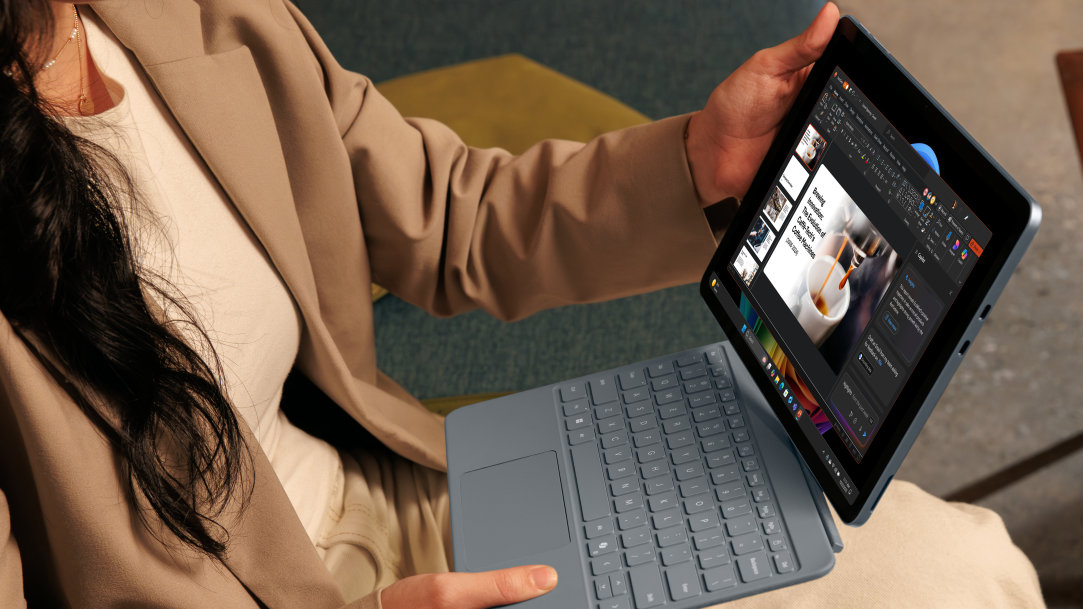
Surface Pro 2-in-1 PCs stand out as a leading example of what an AI-powered tablet can be. As a Copilot+ PC, Surface Pro brings together on-device AI, performance, and portability in one flexible design.
Key advantages include:
- Qualcomm Snapdragon® X Series processors with powerful NPUs
- On-device AI features in Windows 11
- 2-in-1 design that transitions between tablet and laptop
- Touch and Surface Slim Pen support for natural, precise input
- Surface Pro keyboard1 for a full typing experience and a Copilot key3 for quick access to Microsoft Copilot
Who benefits most from an AI tablet?
AI tablets are ideal for:
- Students who want easier notetaking, research, and organization
- Remote workers who rely on mobility and multitasking
- Creatives who sketch, design, or edit on the go
- Entrepreneurs managing schedules, communication, and planning
- Everyday users who want a smarter, simpler way to get things done
Surface Pro is the ultimate 2-in-1, offering tablet versatility, laptop performance, advanced on-device and cloud-based AI. Check out Surface Pro today.
Frequently asked questions
-
An AI tablet is a tablet device with built-in and app-based artificial intelligence tools, such as assistants, image generation, and task automation, to help users work more efficiently.
-
AI tablets can help you draft text, summarize information, automate tasks, and provide intelligent recommendations so that you complete everyday work faster.
-
Copilot+ PCs are a class of Windows AI PCs, laptops, and 2-in-1 devices designed with dedicated NPUs to enable fast, efficient AI experiences. Copilot+ PCs support advanced features that enhance productivity, creativity, and on-device processing.
-
Yes. Many AI features on Windows 11 run locally using the device’s NPU, enabling faster responses and improved privacy, while others continue to rely on cloud connectivity.
-
Yes. AI tablets support notetaking, research, writing assistance, scheduling, and creative work—all in a portable form factor.
- [1] Sold separately.
- [2] Battery life varies significantly based on usage, network and feature configuration, signal strength, settings, and other factors. See aka.ms/SurfaceBatteryPerformance for details.
- [3] Use Copilot key with supported Windows 11 devices; feature availability varies by device and market, see aka.ms/KeySupport.
Mentioned in this article

Compare Surface Copilot+ PCs
You may also like

The differences between Surface Laptop and Surface Pro from Microsoft

Why a Microsoft Surface is the best Copilot+ PC experience
