
March 23, 2026
Share this page


How to choose the best laptops for graphic design
Choosing the right laptop for graphic design is one of the most important decisions a creative professional can make. Your laptop is the canvas, studio, and production hub where ideas take shape. Graphic design work demands more than everyday computing power. You need a laptop that delivers performance, color accuracy, and portability without slowing your creative flow. This guide breaks down the essential graphic design laptop specs to look for and shows how Microsoft Surface Copilot+ PCs offer the versatility and power modern designers need.
Key factors to consider when choosing laptops for graphic design
Display quality: Most important for designers
A designer’s laptop display is the lens through which every color, line, and detail comes to life. That’s why display quality is a top priority. Look for:
- High resolution
- Accurate color reproduction with strong sRGB or P3 coverage
- High brightness and contrast for working in varied environments
- Touch and pen support, especially valuable for illustrators and UX/UI designers
Surface Laptop and Surface Pro feature responsive PixelSense™ touchscreens that make interacting with your PC feel natural and intuitive. Scroll through documents, tap apps, zoom into photos, and navigate Windows with simple gestures directly on the display. The vibrant, high-resolution screens deliver sharp visuals while touch support lets you work, create, and browse more fluidly than with a keyboard and mouse alone. Whether you’re reviewing documents, sketching ideas, or quickly navigating everyday tasks, the touchscreen on Surface devices makes your PC easier and more engaging to use.
Performance and processing power
Graphic design workflows demand a laptop that stays fast and responsive, even when you’re working across large files, multiple apps, and AI‑enhanced tools. That’s why modern creatives benefit from devices built with AI‑accelerated performance and hardware designed to keep pace with real‑time ideation.
Surface Laptops and Surface Pro 2-in-1s are powered by Snapdragon X Series Elite or Plus processors paired with a neural processing unit (NPU) capable of 45 trillion operations per second (TOPS). This combination delivers:
- Instant responsiveness for apps and multitasking
- Seamless AI experiences2 like Copilot, Recall, and Live Captions with translations3
- Efficient battery use so your laptop lasts all day1
Add it all up, and it means smoother performance in high-end graphics apps – like Adobe Creative Cloud, Figma, and Affinity – quicker rendering, and more fluid creative exploration.
RAM and storage
Design files grow quickly, and switching between apps is part of the job. Underpowered memory or slow storage can derail your momentum. Look for the following configurations:
- 16GB RAM minimum for professional design work
- 512GB SSD or more for fast load times and reliable file access
Portability and build quality
As a graphic designer, you’re often moving between studios, classrooms, client meetings, and quick creative sessions on the go. The best laptops support your mobility without compromising performance. Look for a device that’s lightweight, durable, and able to deliver consistent power throughout the day.
Surface Laptop and Surface Pro are built with this kind of flexibility in mind. Their lightweight, portable designs make them easy to carry anywhere, while all‑day battery life1 helps you stay productive on the go.
Input and workflow features
Your laptop should adapt to your creative process, not the other way around. Look for features that streamline how you work:
- A comfortable keyboard and responsive trackpad
- Touch and pen support for sketching, annotating, and ideation
- Smooth multitasking across creative tools
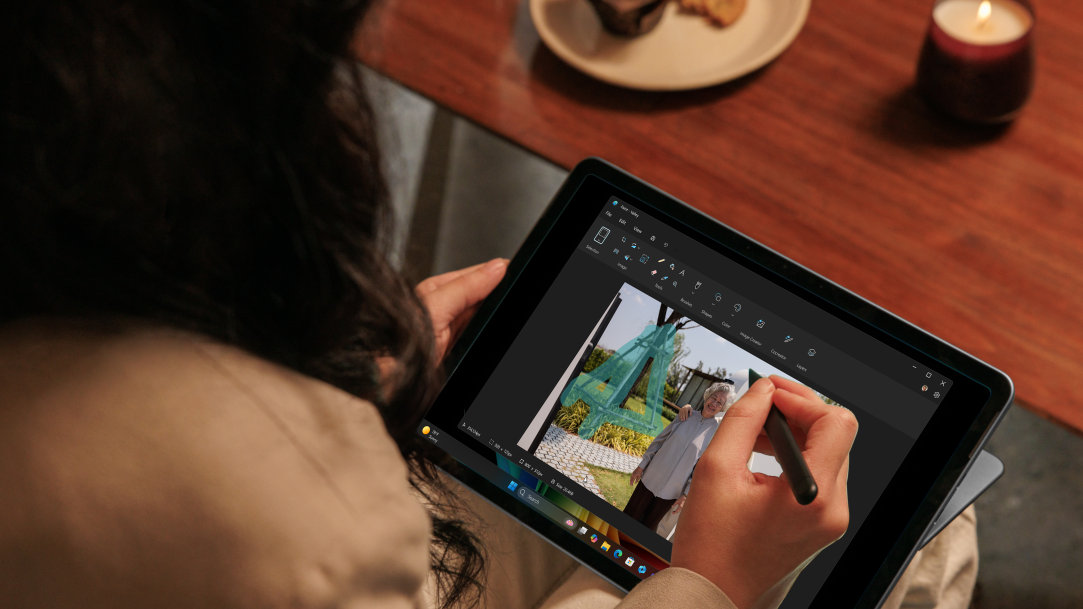
Surface Slim Pen4 integration gives designers precision, shading control, and natural handwriting, making it easy to capture ideas the moment inspiration strikes.
Recommended laptop specs for designers
- CPU: Modern chips—such as Qualcomm Snapdragon® X Series—for strong performance and advanced AI tasks. Surface Laptop and Surface Pro both use Snapdragon X Plus and X Elite processors, the same chips that power their lightning‑fast performance and industry‑leading AI experiences.
- GPU: Modern integrated graphics. GPUs, like the Qualcomm® Adreno™ GPU in Surface Laptop and Surface Pro deliver smooth performance for everyday design tasks like photo editing, vector work, layout, and UI design—without the added weight or power draw of a dedicated graphics card.
- RAM: 16GB or more. Surface Laptop and Surface Pro start at 16GB of LPDDR5x RAM, giving designers the memory needed for multitasking and AI‑accelerated creative tools.
- Storage: 512GB SSD or higher. Surface Laptop and Surface Pro offer removable SSD options up to 1TB, giving creatives room for large project files and fast access speeds.
- Display: High‑resolution, color‑accurate touchscreen preferred. Surface Laptop and Surface Pro feature high‑resolution PixelSense™ touchscreens, including HDR and OLED options on select models for detailed creative work.
- Weight: Under 3 lbs. for portability. Surface Laptop models start at 2.7 lbs., and Surface Pro models range from 1.5 to 1.97 lbs., keeping both devices easy to carry for on‑the‑go design work.
Why Microsoft Surface is a strong choice for graphic designers
Surface Laptops and Surface Pro 2-in-1s support every stage of the design process — from sketching concepts to editing photos to exporting final assets.
Surface Laptop for graphic design
If you prefer a traditional laptop form factor, Surface Laptop delivers a refined balance of power and portability:
- Crisp, high‑resolution PixelSense display ideal for layout, branding, and UX/UI work
- AI‑accelerated performance for Adobe Creative Cloud, Figma, and multitasking
- Lightweight design that travels easily
- All‑day battery life for uninterrupted creative sessions
Surface Pro for designers
For creatives who sketch, illustrate, or ideate visually, Surface Pro offers unmatched flexibility:
- Ultra‑portable 2‑in‑1 design that shifts between tablet and laptop
- Surface Slim Pen support for natural sketching, shading, and handwriting
- High‑resolution touchscreen for detailed illustration
- Laptop‑level performance when paired with a keyboard
Surface Laptop vs. Surface Pro: Which is better for you?
Choose Surface Laptop if:
- You prefer a classic laptop experience
- You focus on branding, layout, or UX/UI design
- You need strong multitasking performance
Choose Surface Pro 2-in-1 if:
- You sketch or illustrate frequently
- You want maximum portability
- You value tablet flexibility with laptop power
Final tips before buying a laptop for graphic design
Choosing a laptop for graphic design is ultimately about choosing a tool that supports your creativity. Prioritize a great display, enough memory to stay responsive, and a form factor that matches where and how you work.
Make sure the device you choose helps your ideas move freely. When your laptop is fast, adaptable, and ready whenever inspiration strikes, your creative process can become smoother and more enjoyable. Surface Laptop and Surface Pro are built with creativity and productivity in mind. Check out Surface Laptops and Surface Pro 2-in-1s today.
Frequently asked questions
-
The best laptop for graphic design combines a color-accurate display, strong performance, and portability. Devices like Surface Laptop and Surface Pro 2-in-1s are popular choices for creative professionals.
-
Most graphic designers should aim for at least 16GB of RAM for smooth performance in design software.
-
Yes, especially for illustrators and designers who sketch. A 2-in-1, like Surface Pro, allows both tablet and laptop workflows.
-
Not always. Many design tasks run well on modern integrated graphics, though motion or 3D work may benefit from more power.
- [1] Battery life varies significantly based on device configuration, usage, network and feature configuration, signal strength, settings and other factors. See Surface battery performance for details.
- [2] Available Copilot+ PC experiences vary by device and market. Some Copilot+ PCs require updates continuing to roll out into 2025. See aka.ms/copilotpluspcs.
- [3] Currently supports translation for video and audio subtitles into English from 40+ languages. See aka.ms/copilotpluspcs.
- [4] Sold separately.
Mentioned in this article

Compare Surface Copilot+ PCs
You may also like

The differences between Surface Laptop and Surface Pro from Microsoft

Why a Microsoft Surface is the best Copilot+ PC experience
