
April 18, 2023 | Updated: January 13, 2026
Share this page


Why Surface Pro is the best 2-in-1 laptop for students
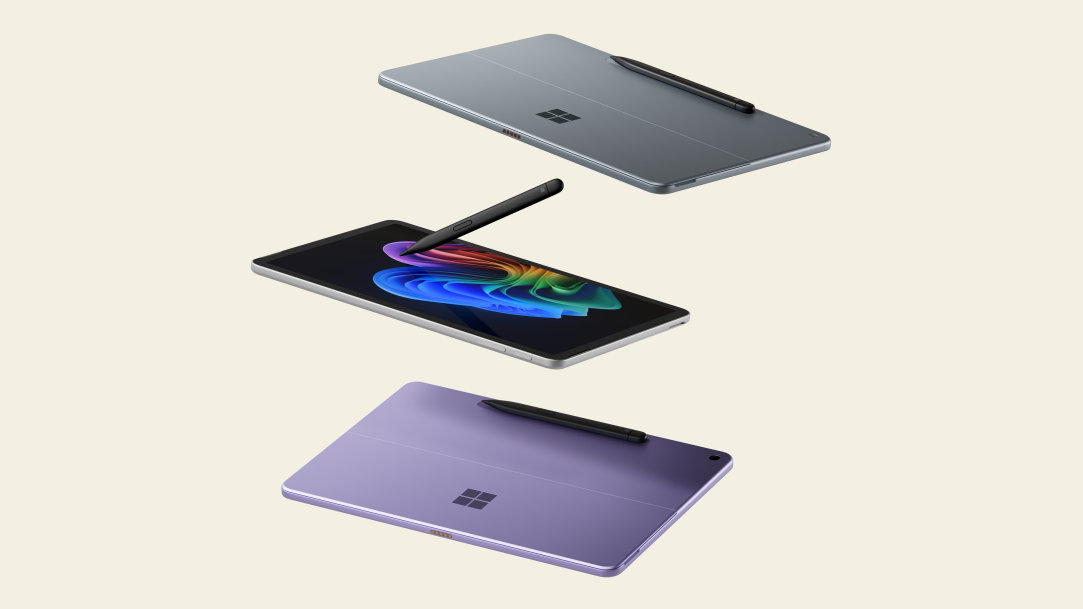
You might be more familiar with traditional laptops, but 2-in-1 laptops like Microsoft Surface Pro Copilot+ PCs provide extra flexibility and AI power that helps make high school a breeze. Using a 2-in-1, your high schooler can use a stylus to jot down notes in tablet mode and attach a keyboard to type up a research paper in laptop mode.
Find out how to choose the best 2-in-1 laptop for your high school student.
What should you look for in a 2-in-1 laptop for high school students?
In today’s digital world, high school students need powerful, versatile devices to succeed in and out of the classroom. Surface Pro comes packed with key features:
- PixelSenseTM touchscreen displays that enable direct interaction, letting you navigate and control by touch. This vibrant display helps make Surface Pro one of the best touchscreen laptops for students.
- Stylus support enables you to draw, write, and annotate with a high level of precision, mimicking the feel of a pen on paper.
- Multiple viewing modes let you arrange the screen in different positions—like tent or stand mode—to create a flexible workspace for drawing, presenting, and collaborating.
- Integrated AI tools unlock new creative possibilities by generating images from text, assisting with content creation, and helping you summarize research for inspiration—all at your fingertips.
Flexibility
From using a computer in class to working on homework after school, students benefit from greater flexibility to move from one activity to the next.
Surface Pro works like a laptop and plays like a tablet, giving you the flexibility you type up that comparative essay and sketch that drawing in art class:
- Tablet-to-laptop flexibility: Snap on a Surface Pro keyboard1 for full laptop functionality or detach the keyboard to use Surface Pro as a lightweight tablet. The power of AI is right at your fingertips, too. Just tap the Copilot key2 built into Surface Pro keyboards for quick access to Copilot, your AI companion.
- Write and draw naturally: Surface Slim Pen1,3 is perfect for handwritten notes, math equations, or creative projects—and it charges right in the keyboard tray. Surface Slim Pen feels like a pen on paper, allowing you to write and sketch directly on the touchscreen. Purchase a Surface Pro keyboard bundled with a Surface Slim Pen or purchase separately.
Portability
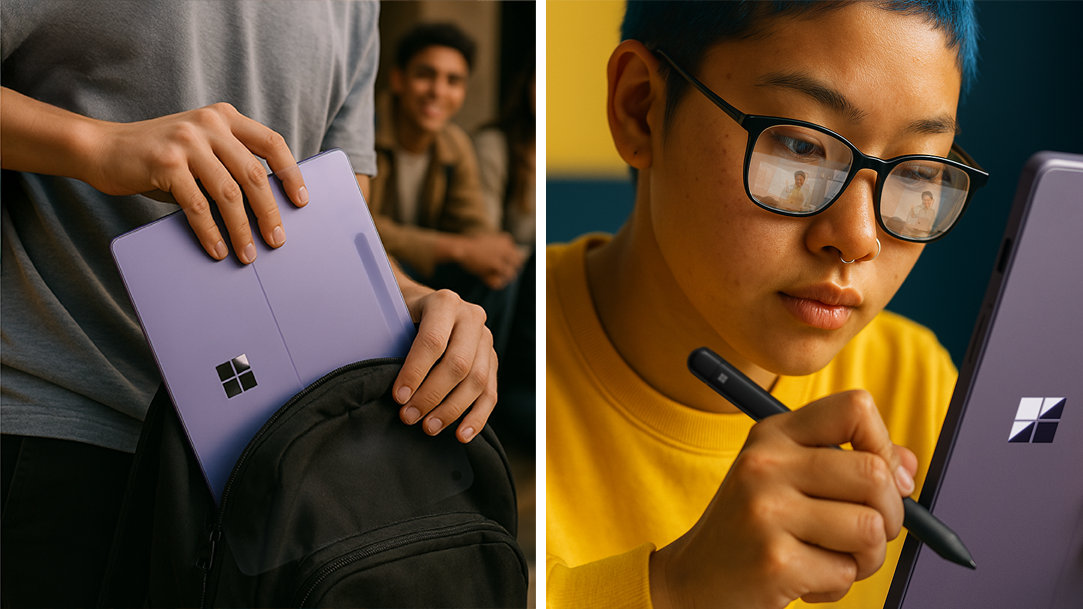
High school students need devices that go where they go. The best 2-in-1 laptops for students are light and easy to carry in a backpack or store in a high school locker. For the lightest option, choose a device with a smaller screen.
Weighing in under 2 lbs. (907 g), Surface Pro’s lightweight and durable design won’t weigh you down when you’re running from science class to basketball practice.
AI features
Surface Pro features a built-in study buddy. Use Microsoft Copilot (your AI companion) to summarize notes, brainstorm ideas, and plan your day. Built-in AI experiences like Recall help you find past work fast, and Cocreator help make your projects look amazing.
Durability
Accidents happen, but that doesn’t mean you need to buy a new laptop every year. Students can count Surface Pro, which is durable and made with 100% recycled aluminum alloy in the enclosure of 12-inch and 13-inch devices.
Security
Online safety is just as important as performance. Surface Pro is engineered to protect you at every level. Surface Pro includes Microsoft Family Safety in Windows 11, so you can set screen time limits, filter content, and monitor activity from your phone.
With chip-to-cloud security, Surface Pro provides world-class security across multiple layers including hardware, firmware, software, application, and identity. Built-in security features like Windows Hello and device encryption add extra protection without extra subscriptions.
Processing power
When choosing a device for high school, consider the processor. Surface Pro lets you run the apps you love at the speed you need—especially the ones you use most for creativity and streaming—thanks to the Qualcomm Snapdragon® X Series processors. This super-fast CPU also supports AI-intensive processes locally, like image generation, video editing, and collaboration.
Surface Pro provides top performance across your apps and a long battery life4 to go the distance. Fast recharge keeps you up and running even longer.
RAM
The more RAM a device has, the faster it can run multiple programs at the same time. For most high school students, 8 GB works well. Surface Pro can be configured with up to 64 GB RAM.
Storage
Many high school students will use online cloud storage for some of their files and classwork, but hard drive storage is still an important factor to consider. Choose a device with at least 128 GB of storage. Surface Pro can be configured with as much as 1 TB SSD to give you plenty of space for homework, photos, playlists, and creative projects without slowing down.
How do we choose the right 2-in-1 laptop for high school?
Many students prefer the functionality of a tablet, but they may need the features of a laptop from time to time. Instead of purchasing two devices, a 2-in-1 laptop gives you the ultimate flexibility with just one purchase.
The 2-in-1 design of Surface Pro gives you the best laptop and tablet, all in one device. Count on turbocharged performance for multitasking, battery life that lasts through the school day, ultraportability for life on the go, and security for peace of mind.
Explore Surface Pro and find the 2-in-1 just right for your high school student.
- [1] Sold separately.
- [2] Use Copilot key with supported Windows 11 devices; feature availability varies by device and market, see aka.ms/KeySupport.
- [3] Surface Slim Pen (2nd Edition) experiences and compatibility vary by which Surface device you are using it with. Visit Surface Slim Pen Compatibility to learn more.
- [4] Battery life varies significantly based on usage, network and feature configuration, signal strength, settings, and other factors. See aka.ms/SurfaceBatteryPerformance for details.
Mentioned in this article

Surface Pro
Surface Pro keyboards
Surface Slim Pen

Microsoft Copilot
You may also like

The best Surface Laptop for college students

What are 2‑in‑1 laptops?
