
March 03, 2026
Share this page


PC tablet vs. laptop for work or play: Pros and cons
For anyone choosing a new computer, the question often comes down to tablets vs. laptops. Both are powerful productivity tools, both come in a wide range of sizes and capabilities, and both can support work, school, creativity, and everyday tasks. But they’re built with different strengths in mind—and understanding those differences can help you choose the right device for how and where you get things done.
Today’s landscape is more flexible than ever, and no one size fits all. Today’s AI-powered laptops and PC tablets are reshaping consumer expectations. And 2‑in‑1 tablets give you even more choices by offering the versatility of a tablet with the power of a laptop.
What is a PC tablet? Not just a laptop alternative
A tablet is a portable computer built around a touch‑first design. Unlike mobile tablets that run mobile operating systems, PC tablets run a full desktop operating system, giving you access to the same apps and capabilities you’d expect from a traditional computer.
Most PC tablets offer:
- Detachable or optional keyboards for laptop‑style productivity
- Stylus support for handwriting, sketching, and precision input
- Ultra‑lightweight designs that are easy to carry anywhere
- Flexible usage modes — tablet for reading, laptop for typing, studio mode for drawing
This hybrid nature makes tablets a compelling laptop alternative for students, creators, and mobile professionals.
What is a traditional laptop?
A traditional laptop uses a clamshell design with a built‑in keyboard and trackpad. It’s the classic portable computer — familiar, stable, and optimized for long-form productivity.
Laptops are known for:
- Consistent performance for multitasking and demanding apps
- Integrated keyboards that support extended typing sessions
- More ports for accessories, displays, and peripherals
- A balanced form factor that suits office, school, and home use
For many professionals, a laptop remains the default choice because it delivers reliable power and a comfortable, ready‑to‑work setup.
Pros and cons of PC tablets
Pros:
- Lightweight and ultra‑portable, ideal for travel and commuting
- Touchscreen and pen support for creativity, note‑taking, and annotation
- Flexible modes (tablet, laptop, studio) to match different tasks
- Great for on‑the‑go work, reading, and quick interactions
Cons:
- Keyboards and pens are sold separately
- Less comfortable for long typing sessions without a dock or keyboard cover
- Fewer ports compared to many laptops
- Performance varies depending on the model and processor
Pros and cons of laptops
Pros:
- Strong performance for multitasking, creative apps, and productivity
- Built‑in keyboard and trackpad for immediate, comfortable typing
- More ports and expandability for accessories and displays
- Better suited for long work sessions and traditional workflows
Cons:
- Heavier and less portable than tablets
- Less flexible form factor, fixed clamshell design
- Can feel bulky for casual or mobile use
Tablet vs. laptop: Feature comparison
When comparing tablets vs. laptops, it helps to look at how each device performs across the features that matter most.
- Portability: Tablets are lighter and more travel‑friendly, with slim designs that are easy to carry. Laptops are still portable but heavier than tablets, making them better for users who stay in one place longer.
- Performance: Laptops deliver more consistent performance for multitasking and demanding apps. PC tablets vary by model, though modern 2‑in‑1s offer strong speed with added flexibility.
- Battery life: PC tablets often achieve longer battery life due to efficient hardware. Laptops can also last all day, but battery performance depends on configuration and workload.
- Input methods: Tablets support touch, pen, and optional keyboards for versatile input. Laptops rely on built‑in keyboards and trackpads, with some adding touchscreen support.
- Ideal use cases: Tablets suit creators, students, and mobile professionals who value flexibility and on‑the‑go productivity. Laptops suit users who need dependable performance, long typing comfort, and a traditional workstation setup.
Which should you choose?
To choose between a tablet and a laptop, take a look at what you value most in your day‑to‑day workflow.
- Do you prioritize portability and flexibility? Choose a tablet for lightweight mobility, touch and pen input, and multiple usage modes that adapt to where you work.
- Do you require top performance and long periods of time for typing? Choose a laptop for heavy multitasking, demanding apps, and enhanced productivity with a built‑in keyboard and more ports.
- Are creativity or handwriting notes central to your day? Choose a tablet for the natural feel of sketching, annotating, and note‑taking with touch and pen.
- Do you mainly work in a structured, desk-based environment? Choose a laptop for extended periods of time working stationery, using multiple displays, and requiring stable performance across professional apps.
Surface Copilot+ PCs blend portability, performance, and AI‑powered capabilities — giving you the freedom to choose a laptop or tablet that fits your workflow and is packed with speed, long battery life, and AI intelligence.1
The power of choice: Laptop or 2-in-1 PC tablet
Lightweight, ultra-portable, and long battery life,1 Surface Copilot+ PCs offer a laptop and 2-in-1 tablet PC to help you be more productive, engaging, and secure. The choice is yours:
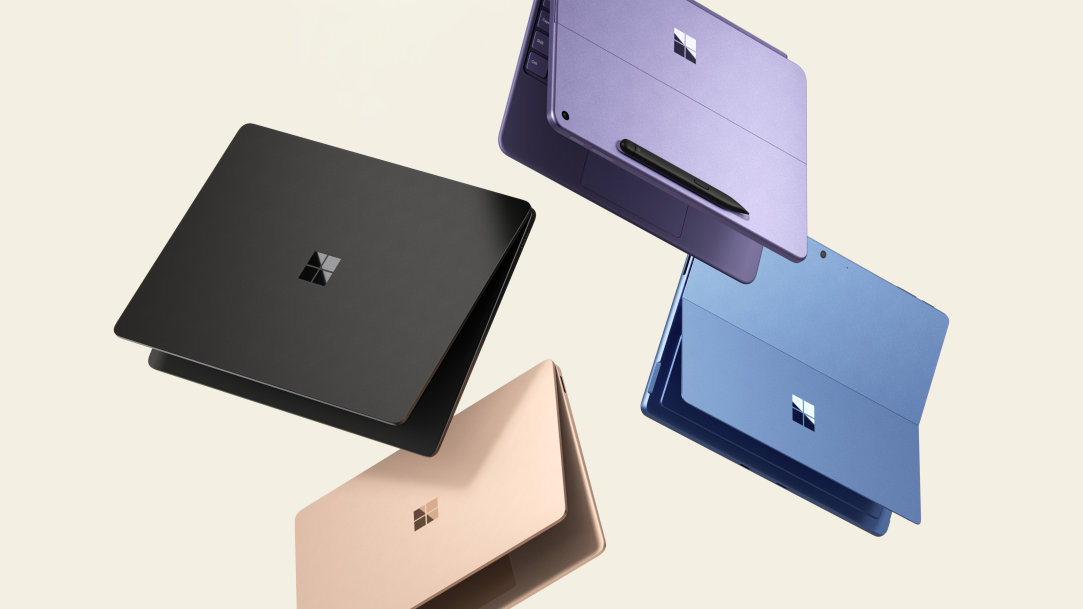
Surface Laptop features a sleek touchscreen and built-in AI experiences in a lightweight, powerful laptop. Surface Laptops are ideal for users who want premium performance in the familiar laptop design.
Surface Pro 2-in-1 delivers a flexible, AI-powered tablet experience that transforms into a full laptop experience: simply click in a Surface Pro keyboard.2 Surface Pro works like a laptop and plays like a tablet, and it's the only tablet with built-in AI, designed to go wherever ideas take you.
Choosing the device that works the way you do
Both tablets and laptops are powerful productivity devices, and the right choice depends on how you work, create, and move through your day. Laptops deliver familiar, dependable performance and comfort, while tablets offer flexibility and mobility. And modern 2‑in‑1 devices bridge the gap, giving you the versatility to switch between modes without compromise.
If you’re exploring tablets vs. laptops vs. 2-in-1s, consider speed, portability, and the latest in AI technology. Discover what's possible with Surface Copilot+ PCs today.
- [1] Battery life varies significantly based on device configuration, usage, network and feature configuration, signal strength, settings and other factors. See Surface battery performance for details.
- [2] Sold separately.
Mentioned in this article

Compare Surface Copilot+ PCs
Surface Copilot+ PCs
Surface Laptop Copilot+ PCs
Surface Pro Copilot+ PCs
You may also like

The differences between Surface Laptop and Surface Pro from Microsoft

Why a Microsoft Surface is the best Windows device experience
