
May 16, 2023
Share this page


The best Surface accessories for your work from home space
As a remote employee or a freelancer working from home, you need a good work setup. Whether it’s a sturdy desk with a swivel chair or a comfortable part of your couch that’s decked out with pillows, where you claim space for your remote office is up to you. If you’re working with a Surface device, you might also complete your home office space with several tech accessories that can enhance the way you work. Learn about Surface accessories and all they can add to your work from home space.
Surface accessories for your home office
You may get by with a desktop or laptop to do your work, but the right accessories can make all the difference as you tackle your workload. Here are some great accessories that will bring the best out of your Surface:
Mouse
Most keyboards come with a track pad to move your cursor, but a computer mouse offers new, sometimes better ways to click and scroll. A mouse makes it easier to navigate your screen and can help you save time in the long run. Plus, a mouse with ergonomic features lets you to scroll more comfortably while promoting a neutral hand position.
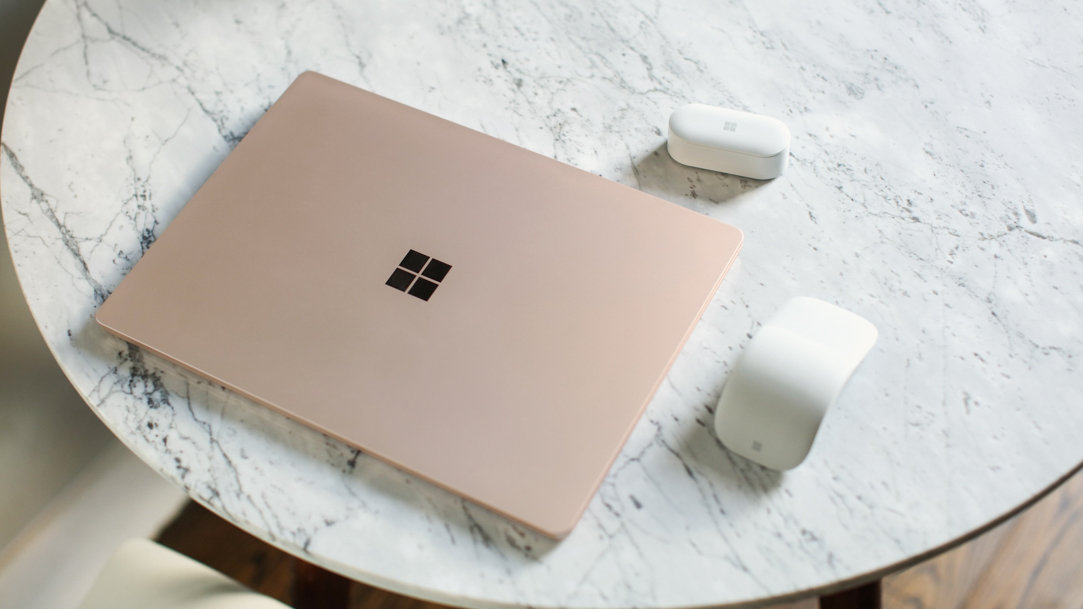
The Surface Arc Mouse is designed to fit the shape of your hand. It connects to all Surface devices and flattens down with a snap for easy transportability. You can also try the Microsoft Bluetooth Ergonomic Mouse for another option of fit and feel.
Headphones
Working from home can come with many unexpected distractions, especially if you live with other people. A good pair of noise-cancelling headphones will help minimize surrounding sounds and keep you focused on your work. Headphones are also great to have when you need to attend a meeting or play music without distracting those around you.
Surface Headphones 2 are the perfect accessory for listening to what’s important. Made with comfortable ear pads and 13 levels of noise cancellation, these headphones are built to be worn throughout the workday. For a listening experience that’s more subtle, try Surface Earbuds.
Surface Dock
External monitors are a popular addition to many home offices. Connect your Surface laptop to a desktop monitor in seconds with the multifunctional Surface Dock 2 or Surface Thunderbolt™ Dock 4. The connections don’t stop there—these docks can also charge your laptop and connect to multiple accessories like your mouse and keyboard.
Surface Pen
All Surface devices are touchscreen, giving you the freedom to jot your notes directly onto the screen. If you use a 2-in-1 laptop like Surface Pro 9, put your device in tablet mode to work directly on the multi-touch PixelSenseᵀᴹ screen. If you like to take notes by hand, Surface Slim Pen 2 easily pairs with ink-enabled Surface devices for a smooth writing experience. Always know where to find your pen with Surface Slim Pen 2 storage and charging built right into Surface Pro Signature Keyboard.
The right tech accessories can help increase productivity as you work from home. Browse through our collection of Surface accessories to find more useful tools for your home office.
Products featured in this article

Microsoft Surface
Surface Dock 2
Surface Thunderbolt™ Dock 4
Surface Pro 9
Surface Slim Pen 2
Surface Pro Signature Keyboard
Related topics

The best ways to configure your dual monitor setup

How to make your Surface device even more secure
