
March 03, 2026
Share this page


Touchscreen laptop with pen support: A more natural way to work and create
Computing has evolved far beyond the traditional keyboard‑and‑trackpad setup. Today, more users want a device that feels as natural as writing on paper while still delivering the full power of a PC. Touch, pen, and keyboard in one adaptable experience make for a winning, modern combination.
That’s exactly where 2‑in‑1s like Surface Pro Copilot+ PCs stand out. Surface Pro works like a laptop and plays like a tablet and is designed around precise, responsive pen input. Plus, you can take Surface Pro almost anywhere while fueling your work and creative ideas with Windows 11 AI experiences.1
A touchscreen laptop with pen support opens the door to more intuitive creativity, faster note‑taking, and a smoother workflow for students, educators, and creatives alike.
Write, draw, and sketch naturally
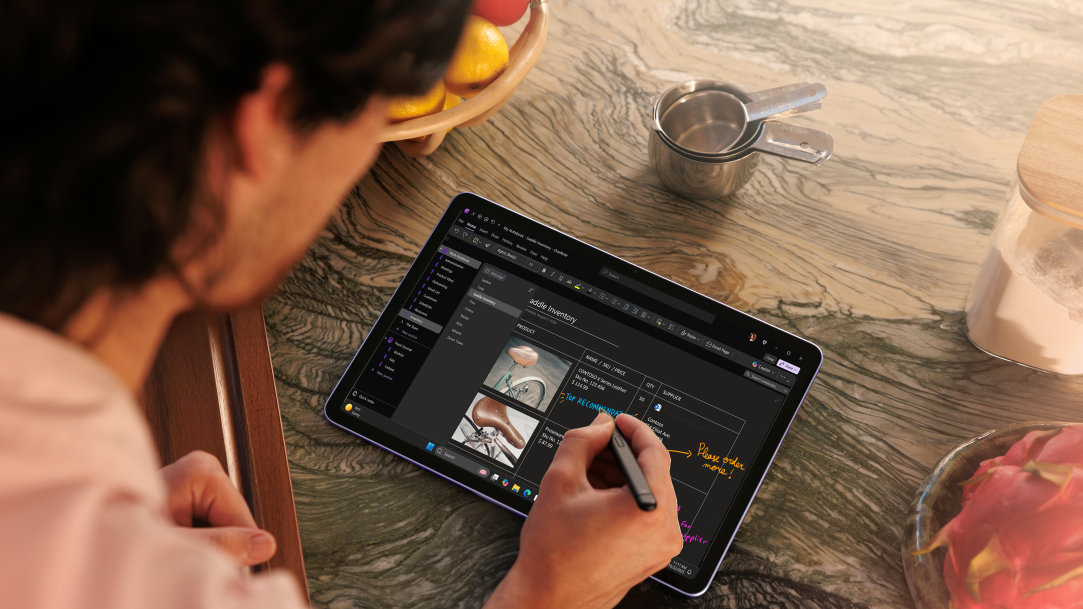
Handwriting is instinctive. A digital pen lets you bring that instinct directly onto the screen—whether you’re sketching concepts, drawing diagrams, or marking up documents. Modern pens offer pressure sensitivity, tilt support, and palm rejection, giving you the nuance of real ink or graphite with the convenience of digital tools.
Devices designed around pen input make this experience even better. Surface Pro paired with Surface Slim Pen2,3 delivers a pen‑on‑paper feel with low latency and exceptional control, ideal for everything from quick notes to detailed illustrations. Because Surface Slim Pen magnetically attaches to your Surface Pro or Surface Pro Keyboard and charges, it’s always ready when inspiration strikes.
A winning combo: A pen with a touchscreen 2-in-1 PC for students
For students, a touchscreen PC for note‑taking can transform how they learn. Typing is efficient, but handwriting helps with comprehension—especially in math, science, engineering, and design courses where symbols and diagrams matter.
A digital note‑taking laptop lets students:
- Capture handwritten notes quickly during lectures
- Highlight, underline, and annotate PDFs
- Replace notebooks, binders, and even tablets with one device
- Keep notes searchable and synced across devices
With Surface Pro, students also get the advantage of full Windows apps—CAD tools, statistical software, creative programs—running on the same device that they use to hand write notes. And with Surface Slim Pen, handwriting and sketching can be converted into editable text and images, making study sessions more organized and efficient.
A touchscreen PC for creatives: A powerhouse for artists and designers
For artists, designers, and illustrators, a touchscreen PC with pen support unlocks a more direct creative workflow. Drawing directly on the screen eliminates the disconnect of using an external tablet, making the experience feel more natural and precise.
A touchscreen PC for creatives is ideal for:
- Digital illustration
- Photo retouching
- Graphic design
- Concept art and storyboarding
Many creatives follow a simple workflow: sketch → refine → export. A 2‑in‑1 laptop with stylus support lets you do all of this on one device, without switching between tools or workstations. With a high‑resolution display and responsive pen, Surface Pro is a favorite among digital artists who want portability without sacrificing quality.
Flexibility of a 2‑in‑1 laptop with stylus
One of the biggest advantages of a touchscreen computer with a pen is the flexibility of a 2‑in‑1 form factor. You can switch between laptop mode for typing, tablet mode for drawing, or presentation mode for sharing ideas with classmates or clients.
Touch and pen input work seamlessly whether you’re:
- Sitting at a desk
- Standing in a studio
- Taking notes on the go
- Collaborating in a hybrid classroom or meeting
Adaptability makes Surface Pro a top choice when you’re looking for a touchscreen computer with pen support. Surface Pro gives you the best of all worlds: a laptop, a tablet, a sketchbook, a workstation, and a collaboration tool all in one.
A digital note-taking computer: Precision meets productivity
Everyday tasks become easier and more precise when you can use a pen and interact directly with the screen.
With a digital note-taking computer, you can:
- Edit documents with pinpoint accuracy
- Mark up presentations
- Sign forms digitally
- Navigate apps with fine control
The pen becomes an extension of your workflow, helping you move faster and work more comfortably.
What to look for in a touchscreen PC with pen support
When choosing a device, keep an eye on features that make pen and touch input truly shine:
- High‑resolution display
- Low‑latency pen response
- Comfortable pen grip and secure storage
- All‑day battery life4
- AI power and support for creative and productivity apps
With Surface Pro, you can experience these features, along with the performance and speed of a laptop, the versatility of a tablet, and the advantage of industry-leading AI experiences.
One device, endless possibilities
A touchscreen laptop with pen brings together the best of typing, touch, and handwriting. For students, creatives, educators, and anyone who wants a more flexible way to work, a 2-in-1 PC with stylus support offers a natural, powerful, and portable solution.
Surface Pro is the ultimate 2-in-1, giving you the freedom of a tablet, the precision of a pen-first design, and the full productivity of Windows—all in one adaptable device built for learning, creating, and everything in between.
Explore Surface Pro and Surface Slim Pen. Experience the freedom of natural writing and drawing that goes beyond traditional stylus input.
- [1] On some devices, some Copilot+ PC experiences require free updates continuing to roll out through early 2025. Timing varies by device and region. See aka.ms/copilotpluspcs.
- [2] Sold separately.
- [3] Surface Slim Pen (2nd Edition) experiences and compatibility vary by which Surface device you are using it with. Visit Surface Slim Pen Compatibility to learn more.
- [4] Battery life varies significantly based on usage, network and feature configuration, signal strength, settings, and other factors. See aka.ms/SurfaceBatteryPerformance for details.
Mentioned in this article

Compare Surface Copilot+ PCs
Surface Slim Pen
Surface Pro Copilot+ PCs
You may also like

The differences between Surface Laptop and Surface Pro from Microsoft

Why a Microsoft Surface is the best Copilot+ PC experience
