
Bringing together information from multiple disconnected security systems to solve today’s security challenges is complex. We recently asked Microsoft Graph Security Hackathon participants to come up with innovative solutions using the Microsoft Graph Security API, and they did not disappoint.
We were excited to get a diverse set of submissions that covered real world security use cases, including security operations, user risk management, alerts enrichment, incident response, and analytics. It was truly inspiring to see the effort and creativity that teams and individuals put into their applications.
With that, please join us in congratulating the winners of the Microsoft Graph Security Hackathon.
First place: Microsoft User Security Evaluation Reporter
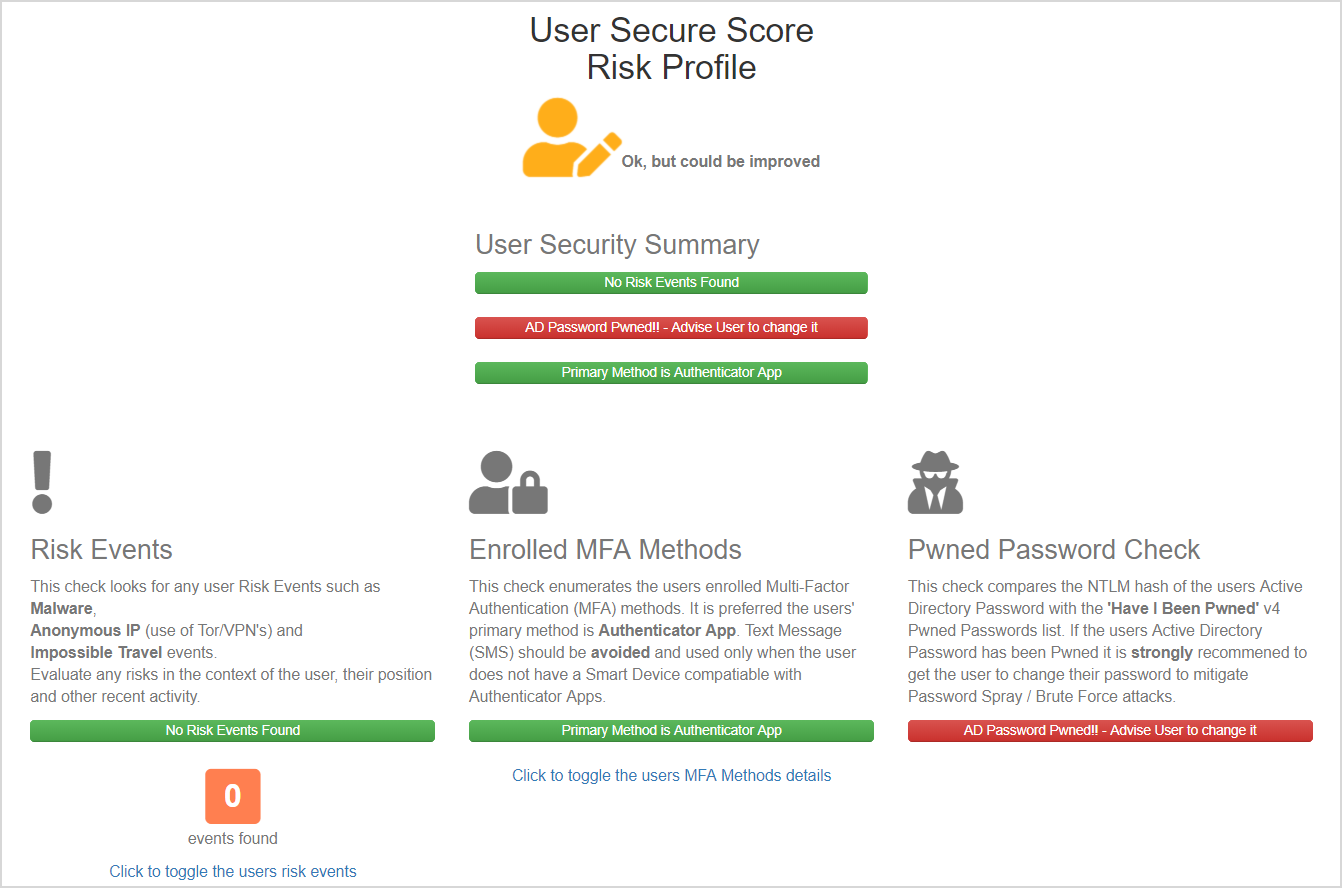
The Microsoft User Security Evaluation Reporter (MS-USER), from Darren Robinson, helps service desks and cybersecurity leads get instant visibility into their organization’s user security posture. Leveraging the Graph Security API and Microsoft Secure Score, the MS-USER app pulls together user and event information and includes recommended actions for remediating risks. The application also checks against the Have I Been Pwned database to give administrators and service desk personnel additional context on a user’s password security. This solution makes it easy to reach out to users and give them simple, actionable advice to improve their security, and as a result, the security of the rest of the organization. Darren will be joining us at our session at the Microsoft Build conference in Seattle, Washington, May 6-8, 2019. Definitely take a moment to check out his app today at devpost.com/software/microsoft-user-security-evaluation-reporter.
Runner up: Microsoft Graph Security—Security Alerts Enrichment
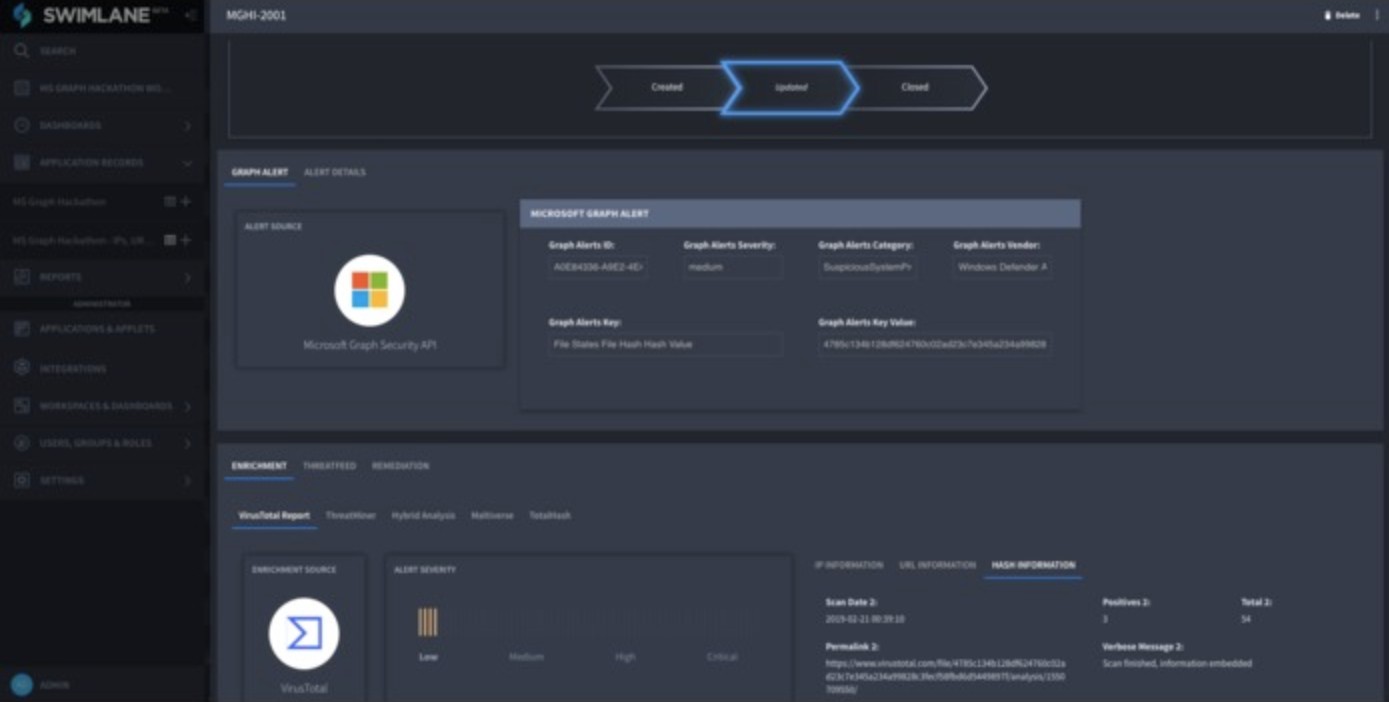
The Security Alerts Enrichments solution, submitted by Josh Rickard, is based on the Swimlane platform and ties together alerts with threat indicators and actions. The team created two applications that use Graph Security alerts to automate the creation of a threat intelligence feed, which can then be used to automate remediation of threats in the customer’s on-premises firewall appliance, which in this case is the Palo Alto Panorama Firewall. The second application ties in five different threat intelligence sources for enrichment. This is a great example of the power of a Security Orchestration Automation and Response (SOAR) solution. We encourage you to check it out at devpost.com/software/microsoft-graph-security-security-alerts-enrichment.
Popular choice: OneGraph
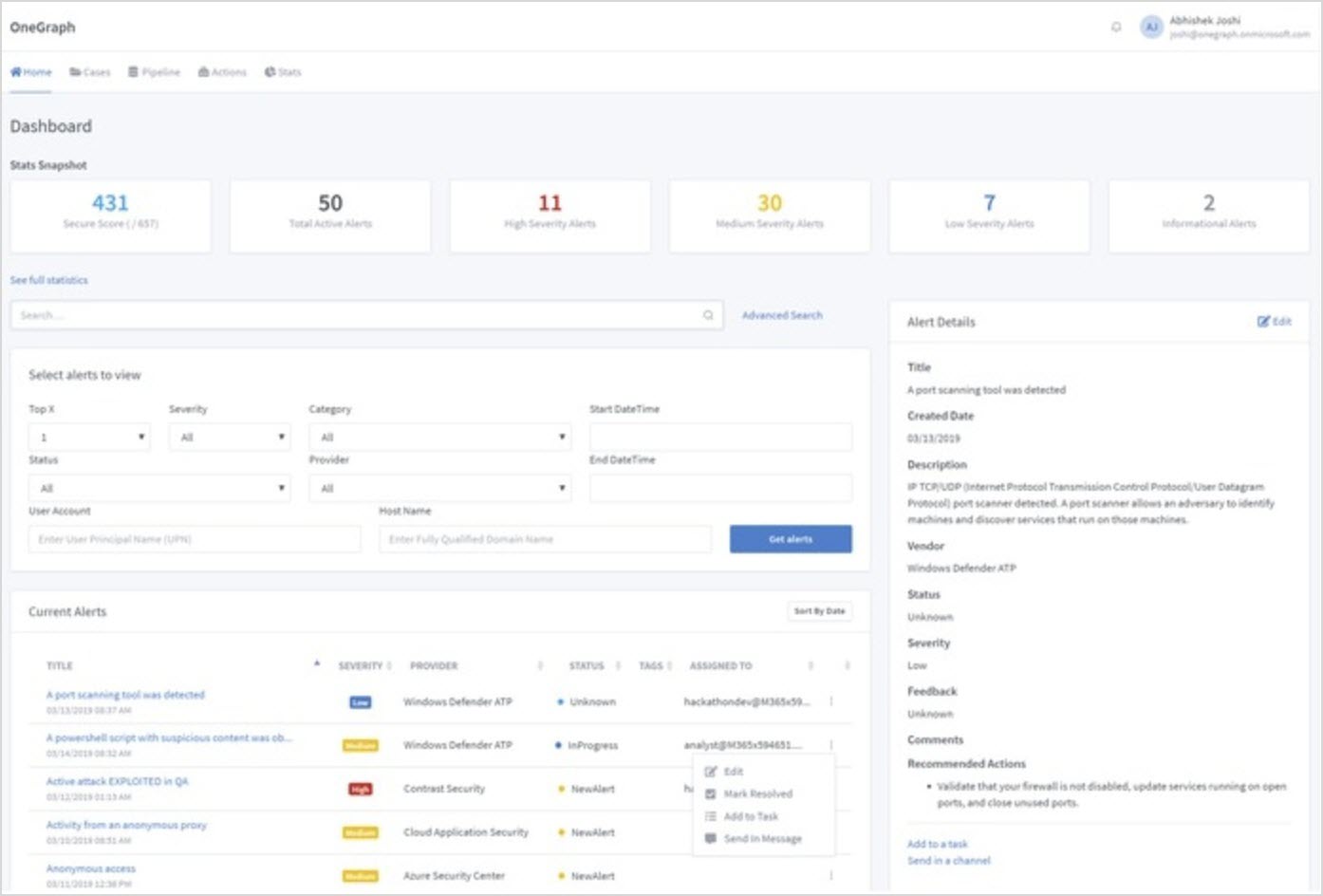
The OneGraph application, from Abhishek Joshi, enables organizations to quickly investigate, analyze, and respond to security threats. The application allows users can get a quick view of all their alerts and statuses, and easily drill down into things like specific threats, users affected, and alerts from specific providers. We really liked the tie-in with Microsoft Planner that allows for alerts to get assigned to specific people or groups. The integration with Microsoft Teams was a great use case that enables quick response. We hope you take a moment to look at this app at devpost.com/software/onegraph.
Again, congratulations to the winners and a huge thank you to all participants in the hackathon. We also wanted to take a moment to thank our all-star panel of judges for taking time out of their busy schedules to review and provide feedback on all the submissions. Many thanks for the support to Ann Johnson, Rich Howard, Scott Hanselman, Mark Russinovich, Troy Hunt, and Olli Vanhoja.

Finally, if any of this has inspired to you develop your own security app or solution, here are some resources to get you started:
- Visit the Microsoft Graph Security API web page to learn more.
- Read the Microsoft Graph Security documentation.
- Download the sample code and contribute.
- Follow the discussion on Stack Overflow.