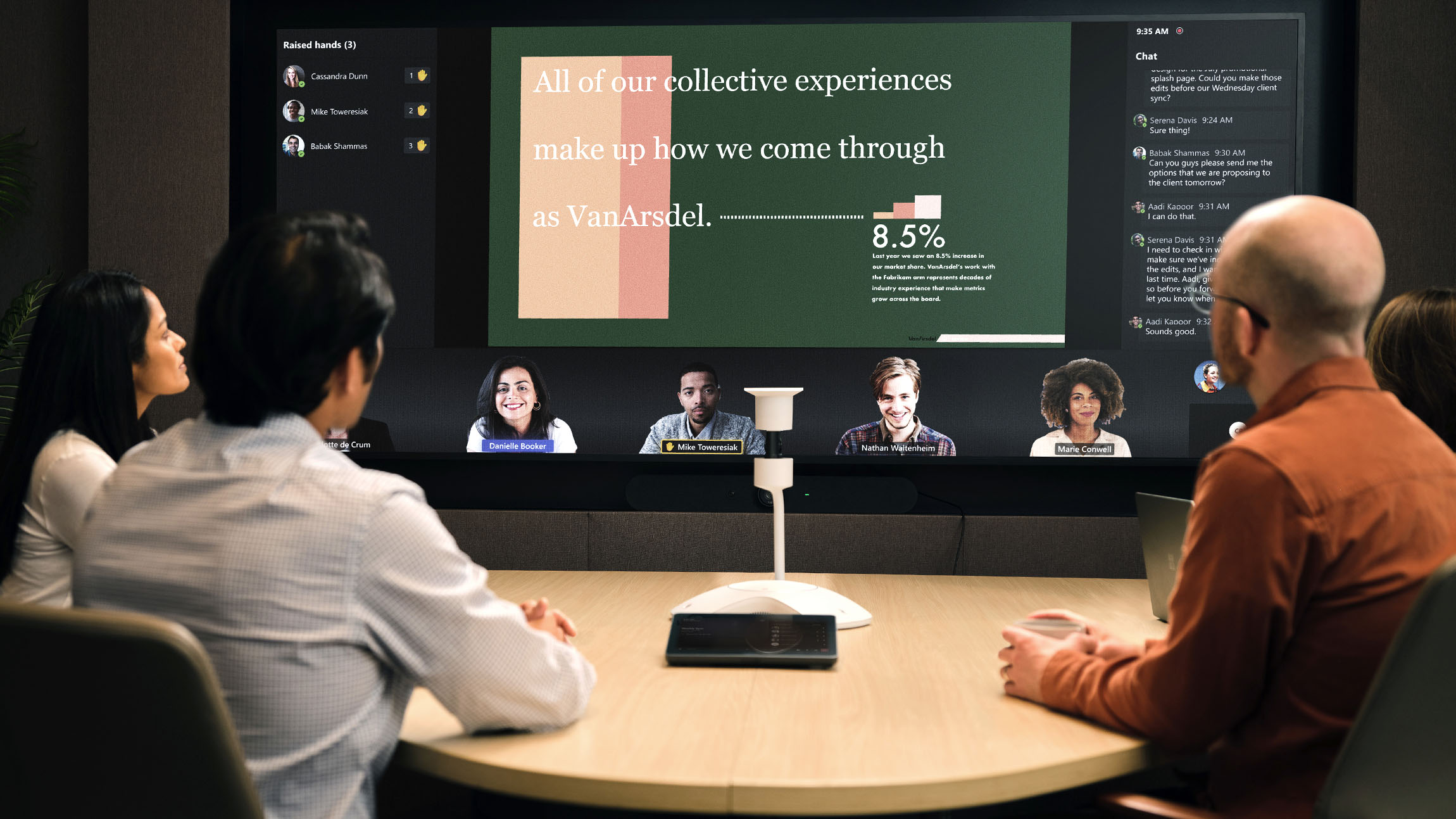
Small meeting rooms have long been overlooked in the modern workplace—they get heavy use, but always seem to be too costly to invest in improving at scale.
Until now.
To address this challenge, the Microsoft Teams product group worked with Microsoft Digital, the company’s IT organization, to create Microsoft Teams Rooms Express Install for compact meeting spaces. This “room-in-a-box” solution quickly transforms small spaces into versatile, modern collaboration hubs.
And now the product group is working with our commercial partners and original equipment manufacturers (OEMs) to extend this small meeting room solution to all customers.
Express Install is a modular meeting room solution that requires little to no physical modifications to a room, which makes it more affordable. Installation involves putting lightweight hardware into a room, turning it on, and connecting it to our Teams Room technology that comes baked in.
Optimizing for efficiency
The Express Install for Microsoft Teams Rooms story began in 2019. That’s when the product group and our team here in Microsoft Digital used The Hive, our 20,000 square-foot innovation lab, to engineer, architect, and design all the variations of our Teams Room product that are now available.

We’re now using this solution extensively across Microsoft, and it has made our small meeting room spaces much more useful to our employees.”
Roy Sherry, principal technical program manager, Microsoft Digital
After tackling high-end executive conference rooms, meeting halls used for all-hands and major company gatherings, and large “workhorse” rooms where typical team meetings are held, it was time to take on the plethora of small rooms at Microsoft. These are the rooms where individuals and small groups of people go to collaborate and do the work that powers the company.
However, the huge number of these types of rooms here at Microsoft (and at other enterprises) often made them too expensive to invest in upgrading.
“We knew we needed to find a way to solve this, to come up with an affordable, modular solution that was easy to install,” says Roy Sherry, a principal, technical program manager for AI-Enabled Meetings in Microsoft Digital. “We worked with the product team to build and test a solution that became Express Install. We’re now using this solution extensively across Microsoft, and it has made our small meeting room spaces much more useful to our employees.”
As Customer Zero for the company, the role for Sherry and the rest of our team is to not only be the first to deploy the technology and services that we sell to customers, but in some cases to help our product teams build them—including these Teams Rooms and our Express Install solution.
We initially installed Express Install 70 times as part of a pilot, and after seeing extremely positive results, we expanded to 700 more rooms across the company. Now our plan is to gradually install it in all of our suitable small rooms.
Bringing the solution to customers via OEMs
After we got Express Install working internally here at Microsoft, we shifted to extending it to our customers.
We wanted to give them the same features and benefits we were seeing here at Microsoft, including:
- OEM availability: Customers can now access Express Install through trusted hardware partners, expanding reach and accessibility.
- One-hour deployment: They can get their small rooms up and running quickly with a streamlined process.
- Enhanced, AI-enabled audio visual (AV) rooms: We’re bringing the full Microsoft Teams experience to Express Install, so even the most budget-conscious organizations can outfit small spaces with the latest meeting technology.
Our partnerships with OEMs have produced a range of Microsoft Teams Rooms products, packages, and systems.
“Our customers are excited about the cost savings. They highlight how many more rooms they can refresh with Express Install.”
Raven Vasquez, senior IT service manager, Microsoft Digital
These designs were created by different OEM partners for a variety of scenarios. So, if a customer has a specific preferred hardware partner, they can work with them to build an Express Install room.
Because the rooms are simpler and easier to build, even organizations with fixed budgets can set up more rooms. That sentiment is reflected in the feedback we get from customers.
“Our customers are excited about the cost savings,” says Raven Vasquez, a senior IT service manager in Microsoft Digital. “They highlight how many more rooms they can refresh with Express Install.”
The Microsoft Teams product group began to work with OEMs who specialized in mounting and furniture solutions. Together, they developed stands and housing kits for Teams Room Express Install, giving customers flexible modular options to create intelligent AV and hybrid meeting experiences.

“If a company moves, they can bring the room with them, because it’s so portable. Nothing sticks to the walls, nothing needs to be ripped apart. That’s how easy it is to deploy and maintain.”
Sarika Kesavan, senior program manager, Microsoft Teams
Customers who have started using Express Install are starting to see some of the same efficiency gains that we saw here at Microsoft, which were significant.
“We saw a 40% savings in our cost and time,” says Sarika Kesavan, a senior program manager in the Microsoft Teams product group whose role includes bringing solutions that the company builds at The Hive to customers.
The big wins were that it could be installed in an hour and it wasn’t necessary to pay general contractors to modify rooms or pull cables through walls.
“If a company moves, they can bring the room with them, because it’s so portable,” Kesavan says. “Nothing sticks to the walls, nothing needs to be ripped apart. That’s how easy it is to deploy and maintain.”
Traditional conference room setups and upgrades often require permits, construction, specialized wiring, and weeks (or more) of disruptions. As a result, we and many customers have been hesitant to deploy advanced meeting technology, especially for small spaces.
With Express Install, that complexity disappears.
Deploying Express Install
Each Express Install kit is pre-engineered for fast delivery and setup, with flexible configurations for different scenarios and OEM devices.
For smaller rooms, the package typically includes:
- Teams-certified compute device and camera, combined into a single unit for compact spaces
- Modular display or monitor, sized to fit the room
- Integrated microphone and speaker-bar system
- Simplified tabletop or freestanding mounting solution (no wall-mounting required)
- Pre-installed, preconfigured Teams Rooms software
“Express Install reduces the complexity of a traditional room setup while providing the same experience as a typical Teams Room scenario, but at reduced cost,” Kesavan says.
Gaining insights with the monitoring portal
There’s nothing more disruptive than discovering the in-room technology isn’t working just minutes before a meeting. That’s why it’s vital to be able to check whether your Teams Room is online at any time.

“The monitoring optimizes productivity. If I can receive an alert and fix the issue before someone else tries to use the room, we’re all saving time.”
Divya Tiwari, senior product manager, Microsoft Digital
The Microsoft Teams Pro Management Portal allows you to monitor the compute device and all connected peripherals (such as the display and camera) in a meeting space, giving you full visibility into room status.
Instead of discovering issues only when someone tries to use the room, the portal proactively sends alerts—for example, if a display stops working—so problems can be resolved ahead of time.
“The monitoring optimizes productivity,” says Divya Tiwari, senior product manager within Microsoft Digital. “If I can see the alert and fix the issue before someone else tries to use the room, we’re all saving time.”
The portal also provides insights into room usage and component performance, highlighting underused spaces and helping organizations improve meeting room efficiency.
Accelerating the future of meeting spaces
We launched the initial pilot of Express Install after recognizing a clear gap in the market: organizations needed a smarter, faster way to equip small meeting spaces for collaboration. And we continue to innovate as we roll out this solution to all Microsoft customers.
“As technology evolves and our OEM partners introduce new innovations, our room designs will evolve right alongside them. This ensures that organizations always have access to the most modern, efficient, and intelligent meeting room solutions.”
Roy Sherry, principal, technical program manager AI enabled meetings, Microsoft Digital
The simplified Express Install design gives organizations the power to scale quickly. If our customers have meeting rooms that need to be up and running fast, Express Install offers a cost-effective path to a fully AI-enabled Teams Room. Their AV budget goes further without sacrificing the modern, Copilot-powered experience that elevates every meeting.
“When we began working with OEMs to bring channel partners and AV integrators on board, we started with small rooms,” Kesavan says. “The value and the cost savings are even greater in larger spaces, so our next phase is to develop solutions for medium- to large-room setups.”
This is just the beginning.
Express Install is opening the door to a new era of fast, scalable, AI-powered collaboration, and we’re excited for our customers to see what’s possible.
“As technology evolves and our OEM partners introduce new innovations, our room designs will evolve right alongside them,” Sherry says. “This ensures that organizations always have access to the most modern, efficient, and intelligent meeting room solutions.”

Key takeaways
Here are some tips for getting started with Express Install for Microsoft Teams Rooms:
- Teams Rooms are for everyone: Express Install makes it easy to deploy interactive, hybrid-friendly features at scale.
- Explore Express Install options through trusted OEM partners: Review room-in-a-box kits from trusted OEMs to find modular setups that fit your needs.
- Standardize small‑room designs with pre‑engineered kits: Adopt Express Install kits as a repeatable blueprint to scale modern meeting experiences quickly across multiple locations.
- Identify underutilized rooms and optimize space planning: Leverage usage analytics from the Microsoft Teams Pro Management Portal to make data‑driven decisions about which rooms to refresh, repurpose, or scale up or down.
- Plan ahead for larger meeting rooms: As OEM partnerships grow, customers can start planning broader deployments that bring the sar.me simplicity and savings to larger spaces.


Related links
- Take a virtual meeting room tour.
- Check out Microsoft Teams Rooms: Express Install video.
- Read more about Express Install on the Microsoft Teams blog.
- Watch Microsoft: The Hive 101 video.
- See how we developed the “room-in-a-box” approach of Express Install.
- Explore Microsoft Teams Rooms devices on the Microsoft Showcase site.
- Read about meeting room guidance for Teams on the Microsoft Learn site.

We’d like to hear from you!