Skip to main content Pricing for individuals For families For single users For premium users For students Learn more Pricing for business For small business For schools For government Pricing for enterprise For enterprise For frontline workers For nonprofits For government Meet Copilot Copilot Chat AI Agents Daily Prompt Guide Plans and pricing Microsoft Teams Word Excel PowerPoint Outlook OneDrive SharePoint Planner See all apps and services Microsoft Office Windows 365 Microsoft Viva Microsoft Edge Microsoft Agent 365 Plans and pricing Learn to use Copilot Copilot learning center Cost savings Accounts and billing FAQ Setup and install Templates Training What's new Microsoft Frontier Program Microsoft 365 Roadmap Microsoft 365 Blog Small Business Resource Center Self-help resources Billing support Community Contact Microsoft Support Self-help resources Admin self-help Support plans Find a partner Contact Sales Community Self-help resources Educator Center Request support Contact Microsoft Support Community Become a partner Partner resources See all support Try for free

Try Microsoft 365 Copilot

Available on desktop and mobile devices

For Project 2013, we’ve added some new online templates to help you get started and we’ve even updated the template process.

New Templates

"Welcome to Project" welcome screen

Welcome to Project – This template teaches you the basics of Project including links to help videos. It is great for beginners.
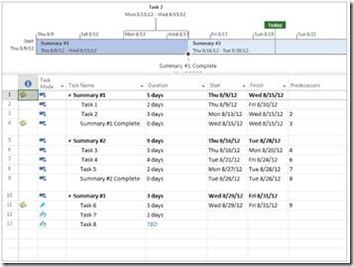
Project screenshot

Simple Project Plan – This is a very simple template to help beginners create a plan.
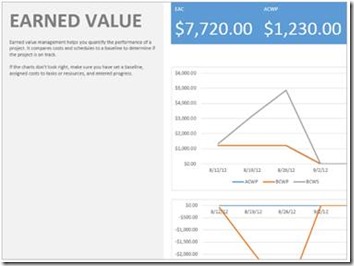
example of an earned value chart

Earned ValueThis template helps you create a project that works for earned value tracking.
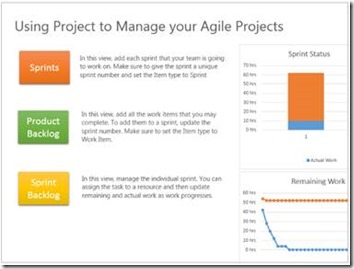
Infogram about using Project to Manage your Agile Projects

Agile Project Management – This template is for people who want to use Microsoft Project for agile project management. It has some custom views and filters to help you follow the methodology.
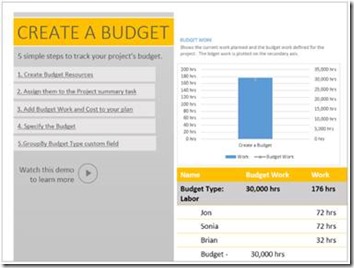
Infogram about creating a budget

Create a Budget – This template walks you through how to use Budget Resources and contains reports that work with budget resources.
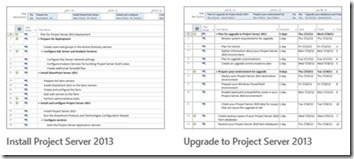
side by side of the install vs upgrade to Project Server

Install Project Server 2013 and Upgrade to Project Server – If you are moving to Project Server 2013, these templates will walk you through the necessary steps.

Template Experience

Secondly, you’ll notice templates are featured prominently. When you boot Project you see your recent files on the left and templates on the right. You can search right there if there is a specific template you are looking for.
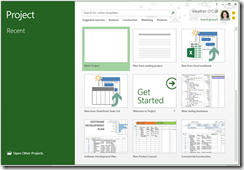
Project Template page

And when you select a template – you can enter your start date and all the tasks will be moved accordingly. No more templates with 2002 dates!
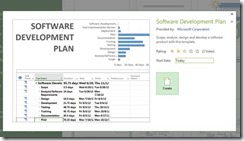
Preview of project

Is there a template that you’d like to see? Please leave a comment and let us know.