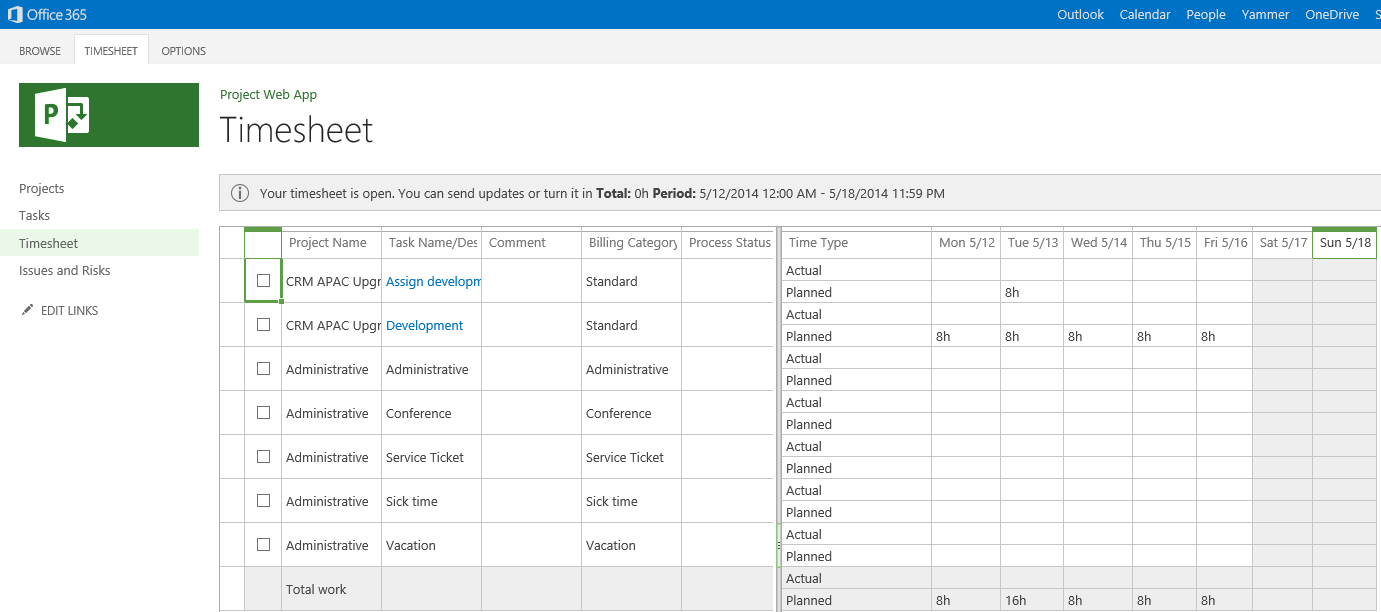
On May 1, 2014, we released Microsoft Project Lite, a cloud-based companion offering to Project Online. Project Lite enables team members to manage tasks, highlight issues and risks, submit timesheets, and collaborate with each other from variety of devices—all in a lightweight way.
Priced at $7 per user/month, Project Lite lowers the total cost of ownership (TCO) of Project Online. It also simplifies project management by making it easier for team members to be productive on the go. With built-in integration with Project Online and other Office 365 services, Project Lite helps project teams get work done faster.
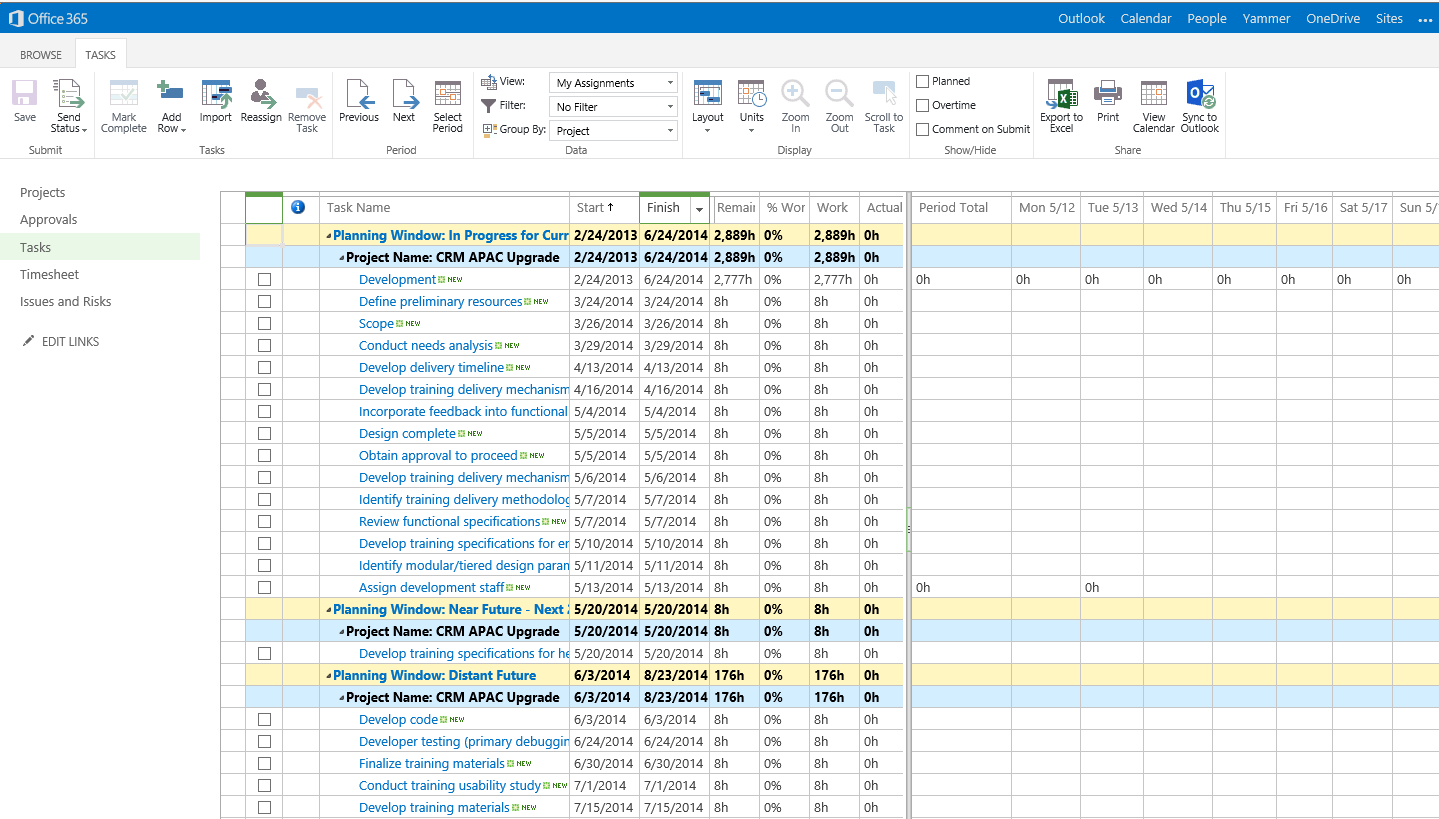
Using Project Lite streamlines project management in two important ways. Project managers can automate routine project management tasks such as time tracking and task updates, which saves them time so they can focus on more strategic areas of managing projects. They can also be notified by team members about imminent risks and issues, almost in real time, which can help prevent delays and extra costs.
Team projects depend on collaboration. Period. Project Lite enhances collaboration by making it easier for team members to work together efficiently. Using co-authoring capabilities offered in Office 365, team members can work on project documents concurrently and save valuable time otherwise lost in reconciling version conflicts, manual merging and coordinating of changes, and other ways. Also, teams can take the project collaboration experience to the next level by adding Yammer*, private enterprise social networking, to their project team sites in a few easy steps.
It’s no secret that all team projects require lots of communication, and Project Online works seamlessly with Lync Online to give you a wide variety of ways for team members to stay connected with one another. When enabled, Lync Online* connects team members anywhere they happen to be working and on whatever device they’re happen to be using, by providing a consistently great communication experience, whether they choose to connect by instant messaging, voice, video, or online meetings.
As more project teams choose to use Project Lite to collaborate and manage tasks, useful trends and insights start to emerge at the organization level. Using reports in Project Online, Project Management Office (PMO) teams can better manage new project demands against available resource capacity and make better resourcing decisions.
These are just a few of the ways adding Project Lite to Project Online can enhance your project management. You can learn more about Project Lite here.
—Krishna Mamidipaka
* Yammer and Lync Online are not included in Project Lite. They each require a separate subscription.