
The REST SharePoint API has been an extremely popular way for Office 365 developers to work with SharePoint sites, lists/libraries, and list items/documents. One of the big bits of feedback we got from developers using the REST SharePoint API was about the payload of the data that was returned. Our response was to add support for JSON Light. JSON Light is an open standard that allows developers to provide in the header of the request how much metadata is returned. To check out more about JSON Light, head over to the Microsoft OData JSON spec document. You can also check out all the endpoints for the SharePoint REST API over on MSDN.
Before this, when calling the SharePoint REST API, Office 365 developers had to include in the header request : “accept: application/json; odata=verbose”. This header is now optional, and more OData options have been added. If you don’t require all of the metadata for your business solution, you can significantly reduce the payload of your calls by using one of these other options. Take a look at this set of OData examples based on a common scenario of requesting a set of list items from a list and the associated response size.
Option 1: verbose
| “accept: application/json; odata=verbose” | 46,647 bytes |

Option 2: minimalmetadata
| “accept: application/json; odata=minimalmetadata” | 11,173 bytes |

Option 3: nometadata
| “accept: application/json; odata=nometadata” | 6,832 bytes |
The nometadata option reduces the size of the payload significantly, and for many scenarios this is all that you need when working with list items, for example.
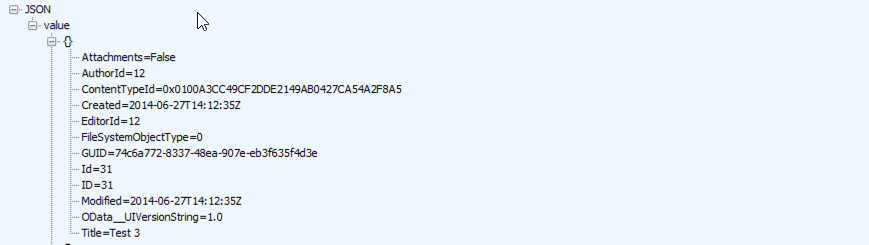
Option 4: Don’t provide it
| “accept: application/json” | 11,173 bytes |
You are no longer required to provide the OData property in the request header, unless you would like to specify one of the values above. This defaults to minimalmetadata option.
Now, with support for JSON Light, you can choose the OData option you need for specific tasks and get an appropriately sized payload.
Using the SharePoint APIs with the Office 365 APIs Preview
You can use the SharePoint APIs in conjunction with the Office 365 API Preview by using the Azure Active Directory auth bearer token. This means that you can use the common consent framework authentication approach in standalone web and mobile device applications to take advantage of all the existing SharePoint APIs you know alongside the new Files OData API that shipped in the Preview.
If you have more feedback on the REST API or other Office 365 Developer platform experiences, please submit your feedback on UserVoice.


