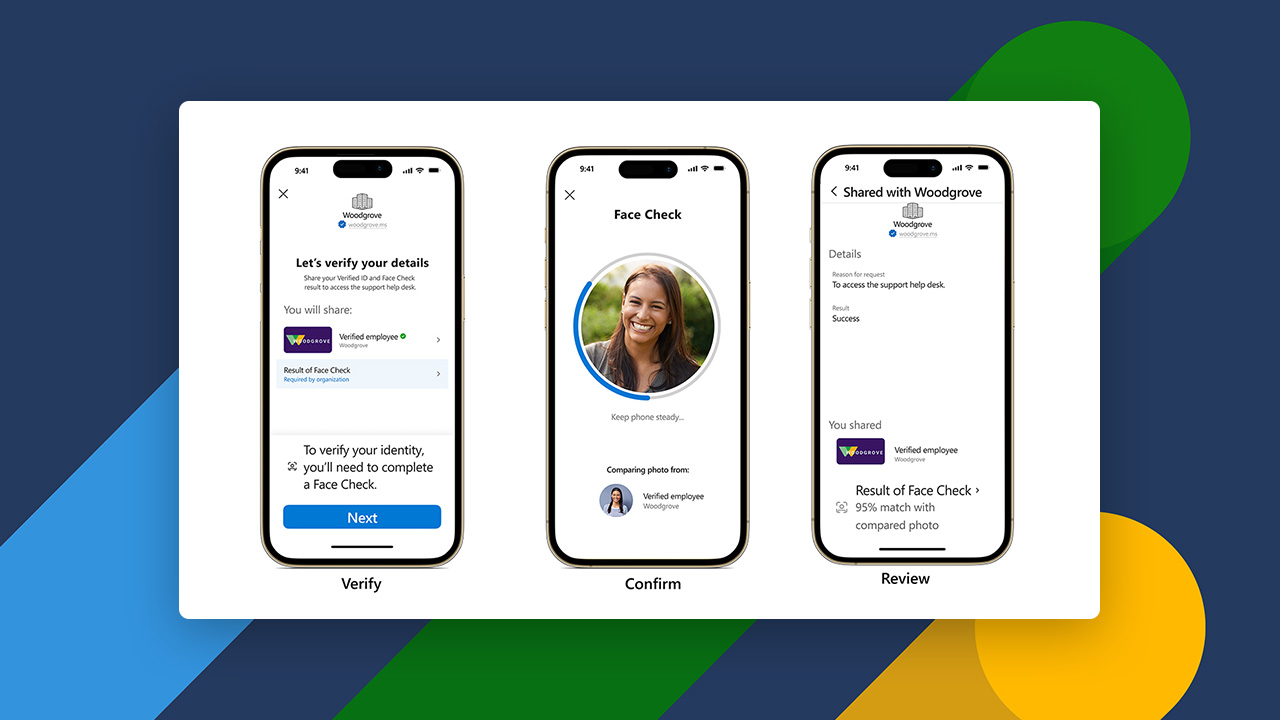
Today, I’m thrilled to announce the expansion of Microsoft Entra Verified ID to include Face Check—a privacy-respecting facial matching feature for high-assurance verifications, which is now in preview. Watch the video to learn more and read on for how you can get started today.
Try Face Check for yourself.
Verified ID: Verify once, use everywhere
In our everyday lives, we use identity documents like driver’s licenses or passports as convenient and secure ways to prove our identity. Until now, we have not had a good digital equivalent. Microsoft Entra Verified ID provides a secure and easy-to-use experience for digitally verifying many aspects of our identity, such as education, skills, and workplace affiliation. As fraud skyrockets for businesses and consumers, and fraud tactics become increasingly complex—especially with advancements in generative AI—identity verification has never been more important.
Microsoft Entra Verified ID IDV partners
Microsoft Entra Verified ID is based on open standards, enabling organizations to verify the widest variety of credentials using a simple API. Verified ID integrates with some of the leading verification partners to verify identity attributes for individuals (for example, a driver’s license and a liveness match) across 192 countries. Today, hundreds of organizations rely on Verified ID to remotely onboard new users as well as reduce fraud when providing self-service recovery. For example, Skype has reduced fraudulent cases of registering Skype Phone Numbers in Japan by 90% by implementing Verified ID. Elsewhere, enterprises are issuing Verified Employee Credentials to enable employees to verify their employment status with LinkedIn as well as for business-to-business collaboration.
Learn more about how Verified ID works and how organizations are using it today in our whitepaper.
Introducing Face Check with Verified ID: Unlocking high-assurance verifications at scale
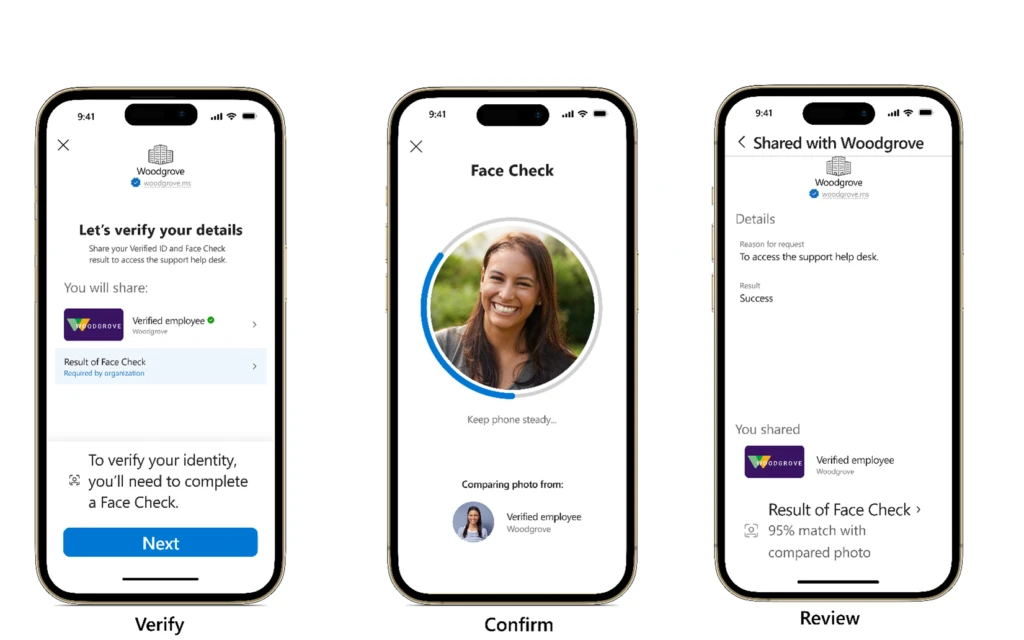
Face Check, powered by Azure AI services, adds a critical layer of trust by matching a user’s real-time selfie and the photo from their identity document (such as a passport or driver’s license). By sharing only the match results and not any sensitive identity data, Face Check improves user privacy while allowing organizations to be sure the person claiming an identity is really them.
Many organizations are evaluating Face Check as part of the preview. BEMO, a leader in help desk services for cybersecurity operations, uses Face Check to quickly verify the identity of an employee and reduce the risk of impersonation. “The liability of granting admin [role] access to the wrong person is high, so Face Check provides an extra layer of insurance. In the past we had to trade off between increasing risk of fraudulent access or increased compliance risk by collecting personally identifiable information in an ad hoc manner. Now we can verify the identity of an employee instantly and with high confidence, without trading off between security and compliance.” More than a hundred of BEMO’s business customers have already implemented Face Check.
Visit our frequently asked questions to learn more. If you are ready to implement Face Check with Verified ID for your organization, see the steps below to get started.
Get started with Face Check in Verified ID
If you are ready to implement Verified ID for your organization, here are the steps to get started.
Total time: 5 minutes
1. Follow this tutorial to create a Face Check-ready Verified Workplace Credential.
Time: 1 minute
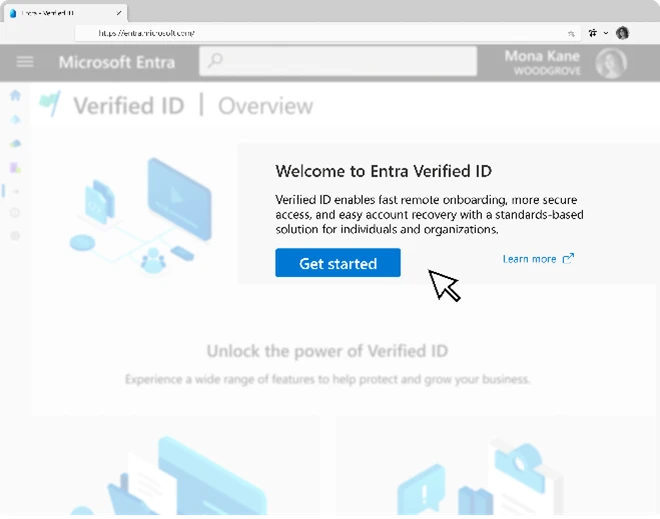
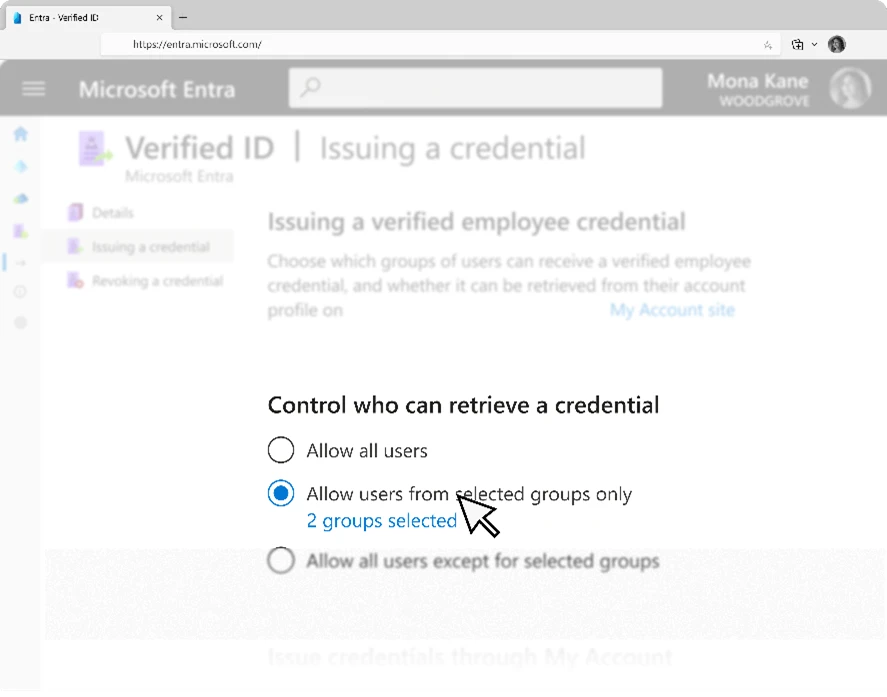
2. Configure who can request a Verified ID by selecting all users or specific groups of users.
Time: 3 minutes
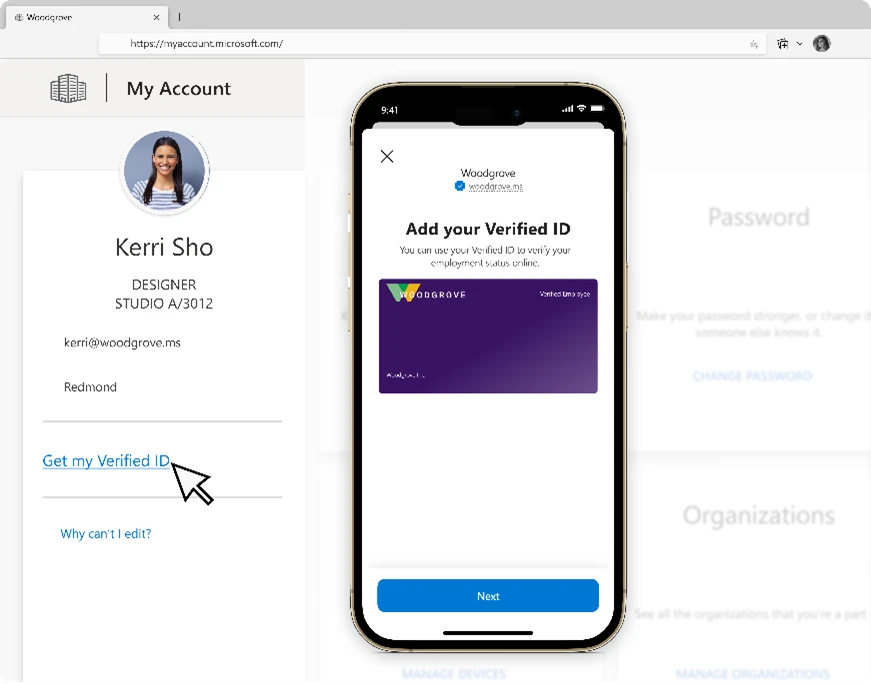
3. Users can sign in to http://myaccount.microsoft.com. Use the new option under your profile to get your Verified ID (using photo from Microsoft 365 profile). Use Microsoft Authenticator to get your Face Check-ready Verified ID. It’s that easy!
Time: 1 minute
How Face Check enables high-assurance verification
Issue a Verifiable Credential for directory based claims
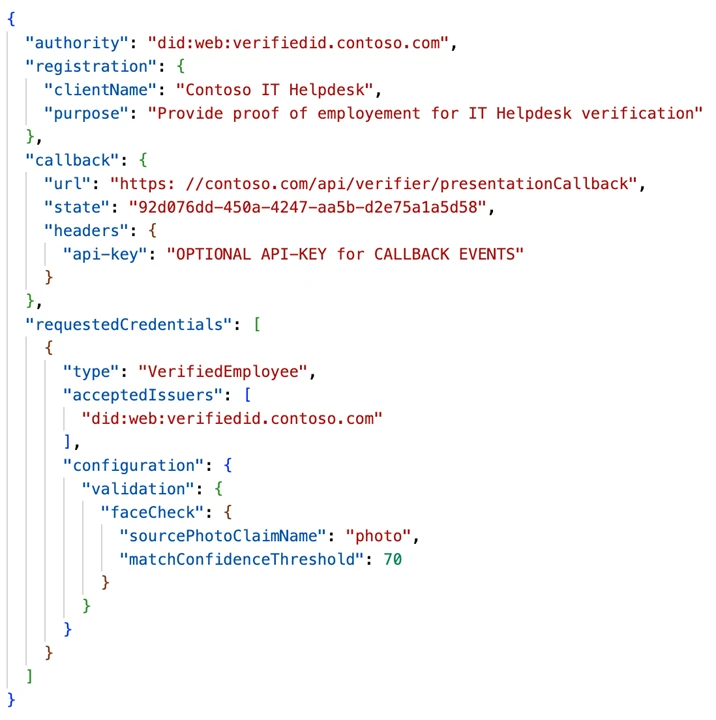
Apps can make a simple API request for users to perform a Face Check against a Verified Employee credential, state-issued government ID, or a custom digital credential with a trusted photo. For example, businesses can enable a wide variety of self-service scenarios including activating a passkey or resetting a password. A help desk service for a business can request a Face Check against a Verified Employee credential to verify the identity quickly and securely. To reduce compliance risk, apps receive a confidence score for match against the photo from the desired credential, without gaining access to liveness data.
Microsoft Entra Verified ID developer docs has a reference for a presentation request sample with Face Check.
What’s next for Verified ID?
Today, businesses can verify a wide variety of identity attributes, such as employment, education or government-issued ID (with partners like LexisNexis® Risk Solutions, Au10tix, and IDEMIA). Now with Face Check, businesses can be confident that the person presenting these credentials is indeed the right person to whom these credentials were issued. Next, we are extending this API pattern to verify other identity attributes that businesses care about, including verified work history and legal entity verification in partnership with Dun & Bradstreet (DNB), LexisNexis® Risk Solutions, and IDEMIA. Stay tuned for more details on this program in coming weeks.
Join us online at Microsoft Secure on March 13, 2024, to learn about Microsoft Entra innovations that redefine how to think about secure access for any identity to any resource, from anywhere.
Learn more
Learn more about Microsoft Entra Verified ID.
To learn more about Microsoft Security solutions, visit our website. Bookmark the Security blog to keep up with our expert coverage on security matters. Also, follow us on LinkedIn (Microsoft Security) and X (@MSFTSecurity) for the latest news and updates on cybersecurity.