Nearly a decade ago, as we began our journey from relying on on-premises physical computing infrastructure to being a cloud-first organization, our engineers came up with a simple but effective technique to see if a relatively inactive server was really needed.
They dubbed it the “Scream Test.”
“We didn’t have a great server inventory and tracking system, and we didn’t always know who owned a server,” says Brent Burtness, a principal software engineer in Commerce Financial Platforms, who was one of the leaders for the effort in his group. “So, we essentially just turned them off. If someone screamed—‘Hey, why’d you turn off my server?’—then we’d know it was still being used.”
Today, the basic idea behind the Scream Test is being used across the company, but in a more holistic way. Importantly, it’s been incorporated into the overall lifecycle management of our computing infrastructure. And, through the automation tools provided by Microsoft Azure, we have a much more efficient process for making sure that we’re saving time and money by reducing the number of underused machines we operate, monitor, and maintain.

“We thought we were going to get rid of a small number of machines that weren’t being used. But we found the actual share was about 15% of all machines, which saved us a lot of effort of moving those unused machines to the cloud. In other words, we downsized on the way to the cloud, rather than after the fact.”
Pete Apple, cloud network engineering architect, Microsoft Digital
Uncovering more than expected
The Scream Test was part of the huge effort to evaluate our on-premises compute resources before we began moving to the Azure cloud. After all, why spend resources moving something that isn’t needed?
Pete Apple, who helped develop the concept of the Scream Test, is a cloud network engineering architect in Microsoft Digital, the company’s IT organization. Looking back, he remembers the surprising results that emerged when they began shutting down specific servers to see who noticed.
“We thought we were going to get rid of a small number of machines that weren’t being used,” Apple says. “But we found the actual share was about 15% of all machines, which saved us a lot of effort of moving those unused machines to the cloud. In other words, we downsized on the way to the cloud, rather than after the fact.”
As part of this process, Apple explains, our engineers looked at two related factors to reduce inefficiencies in our usage of computing resources.
The first was to identify systems that were used infrequently, at a very low level of CPU (sometimes called “cold” servers). From that, we could determine which systems in our on-premises environments were oversized—meaning someone had purchased physical machines according to what they thought the load would be, but either that estimate was incorrect or the load diminished over time. We took this data and created a set of recommended Microsoft Azure Virtual Machine (VM) sizes for every on-premises system to be migrated.
“We learned that there’s a lot of orphaned, or underutilized, resources out there,” Burtness says. “These were cases where the workload was so small on a server—like under 5% CPU—that it didn’t make sense to host it on its own machine. We could then move the task or application and get it down to just one or two CPUs on a virtual machine.”
At the time, we did much of this work manually, because we were early adopters. The company now has a number of products available to assist with this review of your on-premises environment, led by Azure Migrate.
Another part of the process was determining which systems were being used for only a few days a month or at certain busy times of the year. These development machines, test/QA machines, and user acceptance testing machines (reserved for final verification before moving code to production) were running continuously in the datacenter but were really only needed during limited windows. For these situations, we applied the tools available in Azure Resource Manager Templates and Azure Automation to ensure the machines would only run when needed.
Automating with Azure
Today, we don’t have to rely on anything as crude as the Scream Test to find unused and underused computing resources. With 98% of our IT resources operating in the Azure cloud, we have much greater insight into how efficient our network is, so much of the process can be automated.
“We’ve found this effort much easier to manage in the cloud, because all our computing resources are integrated with the Azure portal,” Apple says. “They have an API system and offer various tools within Azure Update Manager and Azure Advisor to help with cost efficiency. It’s kind of like a modern version of Clippy—’Hey, it looks like your VM isn’t being used much. Do you want to downsize that or turn it off?’”
(For the uninitiated, Clippy was the Microsoft Office animated paperclip assistant introduced in the late 1990s. It offered tips and help with tasks, like writing and formatting documents. Clippy became iconic for its quirky suggestions, including recommending that you remove things from your desktop that you weren’t using.)

“With everything being in the Azure portal or in Azure Resource Graph, it’s much more streamlined, and makes it easier to get that data out to the teams. They can then go into the portal and clean up the resource.”
Brent Burtness, principal software engineer, Commerce Financial Platforms
And simply taking the step of turning off stuff that we weren’t using turned out to be very effective. Thanks, Clippy!
Today, we approach this challenge in a more efficient and sophisticated way, taking advantage of Azure tools like Update Manager and Advisor.
“With everything being in the Azure portal or in Azure Resource Graph, it’s much more streamlined, and makes it easier to get that data out to the teams,” Burtness says. “We can run automated queries with Azure Resource Graph. Then we bring that information into our internal Service 360 tool, which we use to give action items to our developers. Each item gives them a link to Azure portal, and they can then go into the portal and clean up the resource.”
Managing for the lifecycle
One of the most important things we learned by using the Scream Test to identify inefficiencies and moving our systems from on-premises servers to the cloud was that it’s an ongoing process, not a fixed-end project.
“We had this idea that it was going to be a one-time event, that we’ll move to the cloud and then we’ll be done,” Apple says. “A better understanding is that it’s a lifecycle. We have integrated this concept of continual evaluation into our processes around everything that’s still on-premises, because we still have labs, we still have physical infrastructure.”
We continue to do this evaluation on a regular basis with both physical and virtual computing resources, because needs and usage are constantly changing.
Cutting our cloud costs
“Now we have a basic process around a six-month cycle,” Apple says. “So, every six months we ask, does this still need to be on-premises or should we start moving it to the cloud? And we do the same thing with our cloud resources. Who’s still using these VMs? And we still go through the same review process to see if it’s needed, or if we can shut it down or move it.”
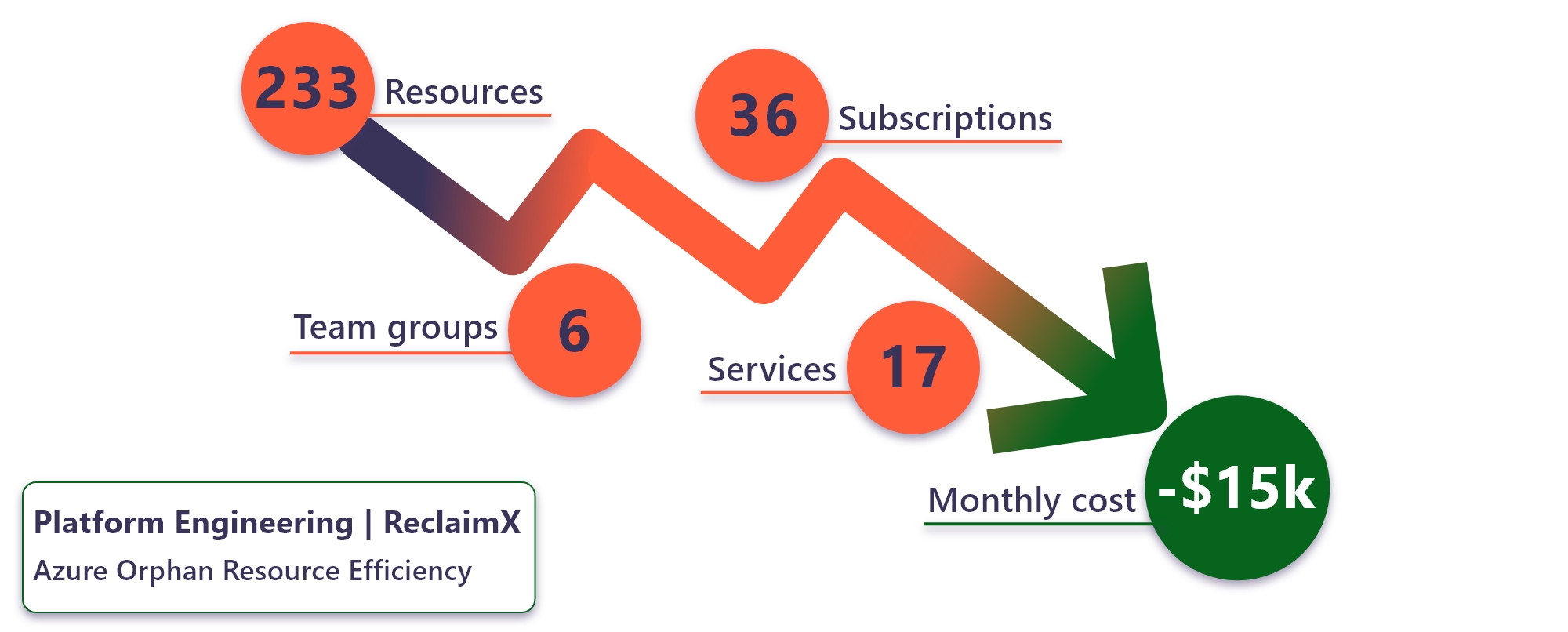
This has resulted in significant cost savings for the company. “We’re up to about 15% to 20% less compute cost, depending on the organization, because of this much better understanding of our business needs,” Apple says.
Better governance, increased security
Another major benefit of this process was establishing much stronger governance of compute resources across the entire organization.
“When we first did the Scream Test, we weren’t always really sure who owned what, in some cases,” Apple says. “We’ve fixed that as part of this process. This governance aspect is a key part of being more efficient with our resources.”
Burtness explains why this is so important.
“It’s critical to know exactly who to contact when there’s something wrong with the server,” Burtness says. “Now, with clearer ownership, clearer accountability, and better inventory, it’s a much better experience.”
Better governance also means tighter security, according to both Apple and Burtness.
“This is really important when it comes to threat-actor response,” Apple says. “Unused servers can often be an entry point for hackers. Or, say we discover that a machine or server is getting hacked; you need to talk to who owns it. If you don’t know, it takes you longer to track them down and combat the hack. That’s not great. Improving our governance has definitely made securing our environment easier.”

Key takeaways
Here are some things to keep in mind when managing your own enterprise compute resources for greater efficiency:
- It’s not a one-time exercise. For the best results, you should be evaluating your computing resources on a regular schedule to identify ”cold” servers and unused infrastructure.
- Adjust for variable usage patterns. It’s not just about unused servers. Some machines may only be needed for a business function during certain busy times of the year. Consider turning the machines on just to handle the load during those periods and turning them off the rest of the year.
- Use Azure tools for greater insight. If you’re operating your infrastructure in the Azure cloud, you can much more easily monitor and address orphaned resources using automated tools such as Azure Advisor, Azure Resource Graph, and the Azure portal.
- Apply your savings to other priorities. “The more efficient you are, the more savings can be applied to other projects or given back to your manager—who is going to be very happy with you,” Apple says.
- Saving money is not the only benefit. You’ll not only save operating costs, you’ll have a reduced maintenance and monitoring load, better governance, and fewer security vulnerabilities.

Try it out

Related links

We’d like to hear from you!