
At Microsoft, we are committed to driving innovation for our partnerships within the identity ecosystem. Together, we are enabling our customers, who live and work in a heterogenous world, to get secure and remote access to the apps and resources they need. In this blog, we’d like to highlight how partners can help enable secure remote access to any app, access to on-prem and legacy apps, as well as how to secure seamless access via passwordless apps. We will also touch on how you can increase security visibility and insights by leveraging Azure Active Directory (Azure AD) Identity Protection APIs.
Secure remote access to cloud apps
As organizations adopt remote work strategies in today’s environment, it’s important their workforce has access to all the applications they need. With the Azure AD app gallery, we work closely with independent software vendors (ISV) to make it easy for organizations and their employees and customers to connect to and protect the applications they use. The Azure AD app gallery consists of thousands of applications that make it easy for admins to set up single sign-on (SSO) or user provisioning for their employees and customers. You can find popular collaboration applications to work remotely such Cisco Webex, Zoom, and Workplace from Facebook or security focused applications such as Mimecast, and Jamf. And if you don’t find the application your organization needs, you can always make a nomination here.
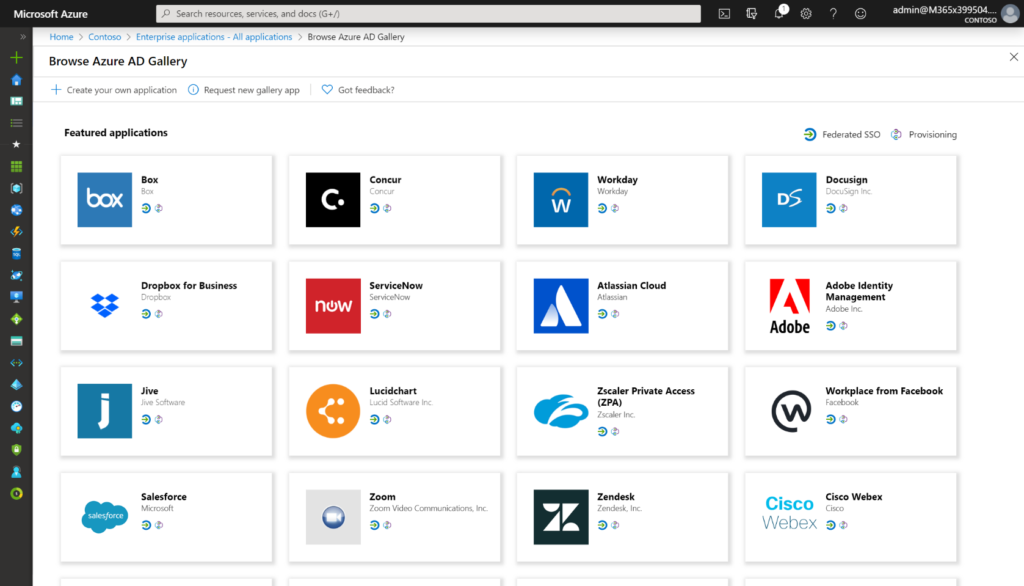
The Azure AD Gallery.
Secure hybrid access to your on-premises and legacy apps
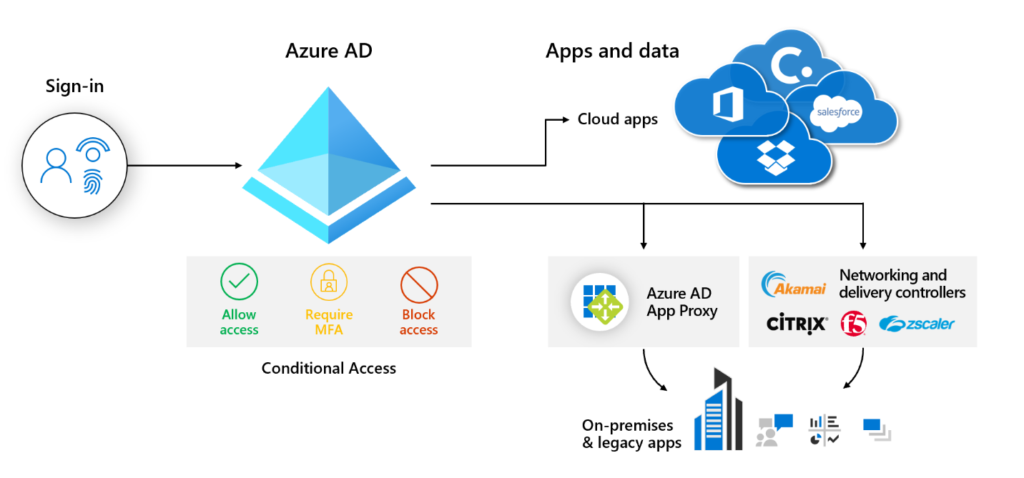
As organizations enable their employees to work from home, maintaining remote access to all company apps, including those on-premises and legacy, from any location and any device, is key to safeguard the productivity of their workforce. Azure AD offers several integrations for securing on-premises SaaS applications like SAP NetWeaver, SAP Fiori systems, Oracle PeopleSoft and E-Business Suite, and Atlassian JIRA and Confluence through the Azure AD App Gallery. For customers who are using Akamai Enterprise Application Access (EAA), Citrix Application Delivery Controller (ADC), F5 BIG-IP Access Policy Manager (APM), or Zscaler Private Access (ZPA), Microsoft has partnerships to provide remote access securely and help extend policies and controls that allow businesses to manage and govern on-premises legacy apps from Azure AD without having to change how the apps work.
Our integration with Zscaler allows a company’s business partners, such as suppliers and vendors, to securely access legacy, on-premises applications through the Zscaler B2B portal.
Go passwordless with FIDO2 security keys
Passwordless methods of authentication should be part of everyone’s future. Currently, Microsoft has over 100-million active passwordless end-users across consumer and enterprise customers. These passwordless options include Windows Hello for Business, Authenticator app, and FIDO2 security keys. Why are passwords falling out of favor? For them to be effective, passwords must have several characteristics, including being unique to every site. Trying to remember them all can frustrate end-users and lead to poor password hygiene.
Since Microsoft announced the public preview of Azure AD support for FIDO2 security keys in hybrid environments earlier this year, I’ve seen more organizations, especially with regulatory requirements, start to adopt FIDO2 security keys. This is another important area where we’ve worked with many FIDO2 security key partners who are helping our customers to go passwordless smoothly.
Increase security visibility and insights by leveraging Azure AD Identity Protection APIs
We know from our partners that they would like to leverage insights from the Azure AD Identity Protection with their security tools such as security information event management (SIEM) or network security. The end goal is to help them leverage all the security tools they have in an integrated way. Currently, we have the Azure AD Identity Protection API in preview that our ISVs leverage. For example, RSA announced at their 2020 conference that they are now leveraging our signals to better defend their customers.
We’re looking forward to working with many partners to complete these integrations.
If you haven’t taken advantage of any of these types of solutions, I recommend you try them out today and let us know what you think. If you have product partnership ideas with Azure AD, feel free to connect with me via LinkedIn or Twitter.