
Modern software development practices often involve building applications from hundreds of existing components, whether they’re written by another team in your organization, an external vendor, or someone in the open source community. Reuse has great benefits, including time-to-market, quality, and interoperability, but sometimes brings the cost of hidden complexity and risk.
You trust your engineering team, but the code they write often accounts for only a tiny fraction of the entire application. How well do you understand what all those external software components actually do? You may find that you’re placing as much trust in each of the thousands of contributors to those components as you have in your in-house engineering team.
At Microsoft, our software engineers use open source software to provide our customers high-quality software and services. Recognizing the inherent risks in trusting open source software, we created a source code analyzer called Microsoft Application Inspector to identify “interesting” features and metadata, like the use of cryptography, connecting to a remote entity, and the platforms it runs on.
Application Inspector differs from more typical static analysis tools in that it isn’t limited to detecting poor programming practices; rather, it surfaces interesting characteristics in the code that would otherwise be time-consuming or difficult to identify through manual introspection. It then simply reports what’s there, without judgement.
For example, consider this snippet of Python source code:
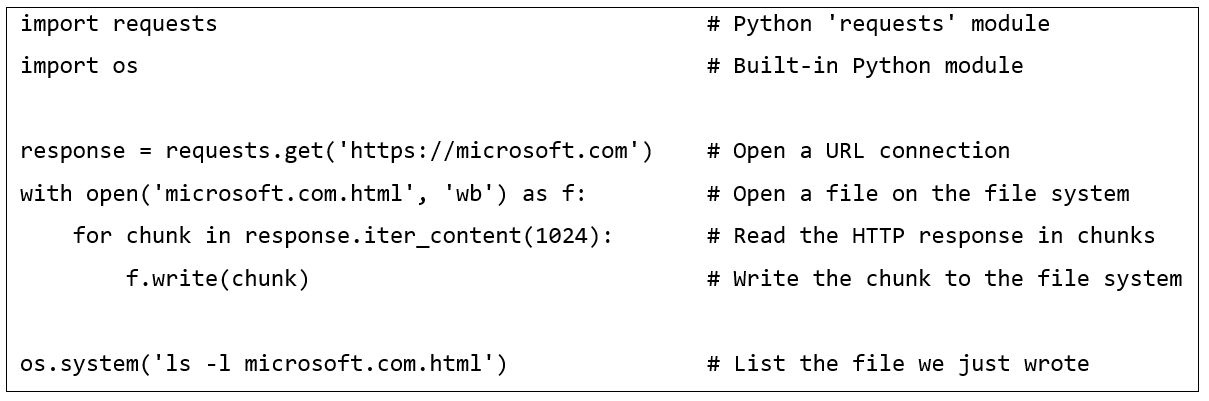
Here we can see that a program that downloads content from a URL, writes it to the file system, and then executes a shell command to list details of that file. If we run this code through Application Inspector, we’ll see the following features identified which tells us a lot about what it can do:
- FileOperation.Write
- Network.Connection.Http
- Process.DynamicExecution
In this small example, it would be trivial to examine the snippet manually to identify those same features, but many components contain tens of thousands of lines of code, and modern web applications often use hundreds of such components. Application Inspector is designed to be used individually or at scale and can analyze millions of lines of source code from components built using many different programming languages. It’s simply infeasible to attempt to do this manually.
Application Inspector is positioned to help in key scenarios
We use Application Inspector to identify key changes to a component’s feature set over time (version to version), which can indicate anything from an increased attack surface to a malicious backdoor. We also use the tool to identify high-risk components and those with unexpected features that require additional scrutiny, under the theory that a vulnerability in a component that is involved in cryptography, authentication, or deserialization would likely have higher impact than others.
Using Application Inspector
Application Inspector is a cross-platform, command-line tool that can produce output in multiple formats, including JSON and interactive HTML. Here is an example of an HTML report:
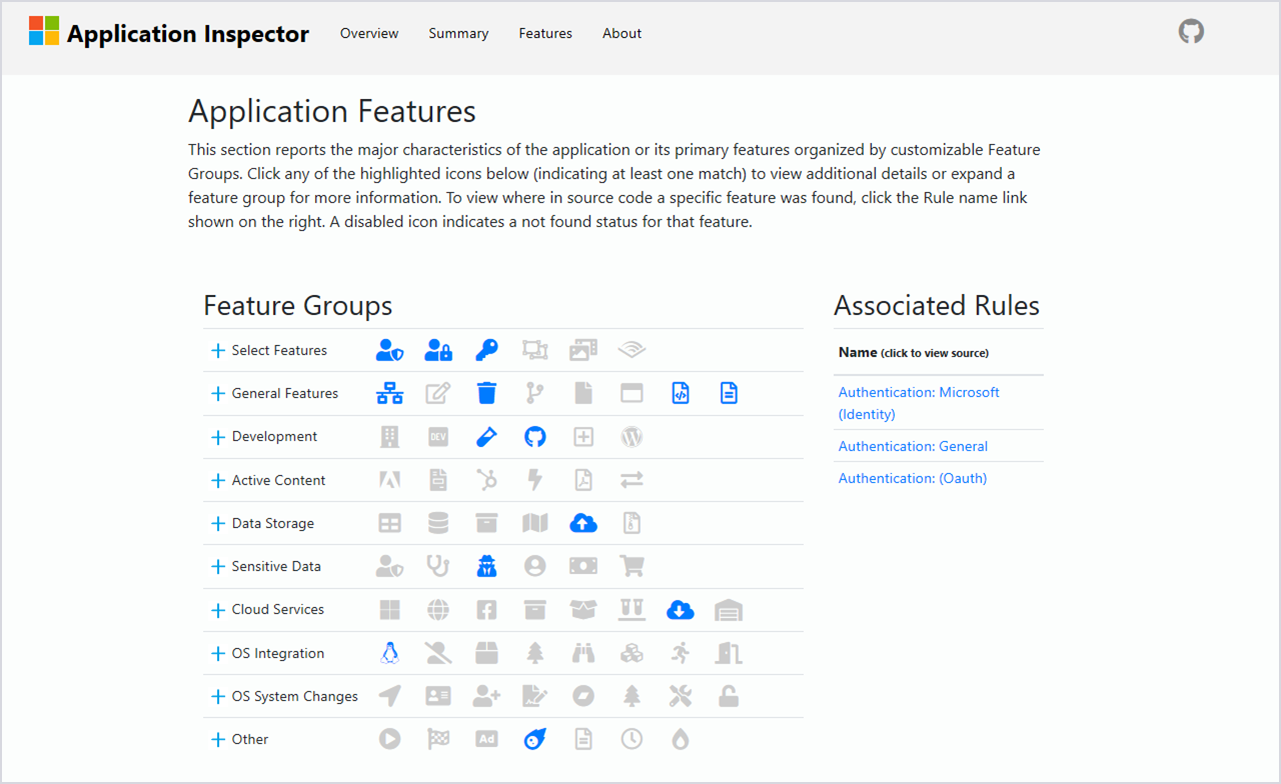
Each icon in the report above represents a feature that was identified in the source code. That feature is expanded on the right-hand side of the report, and by clicking any of the links, you can view the source code snippets that contributed to that identification.
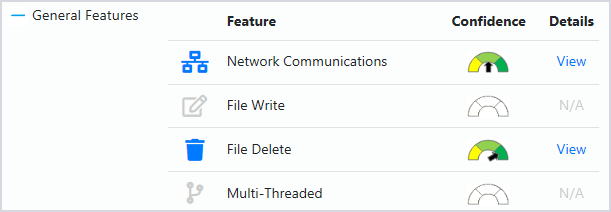
Each feature is also broken down into more specific categories and an associated confidence, which can be accessed by expanding the row.
Application Inspector comes with hundreds of feature detection patterns covering many popular programming languages, with good support for the following types of characteristics:
- Application frameworks (development, testing)
- Cloud / Service APIs (Microsoft Azure, Amazon AWS, and Google Cloud Platform)
- Cryptography (symmetric, asymmetric, hashing, and TLS)
- Data types (sensitive, personally identifiable information)
- Operating system functions (platform identification, file system, registry, and user accounts)
- Security features (authentication and authorization)
Get started with Application Inspector
Application Inspector can identify interesting features in source code, enabling you to better understand the software components that your applications use. Application Inspector is open source, cross-platform (.NET Core), and can be downloaded at github.com/Microsoft/ApplicationInspector. We welcome all contributions and feedback.