
Microsoft Teams is now faster and simpler than ever.

Transform online meetings with family, friends and colleagues
Work from anywhere with video conferencing software that brings web conferencing, and audio calls together in a single online meeting platform
Every type of online meeting in one platform
Microsoft Teams brings video conferencing, webinars, audio conferencing, and web conferencing together in one virtual meeting platform, so you can pick the format that fits the conversation.

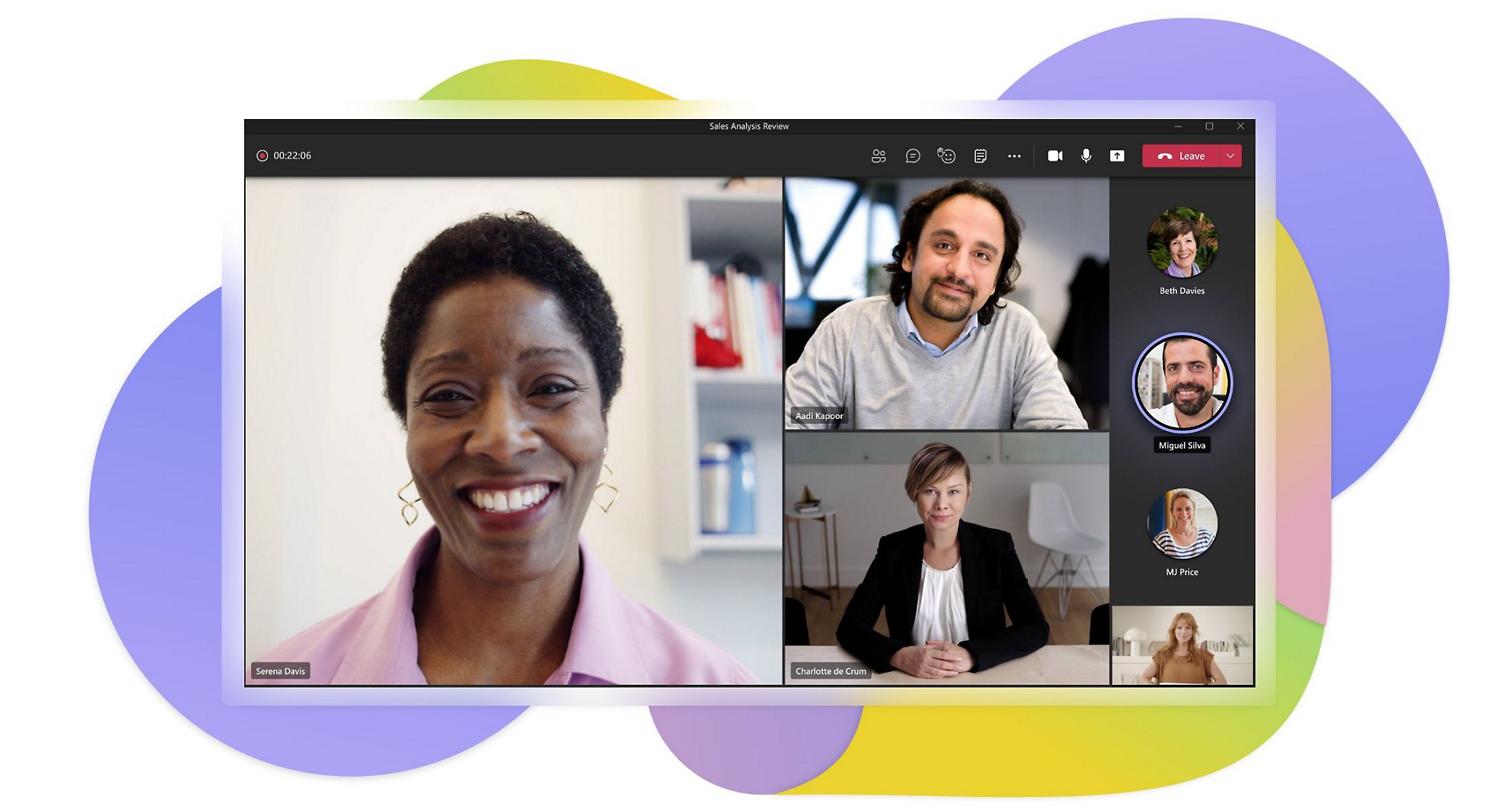
Video conferencing
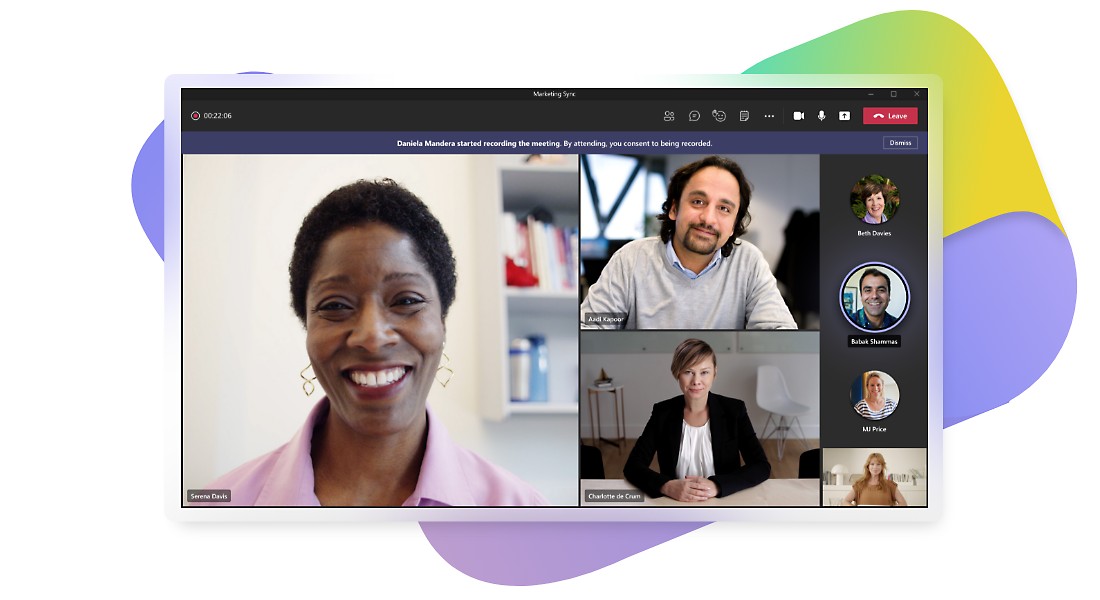
Make teamwork feel more personal by communicating face-to-face in online meetings.

Virtual events
Hold secure web conferences and webinars for up to 1,000 attendees and broadcasts for up to 10,000.1

Audio conferencing
Join meetings with a mobile device, a dial-in number, or an online meeting app such as Teams.

Meeting room devices
Get more features from devices, such as a speakerphone or room system designed specifically for video meetings.
Stay in the flow of work with virtual meeting features
Get a quick look at some of the online meeting features that help simplify your work life.
-
Get ready to meet
Hold engaging meetings by following a few simple steps using the virtual meeting features of Teams.
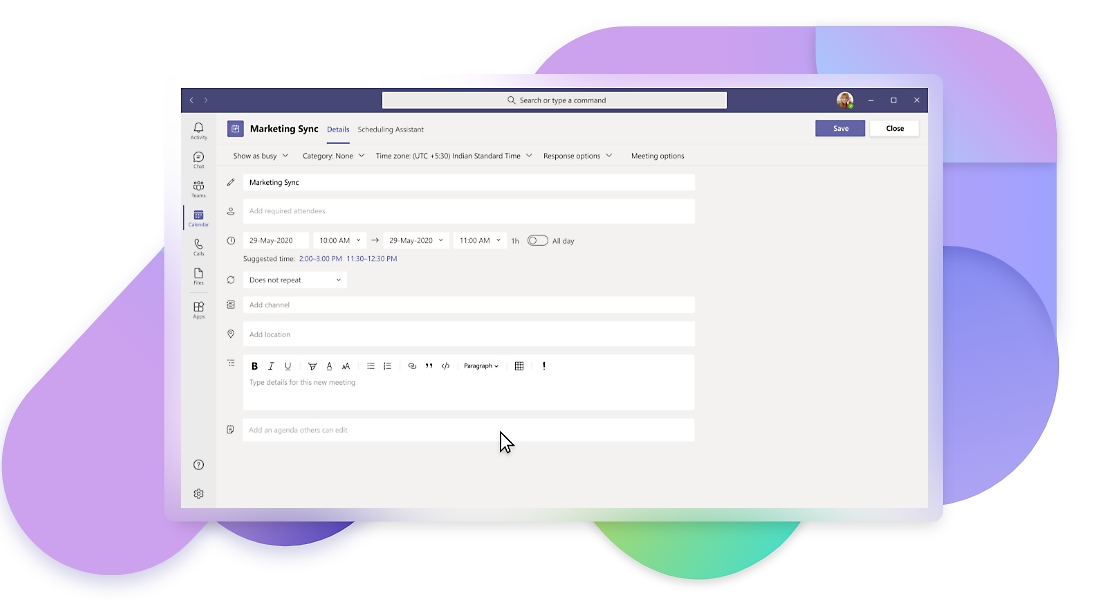
Schedule and share
Send invites, share the agenda, and chat with attendees prior to your video meeting.
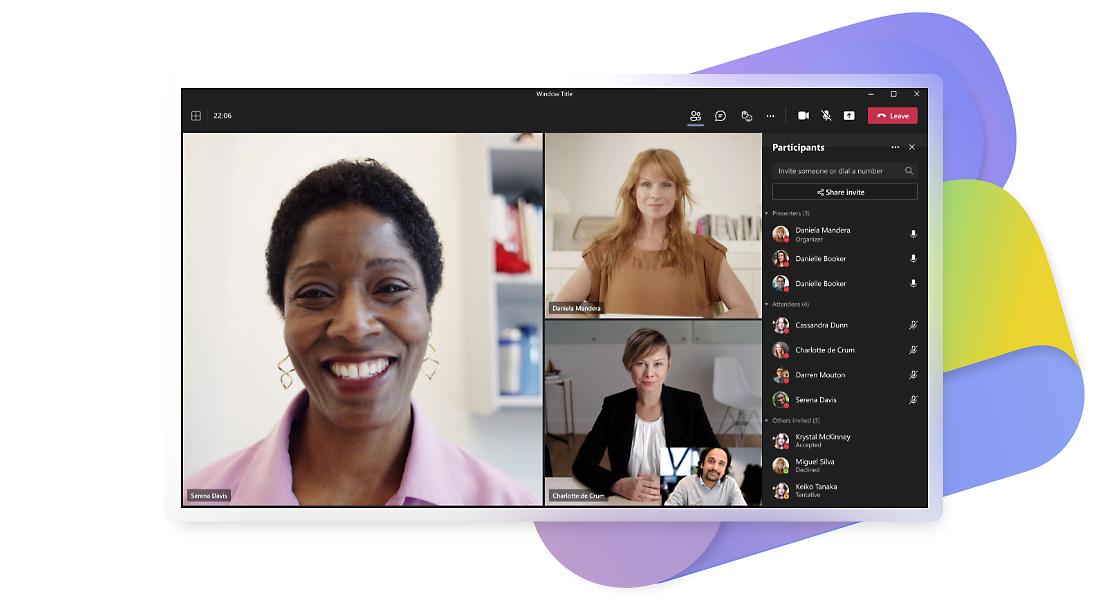
Invite external guests
Share a web link with anyone who has a valid email address, even people outside of your organization. Joining is simple through a web browser.
Back to tabsTogether mode
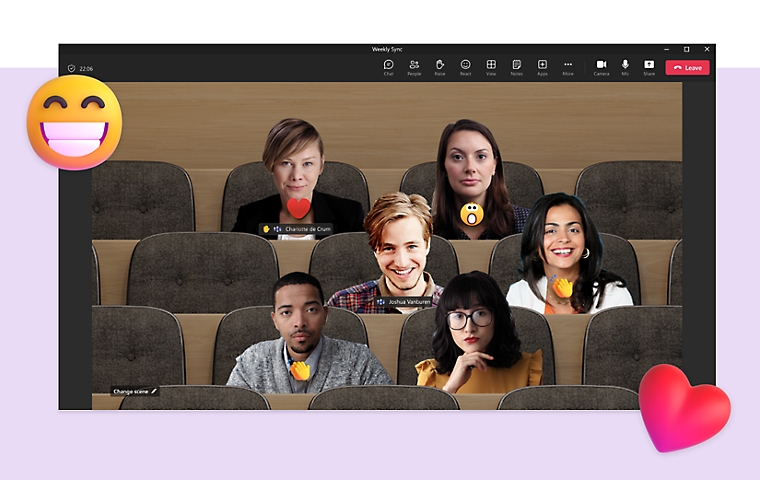
Create a more engaging meeting experience with together mode. Focus on faces, pick up on nonverbal cues, and easily see who’s talking.
-
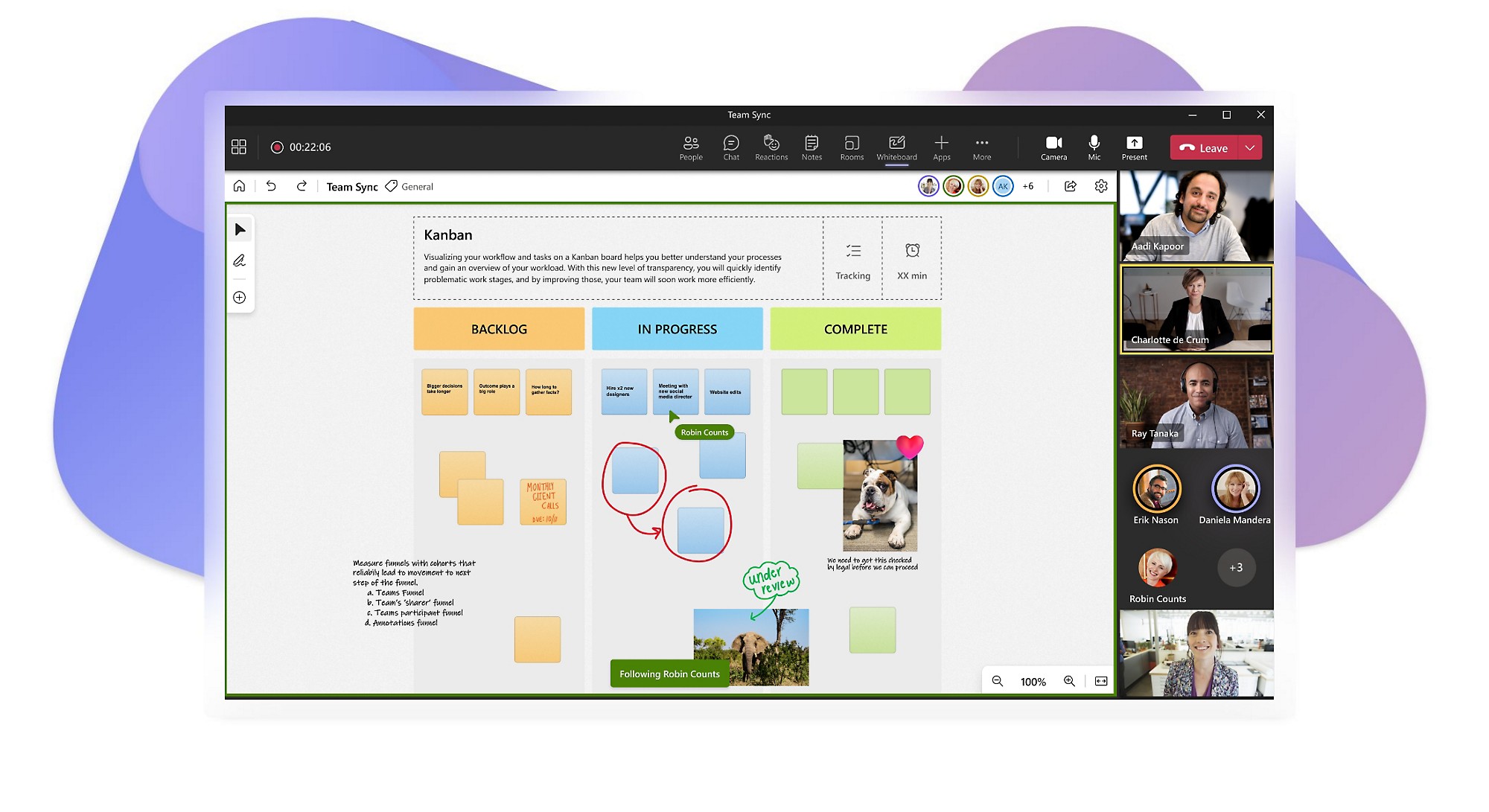
Drive productive creative meetings
Use Microsoft Whiteboard to drive effective creative meetings, visual ideas, and work creatively with your team.
Review and collaborate together
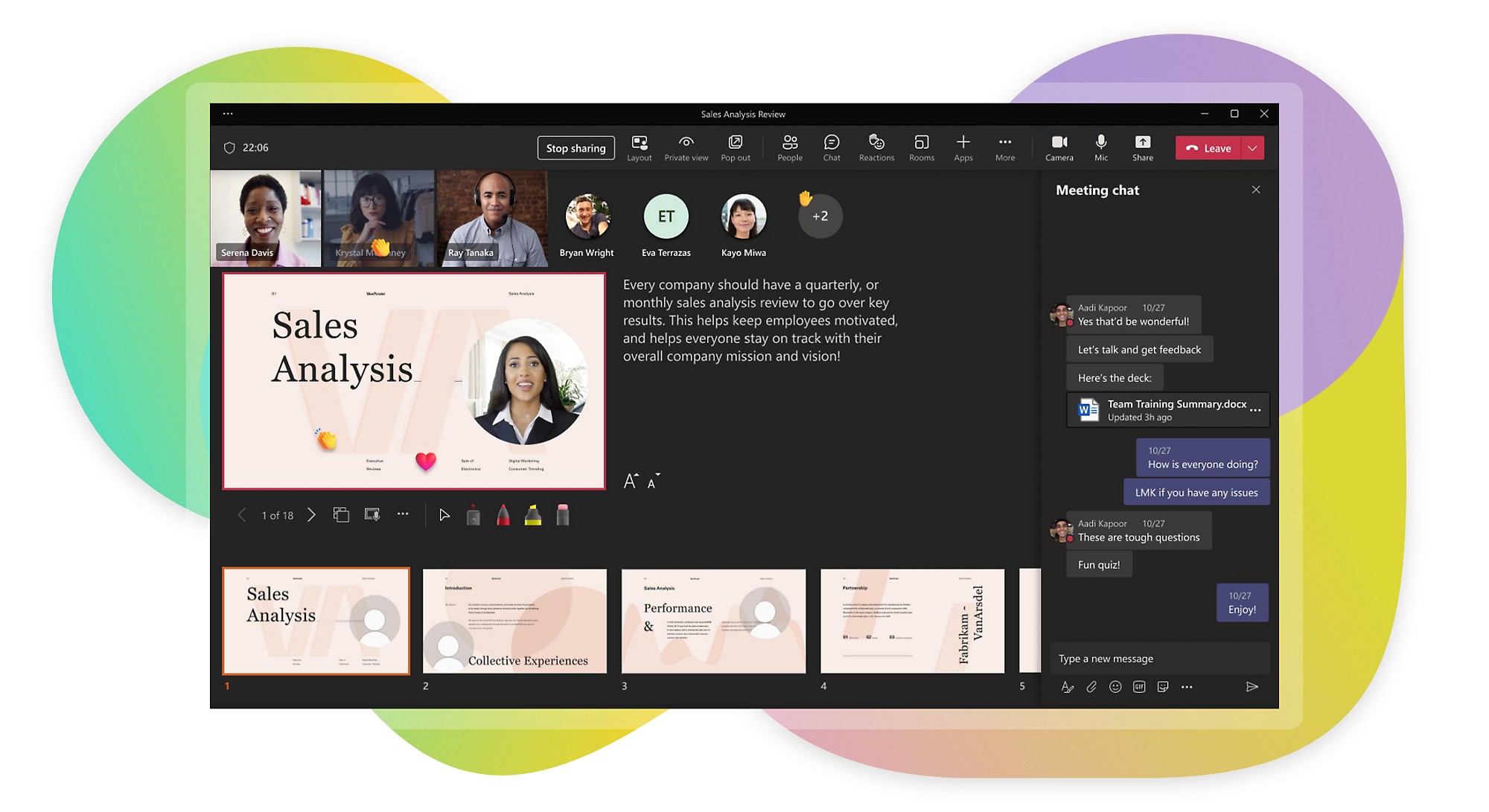
Use Collaborative Annotations which leverage the rich toolset and canvas of Microsoft Whiteboard to draw, type, and react directly to content being shared in a Teams meeting.
Start meetings quickly
Get started on time with one-touch join across many mobile devices, and start sharing content with web conference attendees everywhere easily.
Make it personal
Turn on video to engage on a deeper level, even if you blur your background for more privacy. When it’s time to present, use PowerPoint Live in Teams for an immersive remote presentation.
Edit workbooks together
Excel Live transforms real-time collaboration during Teams meetings.
Back to tabsRecord your virtual meetings
Capture audio, video, and content by recording team meetings to share with those who couldn’t attend and for future reference.
-
Set the cadence
Schedule another meeting or establish a series of team meetings more easily with an online meeting app.


Read more about online meetings in Teams
From good to great: Get the most out of every meeting
10 reasons to use video conferencing
How the right web conferencing software can create connections
How video conferencing helps build better relationships
What’s an online meeting?
An online meeting uses audio and optional video conferencing between two or more participants.In these meetings, video provides the benefit of being able to see the expressions and reactions of other people in addition to being able to hear what they’re saying. Online meetings are also commonly referred to as virtual meetings, video meetings, and web conferences.
Meeting online works the same way whether you join a video conference from a laptop, an online web conference from a browser, or an audio-only call from a phone. The term people use depends on the format, not the technology behind it.

Why are virtual meetings useful?
Virtual meetings are more important than ever before as many companies switch to hybrid work models. In a hybrid work model, employees work some days in person at their office and some days at home or from another remote location, such as a coworking space.
Benefits of online meetings include:
- The ability to join team meetings from nearly anywhere.
Whether you’re at home, in the office, or out and about, virtual meetings help ensure that you never miss an important meeting, even if you can’t be physically present.
- Stronger coworker relationships.
When you’re a hybrid or fully remote employee, the face time and relationship building that evolves naturally in the office can be harder to come by. But video meetings allow you to see and interact with coworkers face to face, which leads to more natural conversation, collaboration, and trust.
- Different ways to engage.
Good virtual meeting software combines standard online meeting features, like audio and video, with extras like a running chat log, a hand-raising feature, and reactions to cheer on presenting coworkers.
- Lower travel and meeting costs
Web conferencing replaces travel for routine reviews, training sessions, and client calls, so teams meet more often without the expense of getting everyone into one room.
What to look for in online meeting platforms
The strongest online meeting platforms account for all the ways employees communicate and collaborate. Video meeting platforms vary the most in how they handle guest access, recording, and the range of devices people can join from
Here are some key features to look for when choosing an online meeting platform:
- Mobile and desktop apps.
Most online meeting platforms will have an app for your computer, but the addition of an app for mobile devices broadens your ability to stay connected, even when you’re not at your desk.
- Screen sharing.
Sharing your screen with meeting participants is often the easiest and fastest way to show everyone exactly what you’re discussing and to maximize productivity.
- Chat.
A running chat panel is a powerful tool for a virtual meeting. Add thoughts and comments without interrupting the speaker as well as share relevant links, files, photos, and GIFs. Ideally, the platform will keep a record of the chat for future reference and continued communication with meeting participants.
- A hand-raising feature.
Anyone who’s attended a virtual meeting knows that it can be more difficult to gauge when someone is done speaking than in an in-person meeting. With a hand-raising feature, you’ll be able to indicate to others that you have something you’d like to say without cutting off the speaker or trying to find the right break in the conversation flow.
- The ability to record.
Recording team meetings is important because it gives those who may be out sick or on vacation a straightforward way to catch up on what they missed. Recorded meetings are also useful for when you need to refresh your memory about the specifics covered.
- Creative ways to interact.
Sometimes presenting to a large group virtually can be daunting without the body language you’d pick up on in an in-person meeting. For example, you might not notice that someone is nodding their head in agreement, even if they’re on video, and wonder how people are receiving what you’re saying. That’s when it’s great to have built-in engagement features, so your coworkers can send a quick thumbs-up or hand-clapping emoji that will appear unobtrusively on your screen as you continue to present.
- Virtual backgrounds.
Although they’re often used for fun, having some options for virtual or blurred backgrounds gives employees working remotely more privacy.
- Browser-based guest access
Strong web conferencing tools let people outside your organization join from a browser link, with no app to install and no account to create.
Bring everyone together with online meetings in Teams
Stay connected to people even when you’re apart. Get together virtually—anytime, anywhere—with a video meeting.
One video meeting platform, every device
Join the same virtual meeting from a laptop, phone, tablet, or meeting room system, and keep the same chat, recording, and sharing in each.
Invite anyone, anytime, anywhere
Start a virtual meeting and invite anyone to join, even if they don’t have Teams. Online meetings make connecting virtually almost as much fun as being there.

Frequently asked questions
-
Virtual meetings and online meetings are interchangeable terms. Sometimes these meetings are also called video meetings or web conferences.
-
Online meetings enable real-time collaboration, increase productivity, save time, and help people who are working remotely feel less isolated and more engaged. If participants in a group web conference don’t feel like being on camera, they can always opt to turn it off and just leave their microphone on. Some online meeting platforms even allow people to blur or change their background to help protect their privacy without losing the ability to connect face to face.
-
To join a virtual meeting, all you need is an internet-connected device and a compatible virtual meeting app.
-
There are many benefits to using a virtual meeting app for real-time online collaboration, such as audio and video conferencing, file sharing, and calendaring. That’s because the software is designed specifically to create a better overall experience for people who want to chat, call, and collaborate online—anywhere, anytime. What’s more, virtual meeting software that’s combined seamlessly with an entire suite of productivity apps (versus a standalone app) provides additional timesaving, workflow, and ease-of-use benefits.
-
Participating in an online meeting is easy. All you need is a device with an online meeting app, such as Teams. When you’re invited to an online meeting, simply join using your computer, tablet, or mobile device at the predetermined time. Learn more from a guide to hybrid and remote meetings.


Follow Microsoft Teams