
Challenge on Video Quality Enhancement for Video Conferencing
NTIRE Workshop at CVPR 2025
Problem Statement

Figure 1: P.910 study indicates that people prefer AutoAdjust over auto-corrected images (L), which are both preferred over the Image Relighting approach.
We ran three P.910 [2] studies totaling ~350,000 pairwise comparisons that measured people’s preference for AutoAdjust (A) and Image Relighting (R*) over No effect (N) and images auto-corrected using Lightroom (L). We used the Bradley–Terry model [1] to compute per-method scores and observed that people preferred our current AutoAdjust more than any other method in all three studies.
To take the next step towards achieving studio-grade video quality, one would need to (a) understand what people prefer and construct a differentiable Video Quality Assessment (VQA) metric, and (b) be able to train a Video Quality Enhancement (VQE) model that optimizes this metric. To solve the first problem, we used the abovementioned P.910 data and trained a VQA model that, given a pair of videos x1 and x2, gives the probability of x1 being better than x2. Given a test set, this information can be used to construct a ranking order of a given set of methods.
We would now like to invite researchers to participate in a challenge aimed at developing Neural Processing Unit (NPU) friendly VQE models that leverage our trained VQA model to improve video quality.
We look at the following properties of a video to judge its studio-grade quality:
- Foreground illumination – the person (all body parts and clothing) should be optimally lit.
- Natural colors – correction may make local or global color changes to make videos pleasing.
- Temporal noise – correct for image and video encoding artefacts and sensor noise.
- Sharpness – to make sure that correction algorithms do not introduce softness, the final image should at least be as sharp as the input.
We realize that there may be many other aspects to a good video. For simplicity, we discount all except the ones mentioned above. Specifically, submissions are not judged on:
- Egocentric motion – unstable camera may introduce sweeping motion or small vibrations that we do not aim to correct.
- Masking of Background – spatial modification of background such as blurring or replacement with minimal changes to the foreground may improve subjective scores but we consider these out of domain.
- Makeup and beautification – it is commonplace for users to apply beautification filters that alter their skin tone and facial features such as those found on Instagram and Snapchat. We do not aim for that aesthetic.
- Removal of reflection on glasses and lens flare – despite being a common occurrence in video teleconference scenarios, we do not aim to remove reflections that may come from screens and other light sources onto users’ glasses due to the risk associated with altering the users’ eyes and gaze direction.
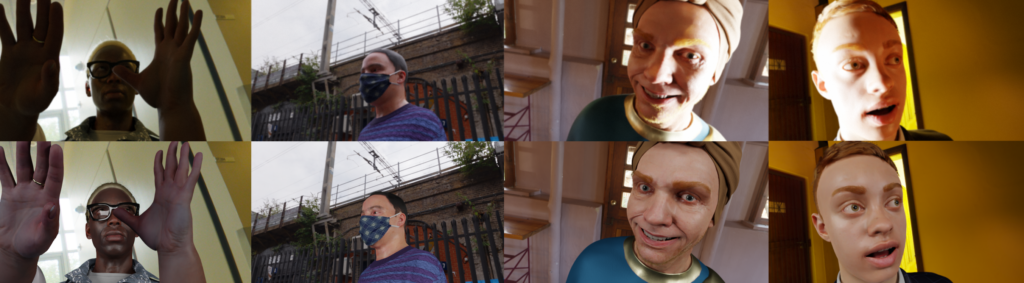
- Avatars – A solution that synthesizes a photorealistic avatar of the subject and drives it based on the input video may score the highest in terms of noise, illumination and color. If it indeed minimizes the total cost function that takes into account all these factors, it is acceptable.
Solutions that significantly rely on altering properties other than what are discussed above will be asked to resubmit. Ensembles of models are allowed. Manual tweaking of hyperparameters for individual videos would lead to disqualification.
Baseline Solution & Starter Code
Since AutoAdjust was ranked higher than expert-edited images and Image Relighting methods, we will provide the participants with a baseline solution so that they can reproduce the AutoAdjust feature as currently shipped in Microsoft Teams.
More details can be found at our repository: https://github.com/varunj/cvpr-vqe (opens in new tab)
Compute Constraints
The goal is to have a computationally efficient solution that can be offloaded to NPU for CoreML inference. We establish a qualifying criterion of CoreML uint8 or fp16 models with at most 20.0×10⁹ MACs/frame for an input resolution of 1280*720. We anticipate such a model to have a per frame processing time of ~9ms on an M1 Ultra powered Mac Studio and ~5ms on an M4 Pro powered Mac Mini for the given input resolution. Submissions not meeting this criterion will not be considered for evaluation.