
Minecraft Word Adventure
A fun way to learn English
Zoo version
Installation instructions
The Zoo version offers multiplayer support.
- Download and unzip the mod pack.
- Download Minecraft Forge (opens in new tab).
- Start the game and import the mod into Forge.
- Connect to the server created by our team and it will automatically download the resource pack, also developed by our team.
- Enjoy the game.
Missions
The Zoo version contains three missions and two test rooms, and the three mission stories are as follows:
Mission 1: The little bear is lost, and while searching for his parents, it has been exhausted. The player needs to collect honey to restore the little bear’s stamina to continue searching.


Mission 2: A tiger escaped from the cage, and the player needs to get it back into the cage after anesthesia.


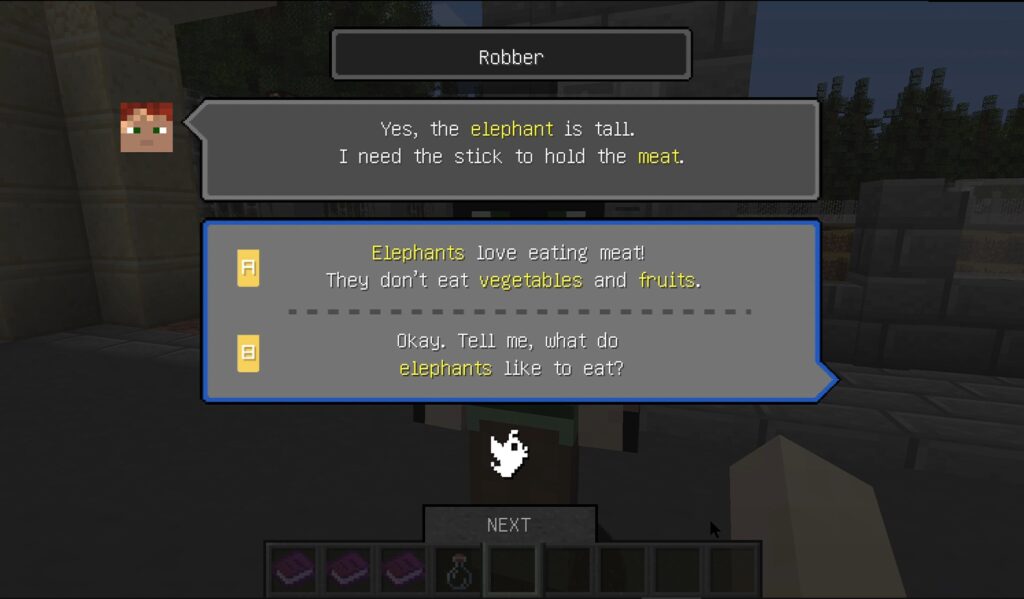
Mission 3: Thief gangs try to harm elephants for profit, and players need to stop them.
During the first three missions, players will get lots of opportunities to practice vocabulary listening, speaking, meaning and spelling. After passing the first three missions, the player will get two additional missions, which are used to test the player’s mastery of words. Let’s watch the real game video together!

Outerspace version
The Outerspace version is a study before the zoo version. We hope to achieve a better learning effect through the curiosity of primary school students about outer space exploration!
Installation instructions
The Outerspace version supports single players only.
- Download and unzip the mod pack.
- Start the game and importing the mod.
- Enjoy the game.

