Microsoft Research Blog

Intelligence

  1. a group of people standing in front of a crowd

    Second homomorphic encryption standardization workshop delivers the goods 

    April 10, 2018 | Kristin Lauter

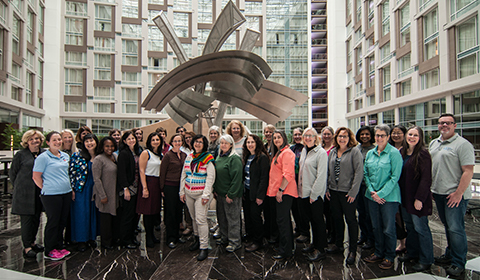
    What an exciting two days at the Second Homomorphic Encryption Standardization Workshop at Massachusetts Institute of Technology. More than 70 participants from 10 countries gathered together for two intense days of panels, discussions and planning and walked away with a significant milestone: the first draft…

  2. Ranveer Chandra smiling at the camera

    AI for the Developing World with Dr. Ranveer Chandra 

    April 4, 2018

    Episode 18, April 4, 2018 - Dr. Chandra talks about how his research may eventually make your wi-fi signal stronger and your battery life longer, but also shares the story of how spending childhood summers with his grandparents in rural India inspired a line of…

  3. Four Big Bets For Better AI Research: A Personal Journey 

    March 29, 2018 | Sumit Gulwani

    It’s a big shift to change from being motivated by getting published in prestigious conferences and journals, to being motivated by solving real problems for real people. Halfway through my 18-year research career working on program synthesis–the task of automatically constructing a program that satisfies…

  4. Microsoft and Tsinghua University Work Together on Open Academic Data Research 

    March 22, 2018

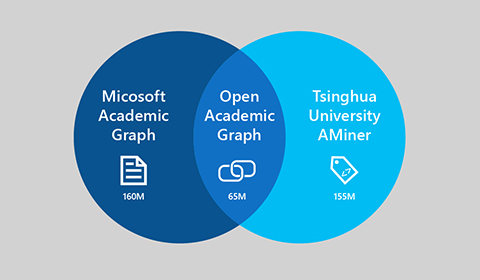
    In a recent collaboration, Microsoft and China’s Tsinghua University released an academic graph, named Open Academic Graph (OAG). This billion-scale academic graph integrates the current Microsoft Academic Graph (MAG) and Tsinghua's AMiner academic graph. Specifically, it contains the metadata information of 155 million academic paper…

  5. SwiftKey 7.0: A big change under a small ‘+’ 

    March 20, 2018

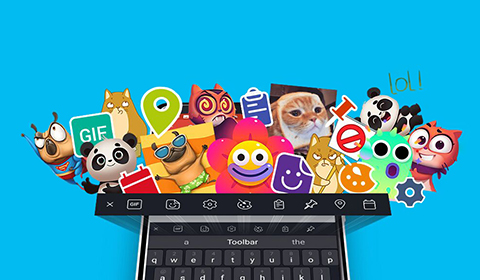
    Last week’s rollout of SwiftKey 7.0 is the intelligent keyboard app’s biggest update since joining Microsoft in April 2016. Available on both Android and iOS, SwiftKey 7.0 debuts Toolbar, an expandable menu found under a new '+' sign on the left of your prediction bar…